


Analogue 3D makes an irresistible promise: bring your Nintendo 64 cartridges and controllers, connect one compact box to a modern television and get the machine you remember without the soft composite picture, ageing power supply or scaler puzzle. It is easy to describe that as an “N64 Definitive Edition”. The more useful question is what has actually been preserved, what has been deliberately changed and which claims belong to Analogue rather than independent measurement.
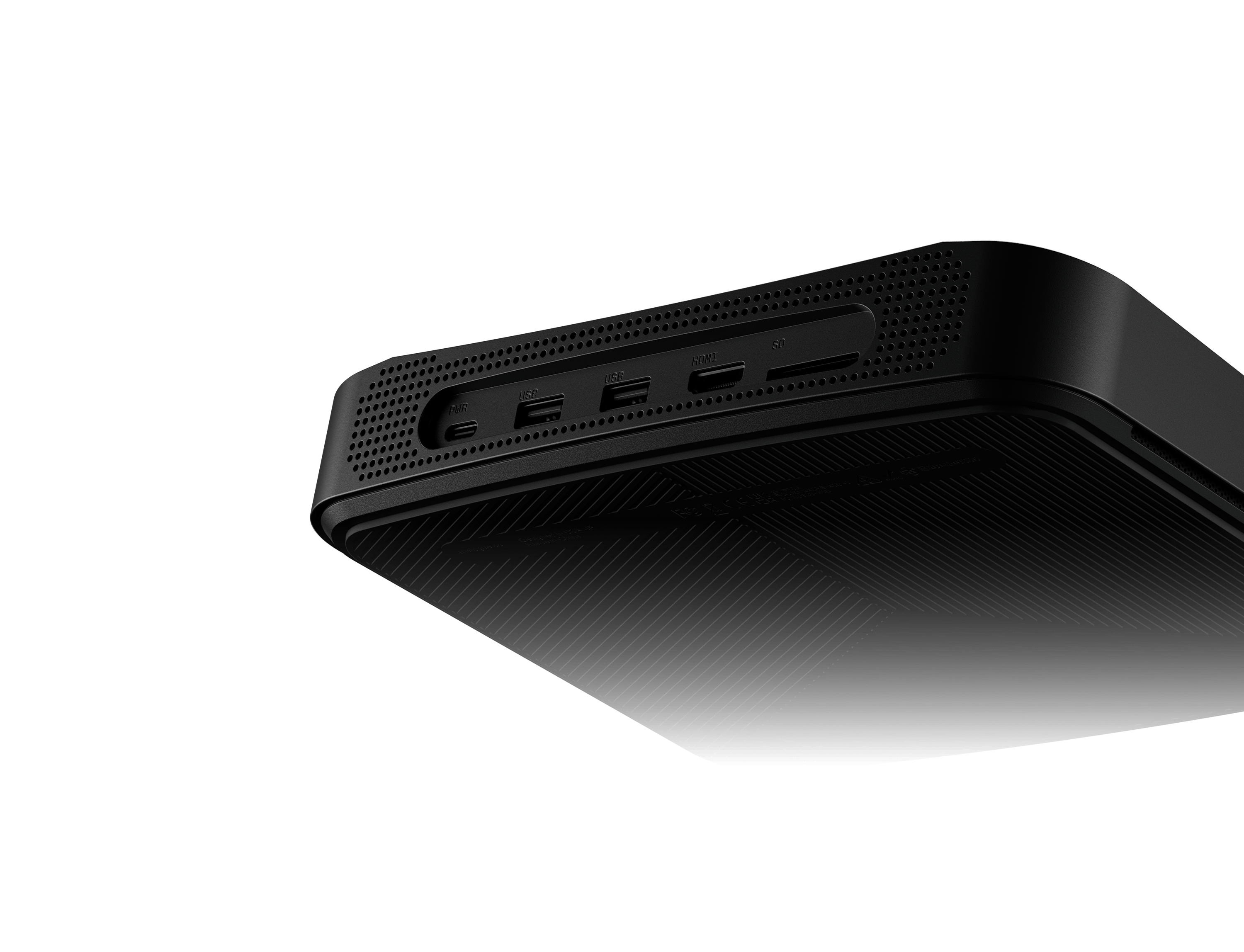
At its heart is a field-programmable gate array, or FPGA, configured to reproduce the behaviour required by N64 software and accessories. Around it sit a region-free cartridge slot, four original-style controller ports, Bluetooth, USB, an SD card and a digital video system capable of 4K output. The result is fundamentally different from plugging an original console into a basic HDMI adaptor, but it is also more nuanced than the slogan “No Emulation” suggests.
This review explains that distinction, then looks at cartridges, video modes, enhancements, controllers, 3DOS and the optional accessories that do—and do not—make sense. Because the operating system continues to evolve, firmware-dependent details are checked against 3DOS 1.4.0, released on 23 June 2026.
The short verdict: Analogue 3D is one of the most convenient ways to play original N64 cartridges on a 4K television while retaining real controllers and accessories. Its appeal is strongest for someone who owns physical games, values low-latency local multiplayer and wants both CRT-style presentation and carefully labelled enhancement options.
It is not a general FPGA development system, a 64DD replacement, a ROM-loading console or a route back to a real CRT. Firmware still matters, the optional controller costs extra and Analogue’s “100% compatibility” and “zero lag” descriptions remain manufacturer claims.
Analogue 3D At A Glance
Core Hardware
FPGA-based recreation designed specifically for Nintendo 64 cartridges; openFPGA is not supported.
Video & Audio
4K or 1080p HDMI at 50 or 60 Hz, HDR10 options, VRR, ALLM and 48 kHz 16-bit PCM audio.
Media
Original N64 cartridges from all regions through a full-size, region-free cartridge slot.
Controllers
Four original-style N64 ports, two USB-A ports and Bluetooth for a documented selection of wireless controllers.
Memory & Storage
Built-in Expansion Pak and virtual Controller Pak support, with a pre-installed 16 GB SD card.
Power & Size
USB-C power; 180 × 230 × 49 mm and 837 g according to Analogue’s specification.
Analogue’s current US store price is $269.99 before delivery and any destination taxes or charges. A controller is not included. The box contains the console, pre-installed SD card, HDMI and USB cables, and a worldwide 30 W USB-C power supply with a US/Japan plug type. UK buyers therefore need to account for the plug arrangement as well as the final landed cost.
What FPGA Recreation Really Means
An FPGA is a chip containing configurable logic resources. Instead of running an N64 emulator as an ordinary programme on a general-purpose CPU, Analogue configures those resources into interconnected digital logic intended to behave like the original console. Different parts of the recreated system can operate concurrently, communicate with a physical cartridge bus and respond to controller traffic with tightly controlled timing.
That is a valuable implementation approach, but it is not magic and it does not turn the FPGA into Nintendo-manufactured silicon. Software emulators and FPGA cores both model another machine; the distinction is where and how that model runs. Accuracy still depends on the quality of the reverse engineering, the hardware description and the firmware surrounding it.
Analogue uses “No Emulation” to mean that the product does not use conventional software emulation. It also claims complete library compatibility, no input lag and flawless timing. Those are the manufacturer’s claims, not a substitute for a public hardware description or an independent test methodology. The continuing core fixes in firmware release notes—including cache opcode behaviour and floating-point rounding in version 1.4.0—show why compatibility should always be discussed with a firmware version attached.
A more accurate description: Analogue 3D is an FPGA-based hardware recreation of the Nintendo 64 platform. That explains its design method without implying that every FPGA implementation is automatically perfect or that software emulation cannot be accurate.
The Nintendo 64 Hardware Being Recreated
The original Nintendo 64 divides its work between a MIPS-based R4300-series main processor and the Reality Co-Processor. Within the RCP, the Reality Signal Processor executes microcode for tasks including geometry and audio, while the Reality Display Processor rasterises polygons, applies textures and blending, handles coverage-based antialiasing and works with the depth buffer.
Games do not all exercise those components in the same way. Developers supplied different microcode, used unusual display timings and sometimes depended on behaviour that a simplified implementation might miss. That diversity is why N64 recreation is harder than matching a specification sheet. A convincing replacement must reproduce the interactions between CPU, RSP, RDP, RDRAM, video interface, cartridge hardware and accessories closely enough for commercial software to behave as expected.
Analogue has not published the complete HDL, internal block diagram or a cycle-by-cycle account of how its core maps every original component. It is therefore safer to say the FPGA recreates the platform’s observable hardware behaviour than to claim, as the original article did, that particular internal blocks or RDRAM latency mechanisms are implemented in a specific undocumented way.
Cartridges, Regions & Compatibility
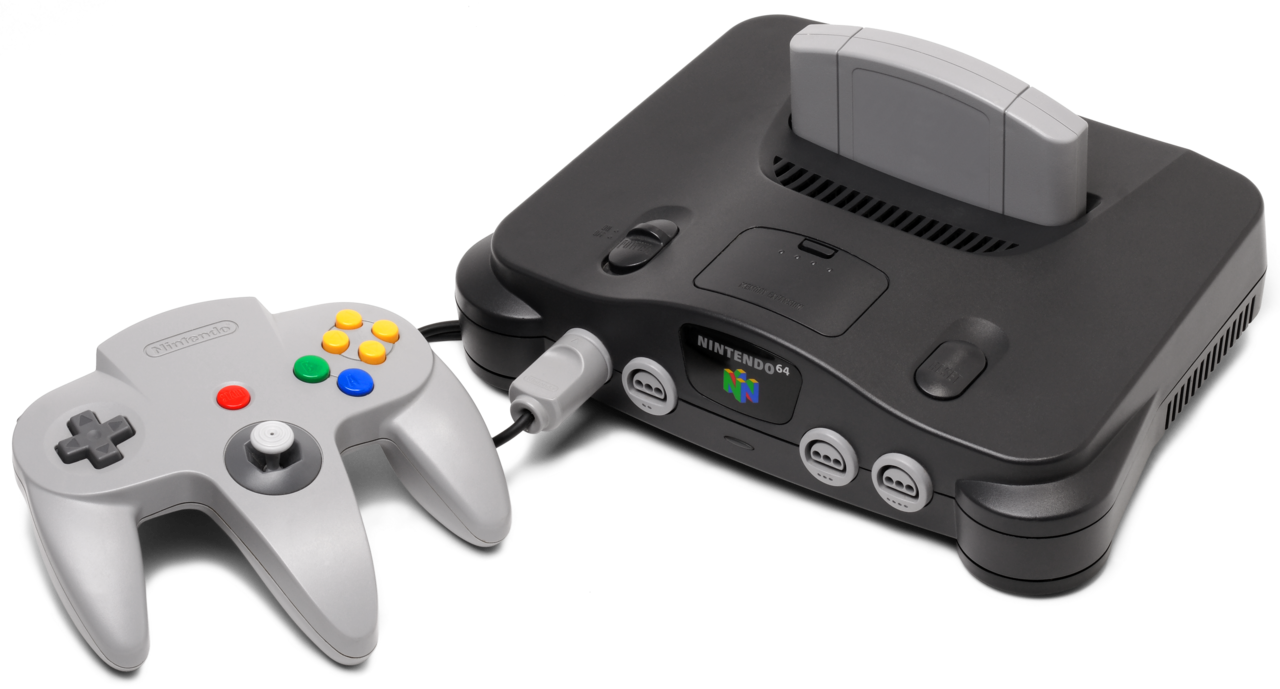
The central attraction is direct use of physical N64 cartridges. Analogue lists official Nintendo-manufactured cartridges from every region, official reproduction cartridges and unusual cartridge features such as real-time clocks and SmartMedia readers. Region selection can remain automatic or be forced to NTSC or PAL; the guide recommends a 50 Hz HDMI mode when PAL is forced.
Region-free does not mean that every regional difference disappears. A PAL cartridge still contains its PAL programme and may have different timing, language or optimisation. The console removes the need for separate regional hardware and outputs an appropriate digital signal; it does not silently turn every release into its NTSC counterpart.
Cartridge condition remains relevant. An FPGA cannot read through oxidation or contamination, and repeatedly reinserting a dirty game can transfer debris to a new connector. Power the system off before inserting or removing a game, clean contacts with an appropriate method and use the in-game “Quit Cartridge” command before removal so cartridge saves, virtual Controller Paks and SD-card data can be finalised correctly.
Analogue advertises 100% compatibility with the original commercial library. The phrase should be attributed to Analogue, particularly because 3DOS updates continue to correct individual core, controller and output issues. That does not make the claim meaningless; it means buyers should update before testing and report a reproducible game-specific fault with the cartridge region and firmware version.
4K HDMI, Display Modes, HDR & VRR
The original N64 was designed for analogue televisions. Its video interface deliberately softened the image, using filtering and antialiasing to reduce jagged edges and dither patterns at low resolution. A modern television then has to digitise, deinterlace and scale that signal. A cheap adaptor may preserve the weaknesses while adding its own processing delay.
Analogue 3D generates HDMI directly and offers UHD 2160p or Full HD 1080p at 50 or 60 Hz. For 4K, Analogue specifies a display accepting 4K 50/60 Hz 4:4:4 RGB and recommends the included or another certified cable. Some nominally 4K displays may fall back to 1080p because their accepted refresh rates or colour formats do not match.
Original Display Modes
Five presentation families are documented: BVM, PVM, CRT, Scanlines and Clean. The CRT-oriented modes adjust properties such as beam convergence, edge overshoot, softness, image size and fit. Clean mode instead offers selectable interpolation, sharpness and a tube-like or modern gamma transfer function. These are configurable video treatments, not photographs of one universally “correct” CRT.
Analogue recommends a 4K HDR10 OLED for the most convincing result because high pixel density gives the simulation more room to describe scanlines and beam structure, while strong local highlight brightness helps reproduce CRT-like bloom. The modes are a matter of display, viewing distance and taste: a softer consumer-CRT profile may flatter low-resolution 3D artwork, while Clean mode can expose every edge and dither pattern.
HDR, VRR, ALLM & Latency
HDR10 expands the brightness range available to the display modes, with several average and peak luminance presets. Those values should be matched sensibly to the television; choosing a target beyond its capability can trigger tone mapping and produce washed-out or clipped results.
VRR allows a compatible television to vary its refresh cadence with the source. It can reduce presentation judder or tearing associated with mismatched output timing, but it does not make a 20 fps game render at 60 fps and it does not repair uneven game logic. Frame-rate improvement comes from the separate overclock options, with corresponding compatibility risks.
ALLM asks a compatible HDMI 2.1 display to enter its low-latency mode. Analogue describes the console output as lag-free, but the complete button-to-screen chain still includes the controller connection, television and any receiver or capture hardware. Game Mode remains important even when the console itself avoids a large framebuffer.
Original Behaviour Versus Hardware Enhancements
Analogue 3D can behave as a preservation-focused recreation or deliberately alter the N64’s output and performance. Those choices should not be bundled together as if they all improve fidelity.
| Option | What It Changes | Trade-Off |
|---|---|---|
| Force Original Hardware | Disables enhancement settings, including overclock, 32-bit colour and progressive output. | Best starting point for original performance, including slowdown. |
| De-blur | Removes the N64 video interface’s softening filter. | Sharper pixels, but dithering and aliasing become easier to see. |
| 32-bit Colour | Outputs the fuller colour expression described by Analogue instead of the original 16-bit output path. | Cleaner gradients and less dithering, but not the signal an original console produced. |
| Disable Texture Filtering | Removes the original smoothing between texture samples. | Textures look crisp and blocky rather than characteristically soft. |
| Disable Antialiasing | Turns off coverage-based edge smoothing. | Sharper geometry with more jagged edges and visible gaps. |
| Progressive Output | Beta option that sends the full framebuffer each frame instead of reproducing interlaced field output. | Can improve clarity but may break menus or games using field rendering. |
| Overclock | Enhanced modes alter RAM, video and—at the highest setting—the CPU. | Can raise performance, but may change game speed or cause instability. |
A good review should therefore compare at least two configurations. Force Original Hardware shows how accurately the console preserves timing and slowdown. Enhancement mode shows what the FPGA can do when historical behaviour is no longer the only priority. Both are legitimate; they answer different questions.
Controllers, Paks & Multiplayer
The four original-style ports are more than decoration. Analogue documents support for standard and specialist N64 controllers, including the N64 Mouse, ASCIIWHEEL 64, Densha de Go controller, fishing controller and Voice Recognition Unit. Original Rumble Paks, Controller Paks, Transfer Paks and the Bio Sensor are also listed.
Original accessories plug into the accessory slot of an original controller, just as they did on Nintendo hardware. That detail matters for the Transfer Pak: connecting a modern Bluetooth pad does not create a physical Game Boy cartridge slot. Use an original controller when a game needs the original accessory.
For wireless play, Analogue’s documented native list is narrower than “any Bluetooth controller”: the 8BitDo 64 Bluetooth Controller, 8BitDo Modkit for N64 controllers and Nintendo Switch Online N64 controller. Up to four Bluetooth controllers, four original controllers or two USB controllers can be connected, with any combination capped at four active players.
Wireless controllers can use virtual Rumble Pak and Controller Pak functions. The system selects an appropriate virtual Pak when a game starts and allows switching through a hotkey. Virtual Controller Pak data requires the SD card, works for player one and is written when the cartridge is quit or the system is powered down. Removing the SD card during play risks losing that data.

3D OS, Memories, Library & Screenshots
3DOS turns a cartridge console into a modern indexed system without replacing the cartridges. Insert a recognised game and the Library can record its title, developer, publisher, release date, date added and accumulated play time. Per-game configuration keeps a preferred display mode and hardware settings attached to that entry, while community label artwork can be added to the SD card.
Version 1.3.0 introduced Memories, Analogue’s name for save states. Each game currently supports up to twenty; when the limit is reached, an unpinned oldest entry is removed. Loading a Memory restores far more than a normal cartridge save, so subsequently saving in-game can overwrite cartridge or Controller Pak data. It is a convenience feature that deserves the same care as save states on any platform.
Version 1.4.0 added screenshots and a Gallery. Captures can be organised per game and exported as lossless 4K PNGs with Original Display Mode and HDR settings applied. Screenshot use, virtual Controller Paks and Memories all depend on the SD card.
Despite the built-in Wi-Fi hardware, Analogue’s product page still marks over-the-air operating-system updates as forthcoming. The current guide documents manual installation from the SD card or through USB-C SD-connect mode. “Network updates” should therefore not be described as an available convenience until Analogue’s documentation confirms that feature has launched.
Analogue 3D Versus An Original N64
| Area | Original Nintendo 64 | Analogue 3D |
|---|---|---|
| Core hardware | Nintendo and SGI-era custom silicon | Modern FPGA recreation |
| Media | Original cartridges, region restrictions depend on console | Original cartridges with automatic or forced region selection |
| Video | Analogue low-resolution output intended for CRTs | Digital 4K/1080p HDMI with configurable presentation |
| Controller ports | Four original ports | Four original-style ports plus USB and Bluetooth |
| Expansion memory | 4 MB base; physical Expansion Pak adds 4 MB | Expansion Pak function built in and normally configurable |
| Saving | Cartridge save or physical Controller Pak | Original saves plus virtual Controller Paks and Memories |
| CRT connection | Native analogue video | HDMI televisions only; no Analogue DAC support |
| Performance changes | Original timing and slowdown | Original-focused mode or optional experimental enhancements |
An original N64 remains the reference physical artefact and the straightforward choice for a real CRT. Its weaknesses on a modern display can be addressed with a quality external scaler or internal HDMI modification, but either route adds cost, setup and possible modification to ageing hardware.
Analogue 3D packages the replacement console, digital output, scaling, display simulation, region selection and modern save tools together. That convenience is its strongest argument—not the idea that every other route is “wrong”. A carefully configured original console and scaler can be excellent, while mature software emulation offers features and accessibility that a cartridge-only FPGA system deliberately avoids.
What Analogue 3D Does Not Do
- No controller in the box: budget for an original pad, supported wireless controller or another documented option.
- No direct CRT output: Analogue says the console is not compatible with CRTs or the Analogue DAC.
- No openFPGA: owners cannot install community cores for other consoles as they can on Analogue Pocket.
- No direct 64DD attachment: the original disk drive cannot be mounted to the console.
- No built-in ROM loading: Analogue states that the console plays legacy cartridges and does not play copyrighted ROM files.
- No guarantee for every third-party cartridge: official compatibility documentation does not promise all flash carts, cheat devices or unlicensed reproductions.
- Firmware is still developing: Memories, progressive output, screenshots and several compatibility fixes arrived after launch.
Those limits are not accidental omissions. They define the product as a focused N64 cartridge console rather than a universal retro box. They should nevertheless be explicit before “ultimate N64” language encourages someone to expect a different machine.
SummerCart64 & BlueRetro: Useful Or Redundant?
SummerCart64
SummerCart64 is an open-source N64 flash cartridge built for homebrew development, SD-based loading, automatic save backup and 64DD hardware emulation. On an original N64 it can be a powerful development and preservation tool, particularly for running your own software, legal homebrew and personal cartridge dumps where local law permits.
It should not be called an essential Analogue 3D accessory. Analogue’s official compatible-media list covers original Nintendo cartridges and official reproductions but does not guarantee third-party flash carts. SummerCart’s own documentation describes support for an N64 console, not an Analogue compatibility promise. Firmware and menu versions can affect behaviour, so buyers should verify the exact combination rather than assuming that every feature—including 64DD images and secondary-system emulators—will work identically.
BlueRetro N64 Receiver
The BlueRetro N64 Bluetooth Receiver makes excellent sense on an original N64: it adds wireless controller support to a console that never had it. It can also broaden controller choice where its firmware supports a pad that Analogue does not list natively.
For the usual Analogue 3D setup, however, it is largely redundant. Bluetooth is already built in, and the console provides virtual Rumble and Controller Paks for supported wireless controllers. Using Analogue’s native path also keeps pairing, player assignment and operating-system hotkeys integrated. Buy BlueRetro for the original console or a specific compatibility need, not because Analogue 3D requires Bluetooth hardware.

What To Check Before Buying
- Price the complete setup. Add the controller, delivery, any applicable import costs and the correct plug solution—not only the manufacturer’s US price.
- Check the television. For full 4K output it must accept 4K 50/60 Hz 4:4:4 RGB. HDR10, useful peak brightness, Game Mode, ALLM and VRR affect which extras you can use well.
- Decide whether you need a CRT. If the answer is yes, an original N64 remains the direct route because Analogue 3D is HDMI-only.
- Inventory controllers and accessories. An original controller is still useful for physical Paks, even if wireless play handles most ordinary sessions.
- Inspect and clean cartridges properly. A modern slot cannot compensate for dirty contacts or ageing cartridge save hardware.
- Update 3D OS before judging compatibility. Use the official support page, follow the manual procedure and never interrupt an update.
- Start conservatively. Test a game with original-focused hardware settings before enabling progressive output or overclocking, so faults are easier to isolate.
Keep the console ventilated and retain the pre-installed SD card for updates, Library data, virtual Controller Paks, Memories and screenshots. Analogue supports FAT32 or exFAT cards up to 1 TB, but removing a card while the system is running can corrupt or lose pending data.
The Verdict
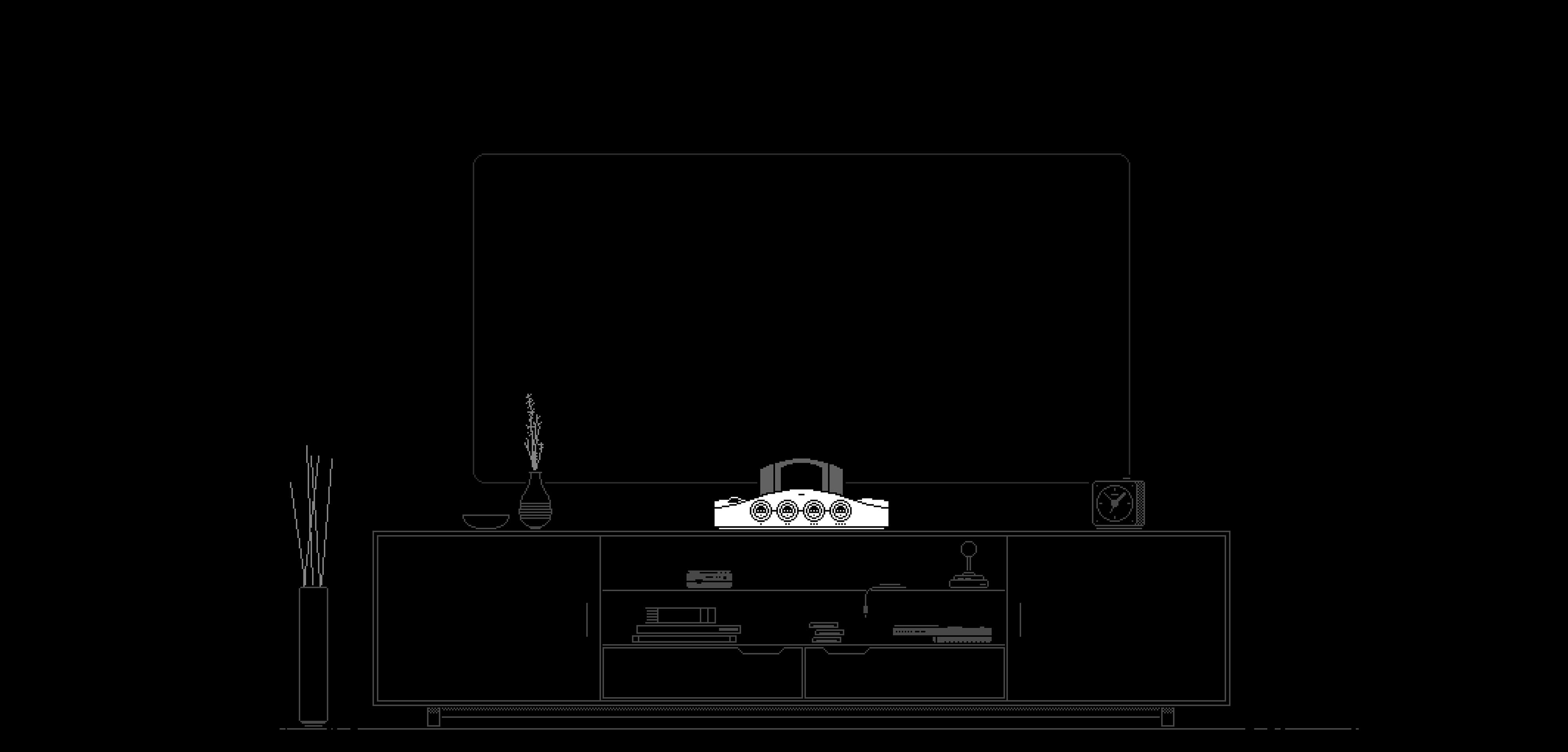
Analogue 3D succeeds because it does not ask an N64 collector to abandon the parts of the system that matter. The cartridge goes into the top, four original controllers go into the front and the games can retain their characteristic timing and presentation. HDMI, region freedom and an integrated Expansion Pak remove several pieces of friction without turning the collection into a subscription menu.
Its enhancement options are most interesting when treated honestly. De-blur, 32-bit colour, progressive output and overclocking can make familiar games cleaner or smoother, but they are alternatives to original behaviour rather than proof of it. Original Display Modes then tackle the opposite problem: restoring some of the softness, beam structure and brightness response lost when CRT-era artwork reaches a flat digital panel.
The product is less convincing as a universal “endgame”. It cannot feed a CRT, run openFPGA cores or directly mount a 64DD. A controller costs extra, Wi-Fi updating remains forthcoming in the current documentation and third-party flash-cart support should not be assumed. Software updates have materially expanded and corrected the experience since launch.
For a physical N64 library beside a good 4K television, those limits may be exactly the point. Analogue 3D is not every possible Nintendo 64 setup in one box. It is a carefully focused modern cartridge console—and that is a stronger, more defensible recommendation than calling it perfect.
Sources & Further Reading
- Analogue 3D Product Page — current manufacturer specification, compatibility claims, box contents, display features and product limitations.
- Analogue 3D User Guide: Getting Started — display requirements, SD-card use, safe cartridge removal and firmware installation.
- Analogue 3D User Guide: Compatible Media — supported cartridges, original accessories, virtual Paks and 64DD limitation.
- Analogue 3D User Guide: Controllers — documented Bluetooth, USB, original-controller and Transfer Pak support.
- Analogue 3D User Guide: Display & Hardware Settings — Original Display Modes, de-blur, colour, filtering, progressive output and overclock options.
- Analogue 3D User Guide: 3D OS — Library, Memories, screenshots, HDMI modes, HDR and ALLM.
- 3D OS 1.4.0 Release Notes — current firmware date, screenshot tools and core fixes.
- Nintendo 64 Programming Manual — original developer documentation for the CPU, RSP, RDP, memory and graphics pipeline.
- SummerCart64 Project Documentation — primary documentation for the open-source flash cartridge and its intended N64 features.