Skip to product information
1 of 4

BlueRetro SNES & Super Famicom Bluetooth Controller Adapter

BlueRetro SNES & Super Famicom Bluetooth Controller Adapter

🕹️ Wireless Bluetooth Control For Original SNES & Super Famicom Consoles 🕹️

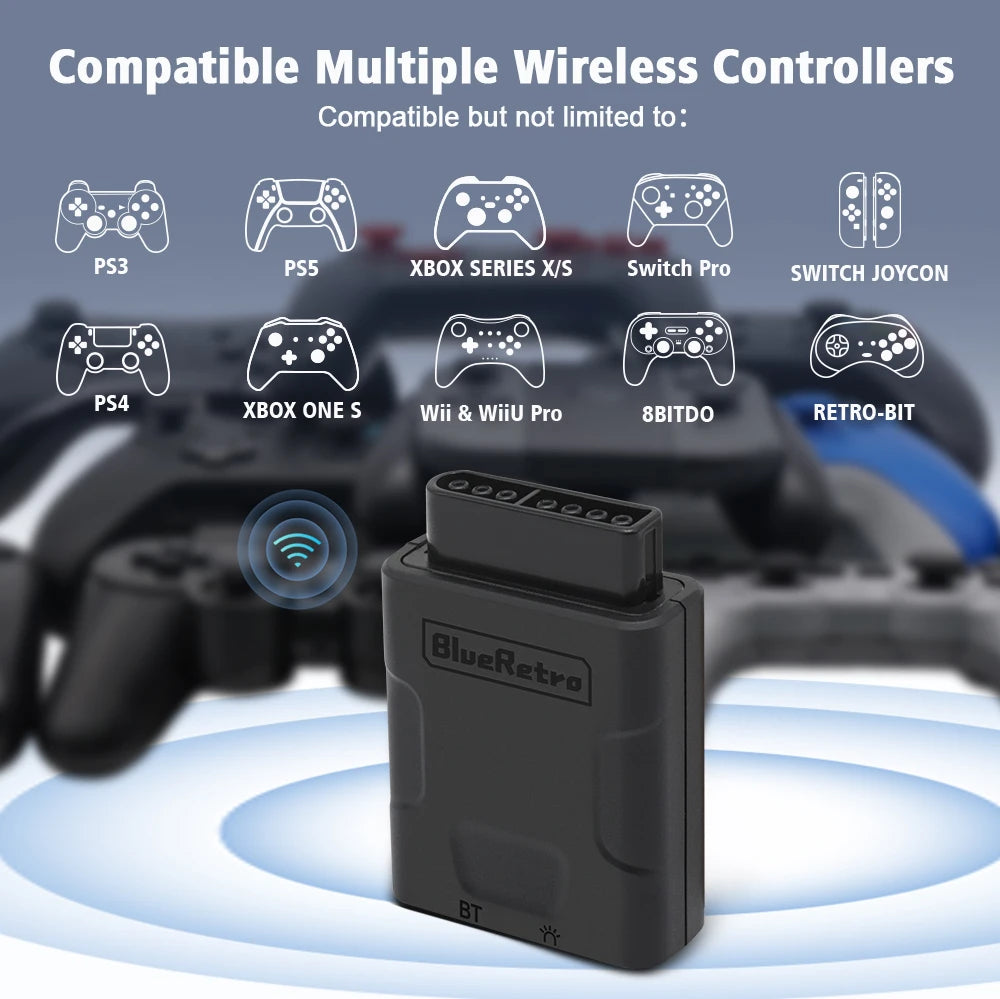
🎮 Supports Switch Online SNES, PS3, PS4, PS5, Xbox, Switch, 8BitDo & Retro-Bit Controllers 🎮

⚡ Low-Latency BlueRetro Wireless Input ⚡

🎯 Standard 12-Button SNES Controller Emulation 🎯

🖱️ Configurable SNES Mouse Output Mode 🖱️

⚙️ Remappable Controls Via BlueRetro Web Config ⚙️

🔌 Plug-In Controller Port Adapter With No Console Modification 🔌

🛡️ 12-Month Retrolize Warranty 🛡️

Regular price ÂŁ24.99
Regular price Sale price ÂŁ24.99
Sale Sold out
UK VAT included
UK Stock
12-Month Warranty
Tracked UK Delivery
Real UK Customer Support

Description

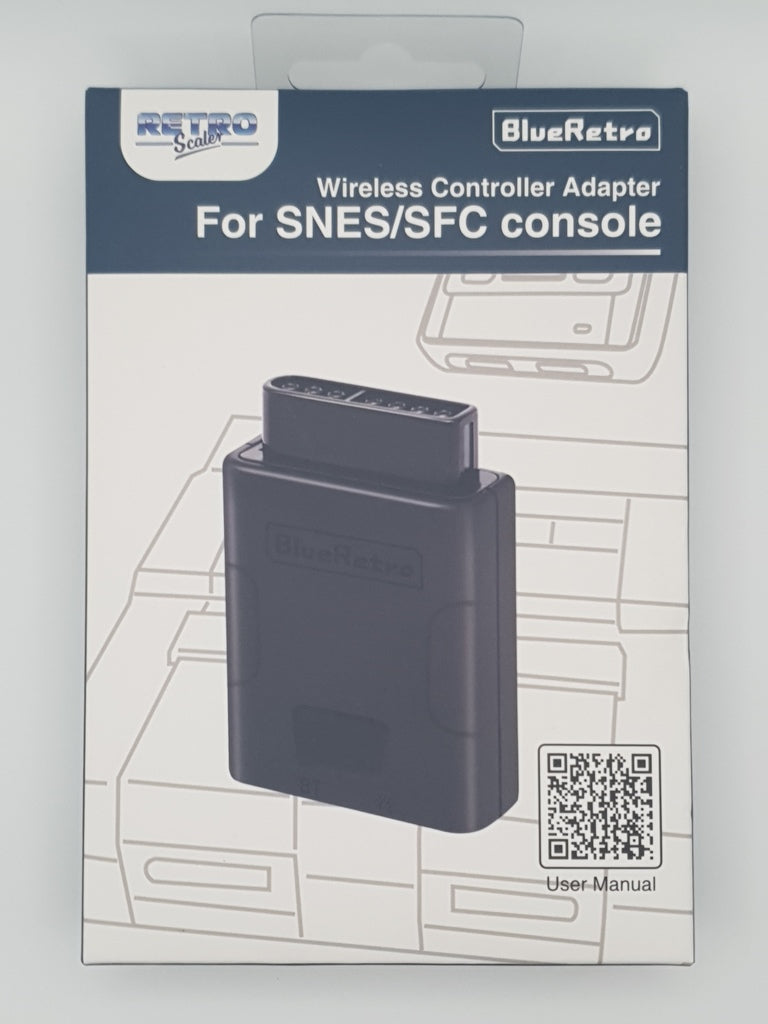
This RetroScaler BlueRetro SNES & Super Famicom Bluetooth Controller Adapter connects selected modern Bluetooth controllers to original Nintendo Super Nintendo Entertainment System and Super Famicom consoles.

The compact wireless receiver connects directly to an original SNES or Super Famicom controller port, providing wireless control without permanently modifying the console or requiring a separate power supply.

Compatible controller options include the official Nintendo Switch Online SNES and Super Famicom controllers, Sony DualShock 3, DualShock 4 and DualSense controllers, Bluetooth-enabled Xbox One and Xbox Series X|S controllers, Nintendo Switch Pro Controllers and Joy-Con, Wii Remotes, Wii U Pro Controllers and selected 8BitDo, Retro-Bit and Bluetooth HID controllers.

The adapter translates compatible Bluetooth controller inputs into the commands used by a standard 12-button SNES controller. Supported controls include the digital D-pad, A, B, X and Y face buttons, L and R shoulder buttons, Start and Select. Compatible analogue-stick inputs can also be mapped to the SNES digital directional controls.

In addition to standard controller emulation, BlueRetro can reproduce SNES Mouse output when used with compatible Bluetooth input hardware, supported software and the correct Default Mouse preset. Keyboard output is not currently supported.

Button assignments and output modes can be adjusted through BlueRetro Web Config using a compatible Chrome-based browser. Firmware can also be updated through the BlueRetro OTA updater, but only firmware explicitly confirmed as compatible with this exact RetroScaler adapter should be installed.

One adapter supports one wireless controller. A separate adapter is required for each wireless player, with up to two adapters connected directly to the two controller ports on a standard SNES or Super Famicom console.

Finished in Black, the adapter is dispatched from UK stock with fast delivery, international tracked delivery to supported destinations and a 12-month Retrolize warranty.

Browse our complete range of Bluetooth controller adapters for retro consoles.

Specifications

Brand: RetroScaler
Product Name: BlueRetro SNES & Super Famicom Bluetooth Controller Adapter
Product Type: Bluetooth Controller Adapter & Wireless Receiver
Model: BlueRetro For SNES & Super Famicom
Platform: BlueRetro Open-Source Hardware & Software
Core Hardware: ESP32
Wireless Technology: Bluetooth Classic BR/EDR & Bluetooth Low Energy
Bluetooth: Supported
Wireless Receiver: Integrated BlueRetro Receiver
Receiver Connection: Original SNES / Super Famicom Controller Port
Receiver Power: Console Controller Port
Controllers Per Receiver: 1
Maximum Direct Adapters Per Console: 2
Controller Output: Standard 12-Button SNES Controller Emulation
Directional Input: Digital D-Pad
Face Buttons: A, B, X & Y
Shoulder Buttons: L & R
Menu Controls: Start & Select
Analogue Stick Input: Can Be Mapped To SNES Digital Directional Controls
SNES Mouse Output: Supported With Compatible Input Hardware, Supported Software & The Default Mouse Preset
Keyboard Output: Not Supported
Rumble: Not Supported By The Standard Original SNES / Super Famicom Controller Interface
Button Mapping: Configurable
Configuration: BlueRetro Web Config
Firmware Updating: OTA Via BlueRetro Web Updater With Hardware-Compatible Firmware
Console Modification Required: No
Colour: Black
SKU: BR-SNES-BLK
GTIN/EAN: 6973162050296

Supported Systems

Original Nintendo SNES & Super Famicom Consoles

Original PAL Super Nintendo Entertainment System Consoles: Supported
Original NTSC-U Super Nintendo Entertainment System Consoles: Supported
Original NTSC-J Super Famicom Consoles: Supported
Nintendo SNES Jr Consoles: Supported
Nintendo Super Famicom Jr Consoles: Supported
PAL, NTSC-U & NTSC-J Console Regions: Supported
SNES Classic Mini & Super Famicom Classic Mini: Not Supported
Clone, FPGA & Aftermarket Consoles: Compatibility Not Guaranteed

Compatible Bluetooth Controllers

Official Nintendo Switch Online SNES & Super Famicom Controllers: Supported
Official Sony DualShock 4 Controllers: Supported
Official Sony DualSense Controllers: Supported
Official Sony DualShock 3 & Sixaxis Controllers: Supported With Additional Pairing Setup
Bluetooth-Enabled Xbox One Controllers: Supported
Xbox Series X|S Wireless Controllers: Supported
Nintendo Switch Pro Controllers & Joy-Con: Supported
Nintendo Wii Remotes & Wii U Pro Controllers: Supported
Selected 8BitDo Bluetooth Controllers: Support Varies By Model & Operating Mode
Selected Retro-Bit Bluetooth Controllers: Support Varies By Model & Operating Mode
Selected Bluetooth HID Controllers: Support Varies By Controller Hardware & Firmware
Original Xbox One Controllers Without Bluetooth: Not Supported
Controllers Using Only A Proprietary 2.4GHz USB Receiver: Not Supported Through Bluetooth

SNES Controller Functions & Output Modes

Standard 12-Button SNES Controller Emulation: Supported
Digital D-Pad: Supported
A, B, X & Y Face Buttons: Supported
L & R Shoulder Buttons: Supported
Start & Select: Supported
Analogue Stick Input: Can Be Mapped To Digital Directional Commands
SNES Mouse Output Mode: Supported With Compatible Input Hardware, Supported Software & The Default Mouse Preset
Keyboard Output Mode: Not Supported
Standard Controller Rumble: Not Supported

Connection Requirements

Controllers Per Adapter: One
Adapters Required For Multiplayer: One Adapter For Each Wireless Controller
Maximum Direct Adapters Per Console: Two
Console Modification: Not Required
Standard Power Source: Console Controller Port
External Power Supply: Not Required
Hot Plugging: Not Supported

Critical Info

Compatible Controller Required: A supported Bluetooth controller is required and is not included.

One Adapter Per Controller: A separate adapter is required for each wireless controller.

Original Console Connection: This adapter connects to the original controller port found on SNES, Super Nintendo and Super Famicom consoles. It is not compatible with the different controller connection used by the SNES Classic Mini or Super Famicom Classic Mini.

Standard SNES Controller Output: The adapter emulates a standard 12-button SNES controller, including the D-pad, A, B, X and Y face buttons, L and R shoulder buttons, Start and Select.

Additional Controller Inputs: Extra analogue sticks, triggers, touchpads and buttons available on modern controllers do not add functions that are unsupported by the original console or game.

SNES Mouse Mode: SNES Mouse emulation is an advanced output mode and is not enabled automatically. It requires compatible Bluetooth input hardware, software designed to support the original SNES Mouse and the correct BlueRetro Mouse output configuration.

Rumble: Standard SNES and Super Famicom controller ports do not provide conventional controller rumble support.

Keyboard Output: SNES keyboard output is not currently supported by BlueRetro.

Hot Plugging: Always switch the console off before inserting or removing the adapter.

Firmware Compatibility: Only install firmware explicitly confirmed as compatible with this exact RetroScaler SNES and Super Famicom adapter.

First-Time Pairing

  1. Switch the SNES or Super Famicom console off.
  2. Connect the BlueRetro adapter to the required controller port.
  3. Switch the console on. The flashing red LED indicates that Bluetooth pairing mode is active.
  4. Place the supported Bluetooth controller into its pairing mode.
  5. Wait for the adapter and controller to connect. The blue LED should remain illuminated when the connection is successful.
  6. Test the D-pad, face buttons, shoulder buttons, Start and Select before beginning a game.
  7. Once the pairing information has been stored, the controller can normally reconnect by being switched on again.
  8. Always switch the console off before removing or changing the adapter.

Adapter Button Functions

Press For Less Than 3 Seconds: Disconnects connected Bluetooth devices.

Hold For Approximately 3–6 Seconds: Starts pairing mode for a new Bluetooth controller.

Hold For Approximately 10 Seconds: Restores the adapter’s default configuration and clears stored Bluetooth pairing information. The installed firmware is not removed.

LED Indicator

Flashing Red LED: Bluetooth pairing mode is active.

Constant Blue LED: A Bluetooth controller is connected successfully.

Constant Red LED: A Bluetooth or adapter error has occurred. Switch the console off, check the connection and restart the adapter.

Using BlueRetro Web Config

  1. Switch the SNES or Super Famicom on with the adapter connected.
  2. Ensure that no controller is currently connected to the adapter.
  3. Open the official BlueRetro Web Config using Chrome or another compatible Chromium-based browser on a desktop or Android device.
  4. Connect to the adapter through the browser.
  5. Configure button mappings, output modes and other available settings as required.
  6. Save the required settings before disconnecting from Web Config.
  7. Disconnect from Web Config before pairing a controller.

Using SNES Mouse Mode

  1. Connect and power the adapter with no controller currently paired.
  2. Open BlueRetro Web Config using a compatible browser.
  3. Select Mouse as the required output mode.
  4. Load the Default Mouse preset.
  5. Save the configuration and disconnect from Web Config.
  6. Pair a compatible Bluetooth mouse or pointing device.
  7. Use the mode only with SNES software designed to support the original SNES Mouse.

Firmware Updating

The adapter can be updated through the official BlueRetro OTA Firmware Updater while powered and with no controller connected.

Only install firmware explicitly confirmed as compatible with this exact RetroScaler SNES and Super Famicom adapter. Installing incompatible firmware or interrupting an update can leave the adapter unresponsive and is not covered by the Retrolize warranty.

Package Includes

1 Ă— RetroScaler BlueRetro SNES & Super Famicom Bluetooth Controller Adapter In Black
1 Ă— Instruction Booklet
1 Ă— Retail Box

Warranty Information

This RetroScaler BlueRetro SNES & Super Famicom Bluetooth Controller Adapter is covered by a 12-month Retrolize warranty against manufacturing defects and hardware faults arising during normal use from the date of delivery.

The warranty does not cover accidental damage, liquid damage, forced insertion, hot plugging, unauthorised modification, incorrect external power, incorrectly performed or interrupted firmware updates, or firmware not explicitly confirmed as compatible with this exact adapter.

Compatibility differences caused by unsupported controllers, proprietary 2.4GHz receivers, third-party controller firmware, individual games, unsupported consoles or unsupported operating modes are not considered product faults.

Warranty claims remain subject to the full Retrolize warranty terms and are additional to the customer’s statutory rights.

Additional Information

Can I Use A Nintendo Switch Online SNES Controller?

Yes. The official Nintendo Switch Online SNES and Super Famicom Bluetooth controllers are supported by BlueRetro and provide an appropriate classic button layout.

Can I Use A PS5 DualSense Controller On An Original SNES?

Yes. An official Sony DualSense controller can be paired with the adapter and mapped to the standard SNES controls.

Can I Use An Xbox Controller On An Original SNES?

Yes. Xbox Series X|S controllers and Bluetooth-enabled Xbox One controllers are supported. Original Xbox One controllers without Bluetooth are not supported.

Can I Use An 8BitDo Controller?

Selected 8BitDo Bluetooth controllers are supported. Compatibility can depend on the controller model, firmware and selected operating mode.

Does It Work With A Super Famicom?

Yes. The adapter supports original Japanese Super Famicom consoles as well as original PAL and North American Super Nintendo consoles.

Does It Work With An SNES Jr Or Super Famicom Jr?

Yes. SNES Jr and Super Famicom Jr consoles retain the original controller-port connection required by the adapter.

Does It Work With The SNES Classic Mini?

No. The SNES Classic Mini and Super Famicom Classic Mini use a different controller connection. This adapter is intended for original SNES and Super Famicom hardware.

Does It Work With Clone Or FPGA Consoles?

This listing is specified for original Nintendo SNES and Super Famicom hardware. A similar-looking controller port does not guarantee full compatibility with clone, FPGA or aftermarket consoles. Contact Retrolize before ordering for hardware not listed under Supported Systems.

Can I Use A Bluetooth Mouse?

BlueRetro can emulate an original SNES Mouse when configured to Mouse output mode with the Default Mouse preset. A compatible Bluetooth mouse or pointing device and SNES software designed for the original SNES Mouse are required.

Can An Analogue Stick Control SNES Games?

Yes. Compatible analogue-stick movement can be mapped to the digital directional commands used by the SNES D-pad. This does not provide true analogue movement because standard SNES games use digital directional input.

Does The Adapter Support Rumble?

Standard SNES and Super Famicom controller output does not support conventional controller rumble. Extra rumble features offered by a modern controller will therefore not operate during ordinary SNES gameplay.

Can I Connect Two Wireless Controllers?

Yes, but each controller requires its own adapter. Connect one adapter to each original console controller port for compatible two-player games.

Does The Adapter Support A Super Multitap?

This listing is supplied as a one-controller-per-adapter receiver. Standard direct use supports up to two adapters through the console’s two controller ports. Multitap configurations are advanced BlueRetro functions and are not guaranteed as part of this product listing.

Can I Use A Controller’s 2.4GHz USB Receiver?

No. Controllers that operate only through a proprietary 2.4GHz USB receiver cannot connect through Bluetooth.

Is International Delivery Available?

Yes. International tracked delivery is available to supported destinations, with delivery options calculated at checkout.

View full details