Skip to product information
1 of 5

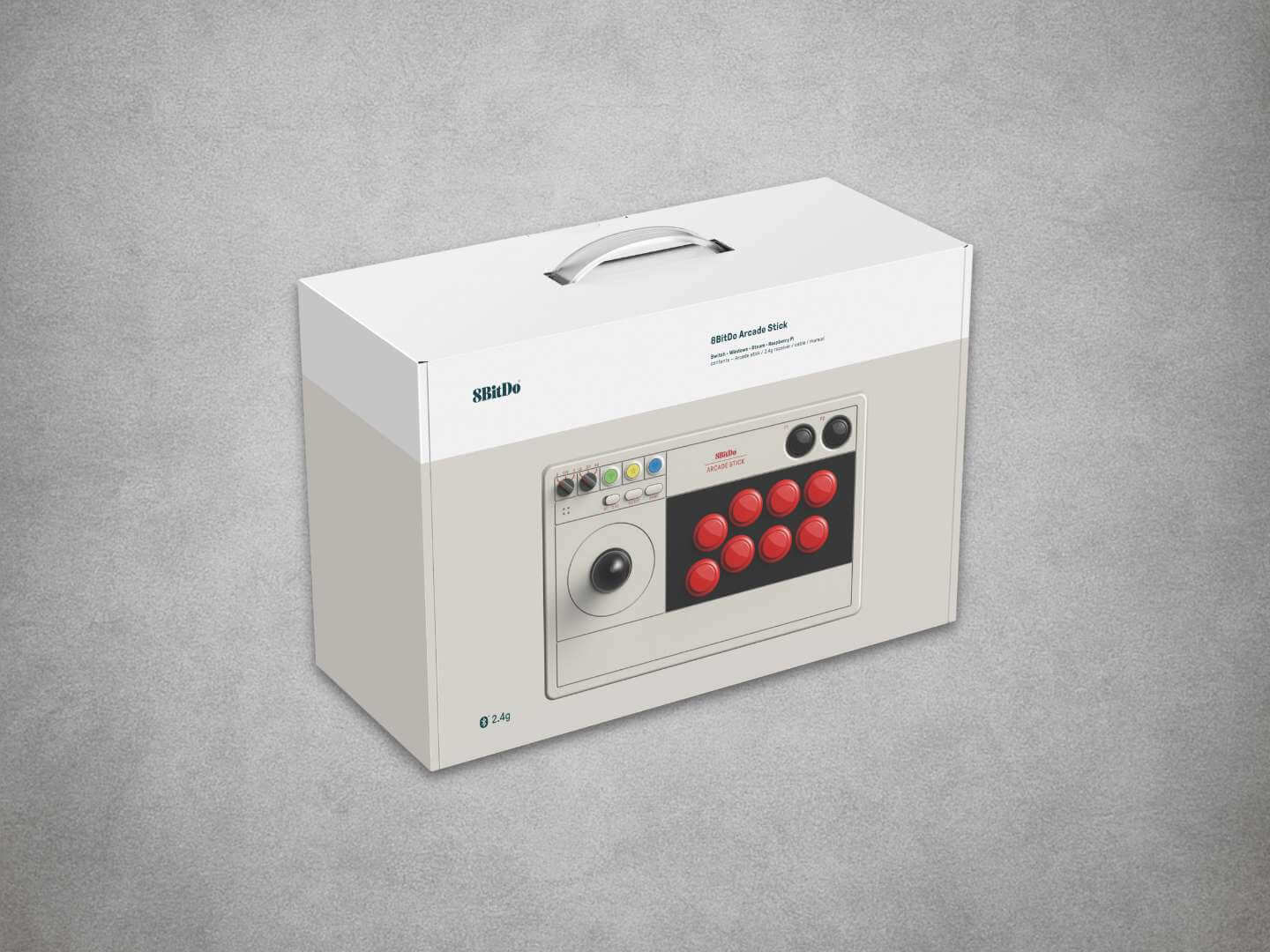
8BitDo Wireless Arcade Stick For Nintendo Switch, Switch 2 & PC - Grey

8BitDo Wireless Arcade Stick For Nintendo Switch, Switch 2 & PC - Grey

🕹️ Full-Size Arcade Control For Fighting & Retro Games 🕹️

🎮 Nintendo Switch, Switch 2 & Windows PC Compatible 🎮

📡 Bluetooth, 2.4GHz & Wired USB-C Connectivity 📡

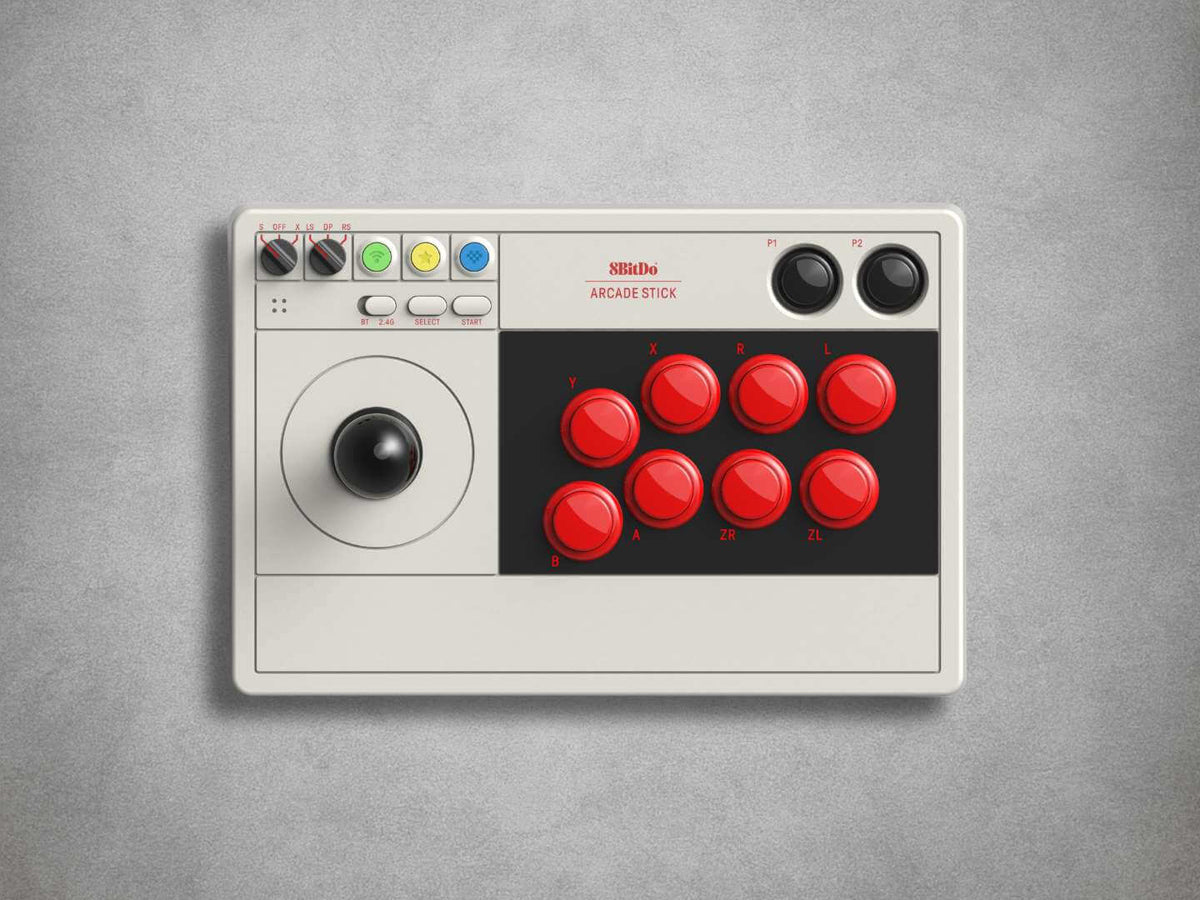
🎯 8-Way Joystick With Square Restrictor Gate 🎯

🔴 Eight-Button Arcade Layout With Dynamic Mode Labels 🔴

⚙️ Remappable Controls & Profiles Via Ultimate Software ⚙️

⏺️ Dedicated P1 & P2 Macro Buttons ⏺️

🔄 Turbo, Button Swap & DP / LS / RS Modes 🔄

🔋 Up To 40 Hours Of 2.4GHz Wireless Play 🔋

🛡️ 12-Month Retrolize Warranty 🛡️

Regular price ÂŁ79.99
Regular price Sale price ÂŁ79.99
Sale Sold out
UK VAT included
UK Stock
12-Month Warranty
Tracked UK Delivery
Real UK Customer Support

Description

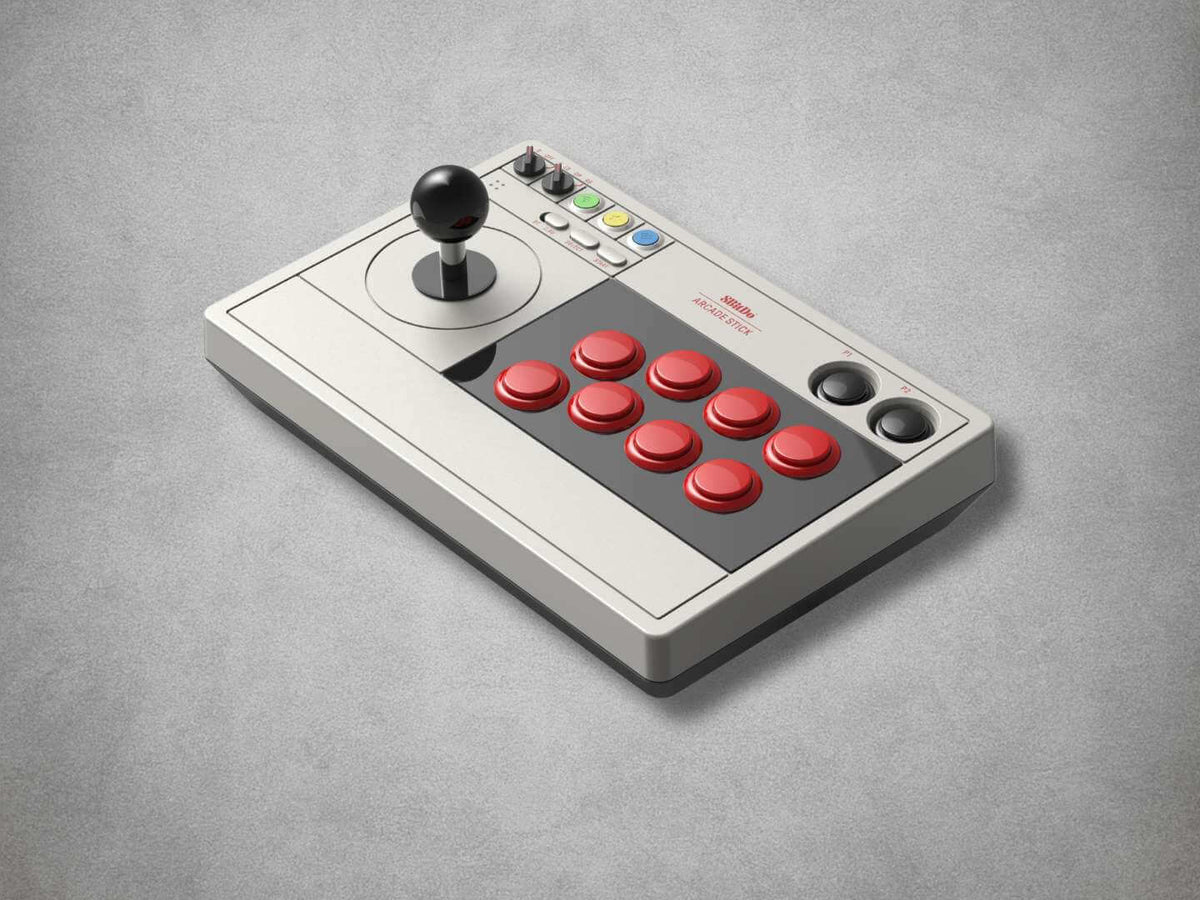
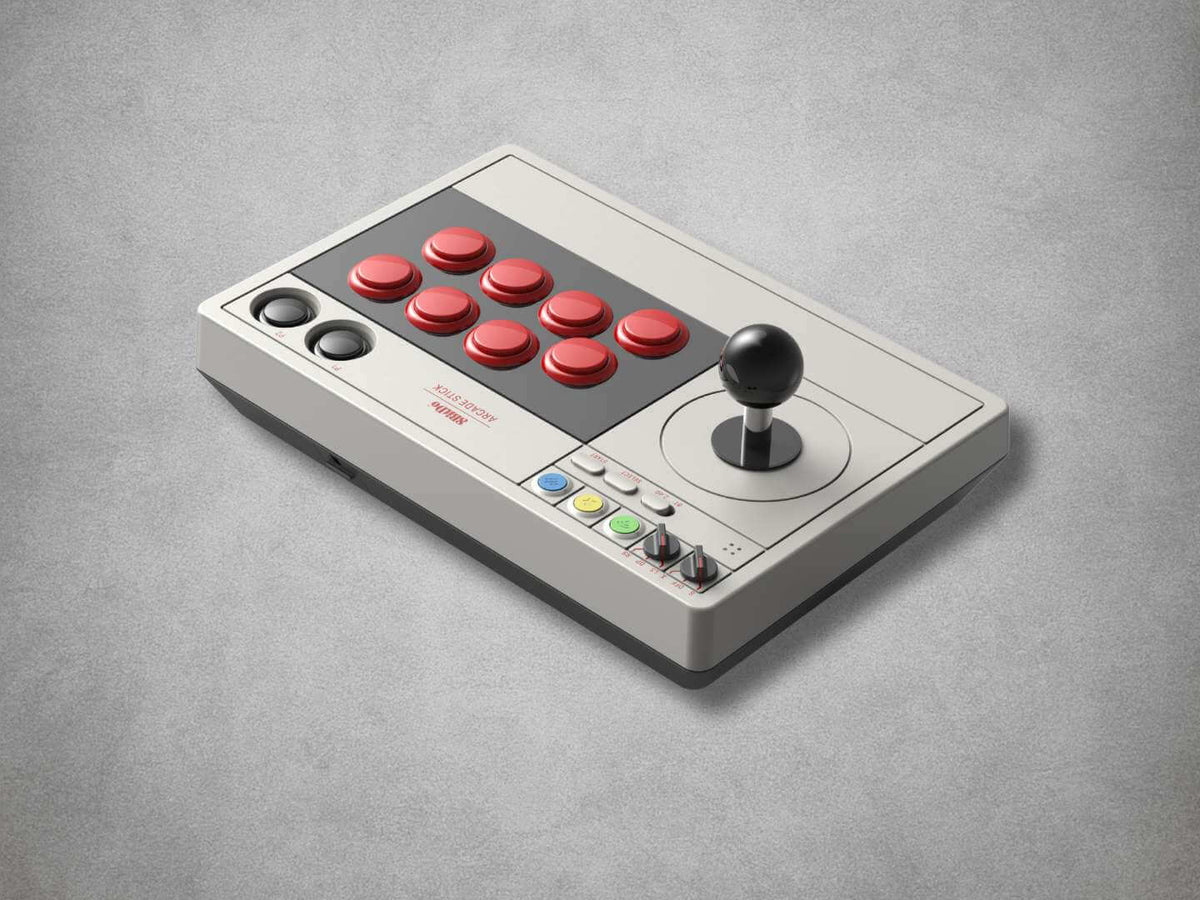
The 8BitDo Wireless Arcade Stick provides full-size arcade-style control for fighting games, beat ’em ups, shoot ’em ups, platformers and classic arcade releases on Nintendo Switch, Nintendo Switch 2 and Windows PC.

Its eight-way joystick uses a square restrictor gate for deliberate directional input, while the eight-button arcade layout keeps the primary action controls within easy reach. The dynamic visual button layout changes when switching between Nintendo Switch and Windows X-Input modes, helping the displayed controls correspond with the selected platform.

Three connection methods allow the Arcade Stick to suit different gaming setups. Use Bluetooth for a direct wireless connection, connect the included low-latency 2.4GHz USB receiver or use the supplied USB-C cable for wired gameplay.

The dedicated 2.4GHz receiver stores inside a concealed compartment when it is not being used, reducing the risk of losing the small but essential adapter.

8BitDo Ultimate Software V1 provides detailed control over button mapping and custom profiles from a compatible Windows or macOS computer. Longer command sequences can be assigned to the dedicated P1 and P2 macro buttons, while the built-in Turbo and button-swap functions provide additional control without replacing the main arcade layout.

A physical DP, LS and RS selector allows the arcade joystick to report as a directional pad, left analogue stick or right analogue stick. This improves compatibility with games that require a particular movement input, although the joystick itself remains an eight-way digital control.

The built-in 1000mAh rechargeable battery provides up to 40 hours of play through the included 2.4GHz receiver or up to 30 hours through Bluetooth. A full charge takes approximately four hours.

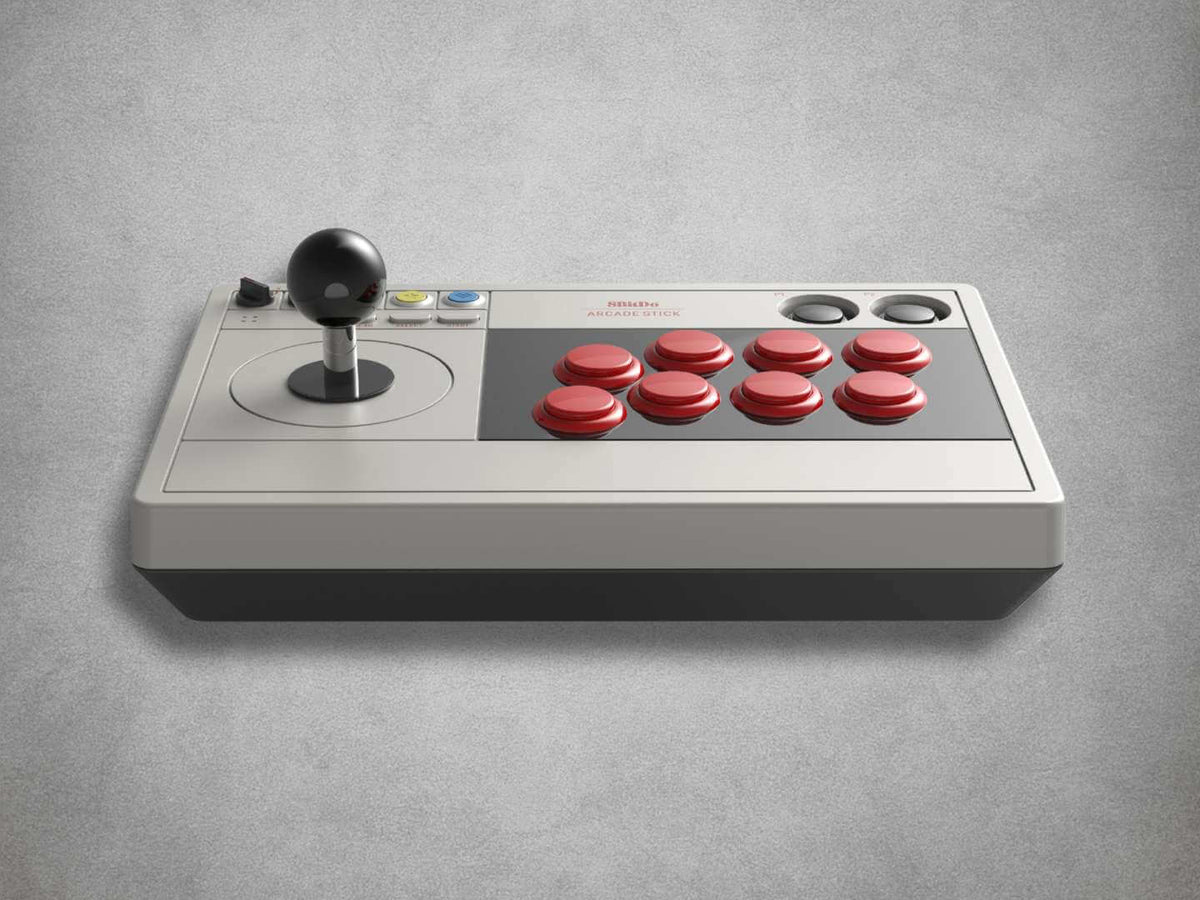
Measuring approximately 303 Ă— 203 Ă— 111.5mm and weighing around 2.1kg, the Arcade Stick provides a broad, stable base for energetic desktop or lap-based play.

Experienced users can open the enclosure with appropriate T10 Torx and Phillips screwdrivers when fitting compatible replacement arcade components. Replacement-part compatibility must be checked independently, and damage caused during modification is not covered by the Retrolize warranty.

Selected separately sold 8BitDo Bluetooth Retro Receivers can also connect the Arcade Stick to compatible legacy systems, subject to the receiver’s supported-controller list, console compatibility and installed firmware.

Finished in Grey, the Arcade Stick is dispatched from UK stock with fast delivery, international tracked delivery to supported destinations and a 12-month Retrolize warranty.

Browse our complete range of wireless controllers for retro and modern systems.

Specifications

Brand: 8BitDo
Product Name: Arcade Stick
Product Type: Wireless Arcade Stick & Fight Stick
Model: 80FE
Manufacturer Product Code: 80FE
Hardware Edition: Nintendo Switch & Windows PC Edition
Nintendo Switch 2 Compatibility: Supported With Official Model-Compatible Firmware
Wireless Technology: Bluetooth & Dedicated 2.4GHz
Wired Connectivity: USB-C
Wireless Receiver: Dedicated 2.4GHz USB Receiver Included
Receiver Connection: USB-A
Receiver Compatibility: Included Arcade Stick Only
Receiver Storage: Integrated Internal Storage Compartment
Platform Mode Selector: Nintendo Switch S Mode & Windows X-Input Mode
Connection Selector: Bluetooth & 2.4GHz
Joystick: 8-Way Digital Arcade Joystick
Restrictor Gate: Square
Primary Arcade Layout: 8 Main Action Buttons
Dynamic Button Layout: Changes Visually Between Nintendo Switch & Windows Modes
Control-Stick Selection: D-Pad, Left Stick & Right Stick Modes
Button Mapping: Configurable
Button Swap Function: Supported
Turbo Function: Supported
Custom Profiles: Supported
Macro Buttons: Dedicated P1 & P2 Controls
Long-Sequence Macros: Supported
Configuration Software: 8BitDo Ultimate Software V1
Configuration Platforms: Windows & macOS
Nintendo Switch Requirement: System Software Version 3.0.0 Or Later
Nintendo Switch 2 Requirement: System Software Version 20.1.1 Or Later & Model-Compatible Firmware
Windows Requirement: Windows 10 Version 1903 Or Later
Windows 11: Supported
Windows Bluetooth Requirement: Bluetooth 4.0 Or Later
Nintendo Switch Pro Controller Wired Communication: Required For 2.4GHz & Wired Connections
Wireless Console Wake: Not Supported
Motion Controls: Not Supported
NFC Scanning: Not Supported
IR Camera: Not Supported
HD Rumble: Not Supported
Bluetooth Retro Receiver Compatibility: Selected 8BitDo Receivers & Adapters
Battery: Built-In 1000mAh Rechargeable Lithium-Ion Battery
Battery Life In 2.4GHz Mode: Up To 40 Hours
Battery Life In Bluetooth Mode: Up To 30 Hours
Charging Time: Approximately 4 Hours
Charging Connection: USB-C
Enclosure Access Tools: T10 Torx & Phillips Screwdrivers
Dimensions: 303 Ă— 203 Ă— 111.5mm
Arcade Stick Weight: Approximately 2100g
Colour: Grey
SKU: 8BD-ARC-GRY

Supported Systems

Nintendo Switch Consoles

Original Nintendo Switch Consoles: Supported With System Software Version 3.0.0 Or Later
Nintendo Switch OLED Model Consoles: Supported
Nintendo Switch Lite Consoles: Supported Through Bluetooth
Nintendo Switch Lite 2.4GHz & Wired Connections: Require A Suitable USB Adapter, Hub Or Dock
Nintendo Switch Bluetooth Connection: Supported
Nintendo Switch 2.4GHz Connection: Supported With The Included Receiver
Nintendo Switch Wired USB-C Connection: Supported
Nintendo Switch Pro Controller Wired Communication: Required For 2.4GHz & Wired Connections

Nintendo Switch 2

Nintendo Switch 2 Consoles: Supported With System Software Version 20.1.1 Or Later
Arcade Stick Firmware Version 1.04 Or Later Compatible Release: Required
2.4GHz Adapter Firmware Version 1.01 Or Later Compatible Release: Required For Receiver Use
Bluetooth Connection: Supported With Model-Compatible Firmware
2.4GHz Connection: Supported With Updated Included Receiver
Wired USB-C Connection: Supported With Model-Compatible Firmware
Wireless Console Wake: Not Supported

Windows Systems

Windows 10 Version 1903 Or Later: Supported
Windows 11: Supported
Windows Bluetooth 4.0 Or Later: Supported
Windows Bluetooth Connection: Supported
Windows 2.4GHz Connection: Supported With The Included Receiver
Windows Wired USB-C Connection: Supported
Windows X-Input Mode: Supported
Steam Games On Windows: Supported Where The Game Accepts Compatible Controller Input
Windows-Based Handheld Gaming PCs: Supported Where The Device Meets The Windows & Connection Requirements

Selected 8BitDo Retro Receivers

Selected 8BitDo Bluetooth Retro Receivers & Adapters: Supported Where The Receiver Lists Arcade Stick Compatibility
Retro Receiver, Adapter & Connected Console Compatibility: Varies By Receiver Hardware & Firmware
Retro Console Receiver: Not Included

Controller Functions

8-Way Digital Arcade Joystick: Supported
Square Restrictor Gate: Included
Eight Main Arcade Action Buttons: Supported
Dynamic Nintendo Switch & Windows Button Layout: Supported
D-Pad Joystick Mode: Supported
Left-Stick Joystick Mode: Supported
Right-Stick Joystick Mode: Supported
Button Mapping: Supported
Custom Profiles: Supported
P1 & P2 Macro Buttons: Supported
Long-Sequence Macros: Supported
Turbo Function: Supported
Button Swap Function: Supported
Automatic Wireless Reconnection: Supported

Configuration Software

8BitDo Ultimate Software V1 On Windows: Supported
8BitDo Ultimate Software V1 On macOS: Supported For Configuration
Nintendo Switch & Windows Button Maps: Configured Separately
Direct macOS Gameplay Through Included Receiver: Not Officially Supported

Compatibility Limitations

PlayStation 4 Consoles: Not Supported
PlayStation 5 Consoles: Not Supported
Xbox One Consoles: Not Supported
Xbox Series X|S Consoles: Not Supported
Android Devices: Not Officially Supported
Linux Systems: Not Officially Supported
Motion Controls: Not Supported
NFC Scanning: Not Supported
IR Camera Functions: Not Supported
HD Rumble: Not Supported
True Analogue Joystick Movement: Not Supported
Included 2.4GHz Receiver With Other Controllers: Not Supported

Connection Requirements

Controllers Per Included Receiver: One
2.4GHz Receiver Connection: USB-A
Wired Connection: USB-C
Nintendo Switch Lite Receiver Use: Suitable USB Adapter, Hub Or Dock Required
Console Modification: Not Required
External Power During Wireless Use: Not Required
Compatible Game Or Software: Required

Critical Info

Correct Platform Version: This is model 80FE, designed for Nintendo Switch, Nintendo Switch 2 and Windows PC. It is not the separate Xbox-compatible 8BitDo Arcade Stick.

Nintendo Switch 2 Firmware Required: Switch 2 compatibility requires official Arcade Stick firmware version 1.04 and, when using the included 2.4GHz receiver, official adapter firmware version 1.01 or later compatible releases.

Nintendo Switch 2 System Requirement: Nintendo Switch 2 system software version 20.1.1 or later is required.

Nintendo Switch System Requirement: Original Nintendo Switch consoles require system software version 3.0.0 or later.

Pro Controller Wired Communication: This setting must be enabled under System Settings > Controllers And Sensors when using the 2.4GHz receiver or wired USB-C connection with a Nintendo Switch.

Three Connection Methods: Bluetooth, the included dedicated 2.4GHz USB receiver and wired USB-C are available. Supported connection methods and settings depend on the connected platform.

Proprietary 2.4GHz Receiver: The included receiver is paired specifically with the 8BitDo Arcade Stick. It is not a general-purpose 8BitDo USB Wireless Adapter and cannot be used to connect unrelated controllers.

Nintendo Switch Lite Connections: Bluetooth can be used directly. The 2.4GHz receiver and wired USB-C connection require a suitable USB adapter, hub or dock, which is not included.

No Wireless Console Wake: The Arcade Stick cannot wake a Nintendo Switch or Nintendo Switch 2 wirelessly. Switch the console on separately before reconnecting the stick.

Unsupported Switch Features: Motion controls, NFC scanning, the IR camera, HD Rumble and the controller notification LED are not supported.

macOS Compatibility: macOS can be used to configure the Arcade Stick through 8BitDo Ultimate Software V1. Direct Mac gameplay is not officially supported through the included receiver or standard connection methods.

Unsupported Consoles: Direct compatibility with PlayStation 4, PlayStation 5, Xbox One and Xbox Series consoles is not supported. The Xbox-compatible 8BitDo Arcade Stick is a separate product.

Android & Linux: Direct compatibility with Android and Linux devices is not officially listed for this model.

Compatible Game Required: The selected game or software must accept the relevant Nintendo Switch or Windows controller input mode. Button mapping and arcade-stick support can vary between individual games.

Turbo & Macro Rules: Turbo functions and programmed macros may not be permitted in organised tournaments or competitive events. Check the applicable event rules before use.

Retro Receiver Compatibility: The Arcade Stick can connect through Bluetooth to selected separately sold 8BitDo Bluetooth Retro Receivers and adapters. Compatibility depends on the exact receiver, connected console and installed firmware.

Modification Risk: The enclosure can be opened using appropriate T10 Torx and Phillips screwdrivers. Replacement-component compatibility must be checked before installation, and any modification is undertaken at the owner’s risk.

Firmware Compatibility: Only install official firmware released specifically for the model 80FE Arcade Stick or its included receiver. The stick and receiver use separate firmware packages.

Console & Computer Not Included: The Arcade Stick, receiver and listed accessories are supplied. Consoles, computers and displays shown in product imagery are for demonstration only.

First-Time 2.4GHz Wireless Setup

  1. Install the required official firmware before connecting to a Nintendo Switch 2.
  2. Select S Mode for Nintendo Switch or Nintendo Switch 2, or X Mode for Windows PC.
  3. Move the connection selector to 2.4G.
  4. When using a Nintendo Switch, enable Pro Controller Wired Communication under System Settings > Controllers And Sensors.
  5. Connect the included 2.4GHz receiver to a compatible USB port on the Nintendo Switch dock, USB accessory or Windows computer.
  6. Switch the Arcade Stick on.
  7. Wait for the indicators on the Arcade Stick and receiver to remain illuminated, confirming a successful connection.
  8. Test the joystick and buttons before starting a game.
  9. The Arcade Stick should reconnect automatically during future sessions when used with the same receiver and platform mode.

First-Time Bluetooth Setup

  1. Install the required official firmware before connecting to a Nintendo Switch 2.
  2. Move the connection selector to BT.
  3. Select S Mode for Nintendo Switch or Nintendo Switch 2, or X Mode for a compatible Windows PC.
  4. Switch the Arcade Stick on.
  5. Hold the pairing button for approximately three seconds until the player indicators begin rotating.
  6. On Nintendo Switch or Switch 2, open Controllers and select Change Grip/Order.
  7. On Windows, open the Bluetooth settings and select 8BitDo Arcade Stick.
  8. Wait for the player indicator to remain illuminated.
  9. Test the controls before starting a game.
  10. Once paired, the Arcade Stick should reconnect automatically when switched on in the same platform and connection mode.

Wired USB-C Setup

  1. Select S Mode for Nintendo Switch or Nintendo Switch 2, or X Mode for Windows PC.
  2. When using a Nintendo Switch, enable Pro Controller Wired Communication under System Settings > Controllers And Sensors.
  3. Connect the Arcade Stick to a compatible USB port using the supplied USB-C cable.
  4. Wait for the connected system to recognise the Arcade Stick.
  5. Test the joystick and buttons before starting a game.

Using The Control-Stick Selector

DP: The arcade joystick reports as a directional pad. This is the usual setting for fighting games, beat ’em ups and most traditional arcade games.

LS: The arcade joystick reports as the left analogue stick. This can help with games that do not accept directional-pad movement.

RS: The arcade joystick reports as the right analogue stick.

The physical arcade joystick remains an eight-way digital control in every setting. Selecting LS or RS changes how its directions are reported to the connected system; it does not provide true analogue movement.

Using Turbo

  1. Hold the arcade button that requires Turbo input.
  2. Press the Star button to enable Turbo for that control.
  3. The indicator flashes when the Turbo-enabled button is pressed.
  4. Hold the same button and press Star again to disable Turbo.

The joystick, Home, Select and Start controls cannot be assigned Turbo functionality.

When using Nintendo Switch mode, the Star button must first be configured as the Turbo control through 8BitDo Ultimate Software.

Using 8BitDo Ultimate Software

  1. Install 8BitDo Ultimate Software V1 on a compatible Windows or macOS computer.
  2. Connect the Arcade Stick to the computer using the supplied USB-C cable.
  3. Select the required Nintendo Switch or Windows X-Input configuration.
  4. Remap compatible buttons as required.
  5. Create and save custom controller profiles.
  6. Build longer command sequences and assign them to the dedicated P1 or P2 macro button.
  7. Save and synchronise the configuration before disconnecting the Arcade Stick.

Button mapping must be configured separately for Nintendo Switch and Windows X-Input modes.

Firmware Updating

The Arcade Stick and its dedicated 2.4GHz receiver use separate firmware.

Download only the model-compatible Arcade Stick and adapter firmware from official 8BitDo Support.

Maintain a stable USB connection throughout every update and do not disconnect the Arcade Stick or receiver until the updater confirms that the process has finished.

Package Includes

1 Ă— 8BitDo Wireless Arcade Stick In Grey
1 Ă— Dedicated 2.4GHz USB Wireless Receiver
1 Ă— USB-C Cable
1 Ă— Instruction Manual
1 Ă— Retail Box

Warranty Information

This 8BitDo Arcade Stick is covered by a 12-month Retrolize warranty against manufacturing defects and hardware faults arising during normal use from the date of delivery.

The warranty does not cover accidental damage, liquid damage, misuse, excessive force, unsuitable charging equipment, damaged USB connections, normal cosmetic wear, worn controls arising through normal use or the expected reduction in rechargeable battery capacity through age and repeated charging.

Damage resulting from opening the enclosure, incorrectly installing replacement controls, modifying internal wiring, using incompatible components or carrying out other user-performed alterations is not covered.

Damage, loss of function or bricking caused by installing incorrect, incompatible or unofficial firmware, applying firmware intended for another model, interrupting an update or carrying out an update incorrectly is not covered by the warranty.

Compatibility differences caused by unsupported systems, individual games, third-party software, adapters, hubs, receivers or unverified operating-system configurations are not considered product faults.

Warranty claims remain subject to the full Retrolize warranty terms and are additional to the customer’s statutory rights.

Additional Information

Does The Arcade Stick Work With Nintendo Switch?

Yes. Original Nintendo Switch, Nintendo Switch OLED and Nintendo Switch Lite consoles are supported with system software version 3.0.0 or later.

Nintendo Switch Lite can connect directly through Bluetooth. The 2.4GHz receiver and wired USB-C modes require a suitable USB adapter, hub or dock.

Does It Work With Nintendo Switch 2?

Yes. Nintendo Switch 2 is supported with system software version 20.1.1 or later after installing official model-compatible firmware.

The Arcade Stick requires firmware version 1.04, while its 2.4GHz receiver requires adapter firmware version 1.01 for Switch 2 support.

Can The Arcade Stick Wake A Nintendo Switch Wirelessly?

No. The console must be switched on separately before the Arcade Stick reconnects.

Does It Work With Windows PC?

Yes. Windows 10 version 1903 or later and Windows 11 are supported through Bluetooth, the included 2.4GHz receiver or a wired USB-C connection.

Does It Work With A Mac?

macOS can be used to configure the Arcade Stick through 8BitDo Ultimate Software V1. Direct Mac gameplay is not officially supported through the standard included connection methods.

Selected Mac systems may work through a separately sold compatible 8BitDo USB Wireless Adapter, but this adapter is not included.

Does It Work With PlayStation Or Xbox Consoles?

No. Direct PlayStation 4, PlayStation 5, Xbox One and Xbox Series compatibility is not supported.

8BitDo produces a separate officially licensed Xbox Arcade Stick, which is a different product.

What Is The Difference Between Bluetooth & 2.4GHz?

Bluetooth connects the Arcade Stick directly to a supported device without using the included receiver.

The dedicated 2.4GHz connection uses the included USB receiver and provides up to 40 hours of battery life, compared with up to 30 hours through Bluetooth.

Is The Included Receiver A General 8BitDo USB Adapter?

No. It is a dedicated 2.4GHz receiver intended only for the Arcade Stick with which it is supplied.

Can It Be Used As A Wired Arcade Stick?

Yes. Nintendo Switch, Nintendo Switch 2 and compatible Windows PCs can use a wired USB-C connection.

Nintendo Switch consoles require Pro Controller Wired Communication to be enabled.

What Do DP, LS & RS Mean?

DP makes the arcade joystick report as a directional pad.

LS makes it report as the left analogue stick, while RS makes it report as the right analogue stick.

The joystick remains an eight-way digital control and does not provide true analogue movement.

What Are The P1 & P2 Buttons Used For?

P1 and P2 are dedicated macro buttons. Longer command sequences can be created through 8BitDo Ultimate Software and assigned to either button.

Can The Buttons Be Remapped?

Yes. Compatible controls can be remapped through 8BitDo Ultimate Software V1.

Nintendo Switch and Windows X-Input configurations are managed separately.

Does It Have Turbo?

Yes. Compatible buttons can be assigned Turbo functionality.

Nintendo Switch mode requires the Star button to be configured as the Turbo control through Ultimate Software.

What Type Of Joystick Gate Does It Use?

The eight-way arcade joystick uses a square restrictor gate.

Can The Joystick Or Buttons Be Replaced?

The enclosure can be opened with T10 Torx and Phillips screwdrivers for experienced users wishing to install compatible replacement components.

Replacement-part compatibility must be checked before purchase, and any damage caused during modification is not covered by the warranty.

Can It Connect To Original Retro Consoles?

The Arcade Stick can pair with selected separately sold 8BitDo Bluetooth Retro Receivers and adapters.

Compatibility depends on the exact receiver, connected console and installed firmware. A retro-console receiver is not included.

How Long Does The Battery Last?

The built-in 1000mAh battery provides up to 40 hours through the 2.4GHz receiver or up to 30 hours through Bluetooth.

Charging takes approximately four hours.

Where Is The 2.4GHz Receiver Stored?

The receiver can be placed inside the Arcade Stick’s integrated storage compartment when it is not being used.

Is International Delivery Available?

Yes. International tracked delivery is available to supported destinations, with delivery options calculated at checkout.

View full details