DCHDMI DC Digital HW1 HDMI Mod Kit For Sega Dreamcast
Couldn't load pickup availability
📺 Direct Digital HDMI Video & Audio 🔊
🔍 480p Output & 960p Integer Scaling 🔍
🖥️ 1080p Output With A 960p Picture & Borders 🖥️
🎮 Compatible With Sega Dreamcast VA0 & VA1 🎮
🌈 Optional Scanlines & HQ2x Smoothing 🌈
⚙️ Controller-Operated On-Screen Menu ⚙️
🔄 In-Game Reset With Required Wiring 🔄
🔌 Retains The Original Analogue AV Output 🔌
🛡️ 12-Month Retrolize Warranty 🛡️
Description
Description
The DCHDMI DC Digital HW1 HDMI Mod Kit For Sega Dreamcast adds an internal digital video and audio connection to a compatible original console. Designed for VA0 and VA1 Dreamcast motherboards, it provides HDMI output for modern televisions and monitors while retaining the console’s original analogue AV connection.
The kit takes video and audio from the Dreamcast’s internal digital signals before they pass through the original analogue conversion circuitry. This gives the installed HDMI connection a direct digital signal path. It is a substantial internal modification, requiring skilled installation rather than simply connecting an adapter to the existing AV socket.
Choose 480p output, 960p integer scaling or a 1080p output frame to suit your display. The 960p mode doubles a 480p picture using integer scaling. In 1080p mode, that 960p picture is presented inside a 1080p frame with borders. This distinction matters when choosing your preferred presentation: the output format changes, but the Dreamcast does not begin rendering its games at native 1080p.
Support also extends to supported lower-resolution and interlaced content, including 240p and 480i. The appropriate game video mode remains important, particularly for titles that do not support VGA. Selecting a suitable mode allows the kit to handle these signals without assuming that every game can be forced into the same progressive-scan setting.
Picture options include optional scanlines and HQ2x smoothing, depending on the installed firmware. These allow you to adjust the presentation to your preference, whether you favour a more defined pixel structure or a smoother appearance. Settings are accessed through the controller-operated on-screen menu once the required control wiring has been installed.
The original analogue AV output remains available after a correct installation, giving you the option to retain an existing analogue display setup. In-game reset is also supported when the relevant wiring is completed. Any additional reset integration with an optical drive emulator depends on that device and its installation requirements.
Installation involves fine-pitch soldering, flex-cable fitting, internal wiring and making an opening for the mini HDMI connector. The supplied drill template and mounting parts assist with the physical installation, but suitable tools and experience are still essential. Check motherboard compatibility and arrange installation before purchasing if you are not confident carrying out this type of work.
Explore our Sega Dreamcast Parts & Mods for other upgrades to complement your console. This kit is covered by a 12-month limited Retrolize warranty, subject to the terms below.
Specifications
Specifications
Product: DCHDMI DC Digital HW1 HDMI Mod Kit
Console: Sega Dreamcast
Hardware Generation: HW1
Compatible Motherboards: VA0 and VA1
Compatible Regions: PAL, NTSC-U and NTSC-J with a supported motherboard
Installation Type: Internal solder-in modification
Signal Source: Internal digital video and audio
Video Connection: Mini HDMI
Output Modes: 480p, 960p and 1080p
960p Mode: Integer-scaled output
1080p Mode: 960p picture within a 1080p frame with borders
Additional Video Handling: Supported 240p and 480i content
Picture Options: Scanlines and firmware-dependent HQ2x smoothing
Configuration: Controller-operated on-screen menu
In-Game Reset: Supported with required wiring
Original Analogue AV Output: Retained
Case Modification: Required for HDMI connector access
Soldering: Advanced fine-pitch soldering required
Warranty: 12-month limited Retrolize warranty
SKU: DC-DCHDMI-HW1
Supported Systems
Supported Systems
Sega Dreamcast VA0: Compatible motherboard revision; advanced installation required
Sega Dreamcast VA1: Compatible motherboard revision; advanced installation required
PAL Consoles: Supported when fitted with a compatible VA0 or VA1 motherboard
NTSC-U Consoles: Supported when fitted with a compatible VA0 or VA1 motherboard
NTSC-J Consoles: Supported when fitted with a compatible VA0 or VA1 motherboard
Critical Info
Critical Info
Mod Kit Only: This listing is for the DCHDMI DC Digital HW1 installation kit. A Dreamcast console and installation service are not included.
Compatible Consoles: Designed for Sega Dreamcast VA0 and VA1 motherboards. PAL, NTSC-U and NTSC-J consoles are supported when they use a compatible motherboard revision. VA2/VA2.1 consoles are not supported by this kit. Confirm the motherboard revision before installation; the console’s region alone does not establish compatibility.
HW1 Hardware: This is the first-generation DCHDMI/DC Digital HW1 platform. It supports output modes up to 1080p and does not output 1440p or 4K.
Advanced Installation Required: Installation requires console disassembly, fine-pitch surface-mount soldering, careful flex-cable alignment and wiring. A case opening is required for the HDMI connector, along with any shielding modification specified by the installation guide. This is not a plug-and-play adapter. Professional installation is recommended if you do not have the required experience and equipment.
Output Resolutions: Supports 480p, 960p and 1080p output modes. In 1080p mode, the scaled 960p picture sits inside a 1080p frame with borders. This does not make the Dreamcast render its games at native 1080p.
Game Video Modes: The kit handles supported progressive and interlaced Dreamcast video, including 240p and 480i content. Games that do not support VGA require an appropriate video-mode setting; forcing VGA is not suitable for every title. Game behaviour and display compatibility can vary.
HDMI Connection: The installed board uses a mini HDMI connection. Use a compatible mini HDMI cable or adapter suitable for your display connection. Avoid placing sideways pressure or excessive cable weight on the installed socket.
Controls And Reset: Controller-operated settings and in-game reset depend on the required installation wiring. Additional optical-drive-emulator reset functions require their own compatible hardware, configuration and connections.
Handling And Testing: Disconnect the console from mains power before installation or internal inspection. The internal power supply can retain hazardous charge after disconnection. Inspect solder joints, cable alignment and insulation before the first powered test, then test the installed kit before final reassembly.
Installation Overview
- Confirm that the console has a supported VA0 or VA1 motherboard and obtain the installation guide for this exact HW1 kit.
- Disconnect the console from power and carefully disassemble it using appropriate precautions.
- Prepare the case opening and any required shielding alterations using the supplied drill template and installation guide.
- Fit and solder the flex assembly, checking alignment carefully and inspecting for solder bridges or damaged pads.
- Mount the HDMI board and complete the required power, controller and reset connections.
- Check the installation for shorts, correct cable seating, insulation and secure mounting before applying power.
- Test HDMI picture, audio, menu access and any connected reset functions using a compatible display.
- Disconnect power again before completing reassembly. Route cables without trapping them or placing strain on the board and connector.
Picture Settings And Controls
On-Screen Menu: Use the controller-operated menu to configure the installed kit; the controller connections must be correctly wired.
Output Resolution: Select 480p, 960p or 1080p according to your display and preferred presentation.
1080p Presentation: Displays the 960p picture inside a 1080p frame with borders.
Scanlines: Enable and adjust the available scanline options through the menu.
HQ2x Smoothing: Availability and behaviour depend on the installed compatible firmware.
Game Video Mode: Select a mode suitable for the game; avoid forcing VGA for titles that do not support it.
In-Game Reset: Requires the appropriate reset wiring and configuration.
Connection & Control Troubleshooting
No HDMI Picture: Check the selected television input, cable or adapter and the kit’s output resolution. Try a direct connection to the display. If the problem began immediately after installation, disconnect power and have the soldering, flex connections and wiring inspected.
Picture Works In One Resolution Only: The display or equipment between the console and screen may not accept every output mode. Try another supported mode and connect directly to the display when testing.
Black Screen With A Particular Game: Check the game’s video-mode requirements. A title that does not support VGA may need a different video-mode setting rather than Force VGA.
Borders In 1080p Mode: A 960p picture within a 1080p frame is expected behaviour for this hardware. Also check the television’s aspect-ratio and overscan settings.
No Audio: Check the display’s HDMI audio settings and test another cable or input. Persistent audio faults after installation require inspection of the audio-related connections.
Menu Or Reset Does Not Respond: Check controller operation and have the relevant control or reset wiring inspected. A working HDMI picture does not confirm that every control connection has been completed correctly.
Missing Filter Or Menu Option: Available picture settings depend on the firmware installed on the kit.
Package Includes
Package Includes
1 × DCHDMI HW1 board
1 × DCHDMI wireless attachment
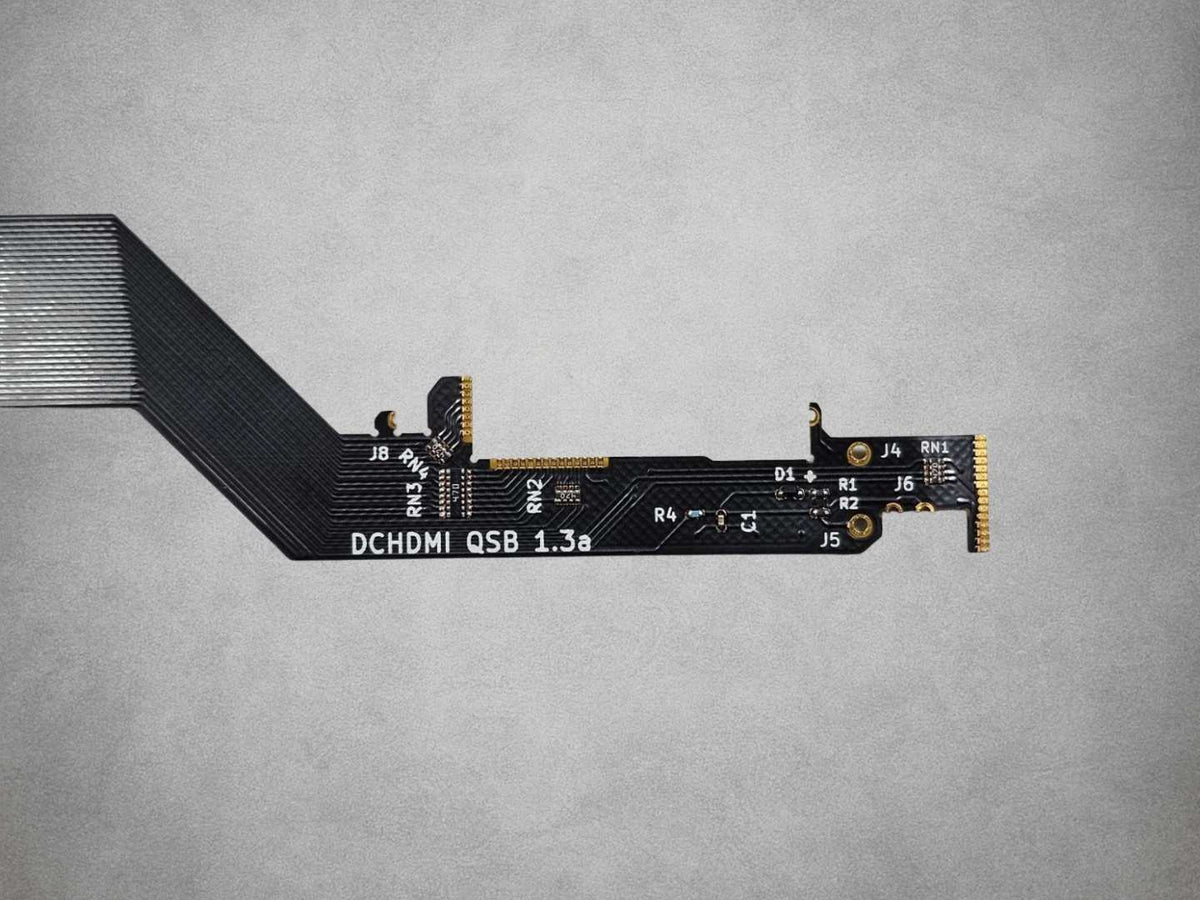
1 × DCHDMI flex cable
1 × DCHDMI drill template
1 × Set of screws and nuts
1 × Manual
Warranty Information
This DCHDMI DC Digital HW1 HDMI Mod Kit For Sega Dreamcast is covered by a 12-month limited Retrolize warranty from delivery against manufacturing defects and hardware faults arising during normal use.
The warranty does not cover accidental damage, liquid damage, misuse, damaged connectors, excessive strain placed on the board or cables, incorrect installation, soldering damage, damaged pads or traces, unauthorised modification or faults caused by an incompatible console, HDMI cable or display.
Display compatibility, television scaling, aspect-ratio behaviour and differences between supported video modes are not considered product faults. Warranty claims remain subject to the full Retrolize warranty terms. Your statutory rights are unaffected.
Additional Information
Which Hardware Revision Does Retrolize Supply?
Retrolize supplies DCHDMI / DC Digital HW1, the first-generation hardware.
Does This Plug Into The Dreamcast’s Original AV Socket?
No. The board is installed inside the console and connects to its internal digital video and audio signals. It requires soldering, internal wiring and an opening for the mini HDMI connector.
Which Dreamcast Consoles Are Compatible?
The kit supports VA0 and VA1 motherboards, including PAL, NTSC-U and NTSC-J consoles using these revisions. VA2/VA2.1 consoles are not supported. Confirm the motherboard revision before installation.
Do I Need To Solder Or Cut The Shell?
Yes. Installation requires advanced fine-pitch soldering and a case opening for the HDMI connector. Shielding alterations may also be required by the installation guide. Professional installation is recommended if you do not have the necessary experience and equipment.
Does It Output Native 1080p?
The kit provides a 1080p output frame containing a scaled 960p picture with borders. It does not make the Dreamcast render games at native 1080p.
Separate 480p and 960p output modes are also available.
Can It Work With Games That Do Not Support VGA?
The kit handles supported 240p and 480i content as well as progressive video. Games that do not support VGA require an appropriate video-mode setting; Force VGA is not suitable for every title.
Will The Original AV Output Still Work?
Yes. The original analogue AV output remains available after a correct installation.
Can I Change Picture Settings Using The Controller?
Yes. The controller-operated on-screen menu provides access to picture settings once the required control wiring has been installed. Available options depend on the installed compatible firmware.
Does It Support Scanlines And Smoothing?
Optional scanlines and HQ2x smoothing are supported, with availability and behaviour dependent on the installed firmware.
Will In-Game Reset Work?
In-game reset requires the relevant wiring and configuration. Additional optical-drive-emulator reset functions depend on the exact device and require their own compatible connections.
Are A Console, Installation Service Or Tools Included?
No. This listing is for the installation kit and the accessories listed under Package Includes.
Who Developed The Original Project?
The original open-source DCHDMI hardware was developed by citrus3000psi, with FPGA and ESP firmware developed by chriz2600.
Is International Delivery Available?
Tracked international delivery is available to supported destinations, with available services and delivery costs shown at checkout.
Share