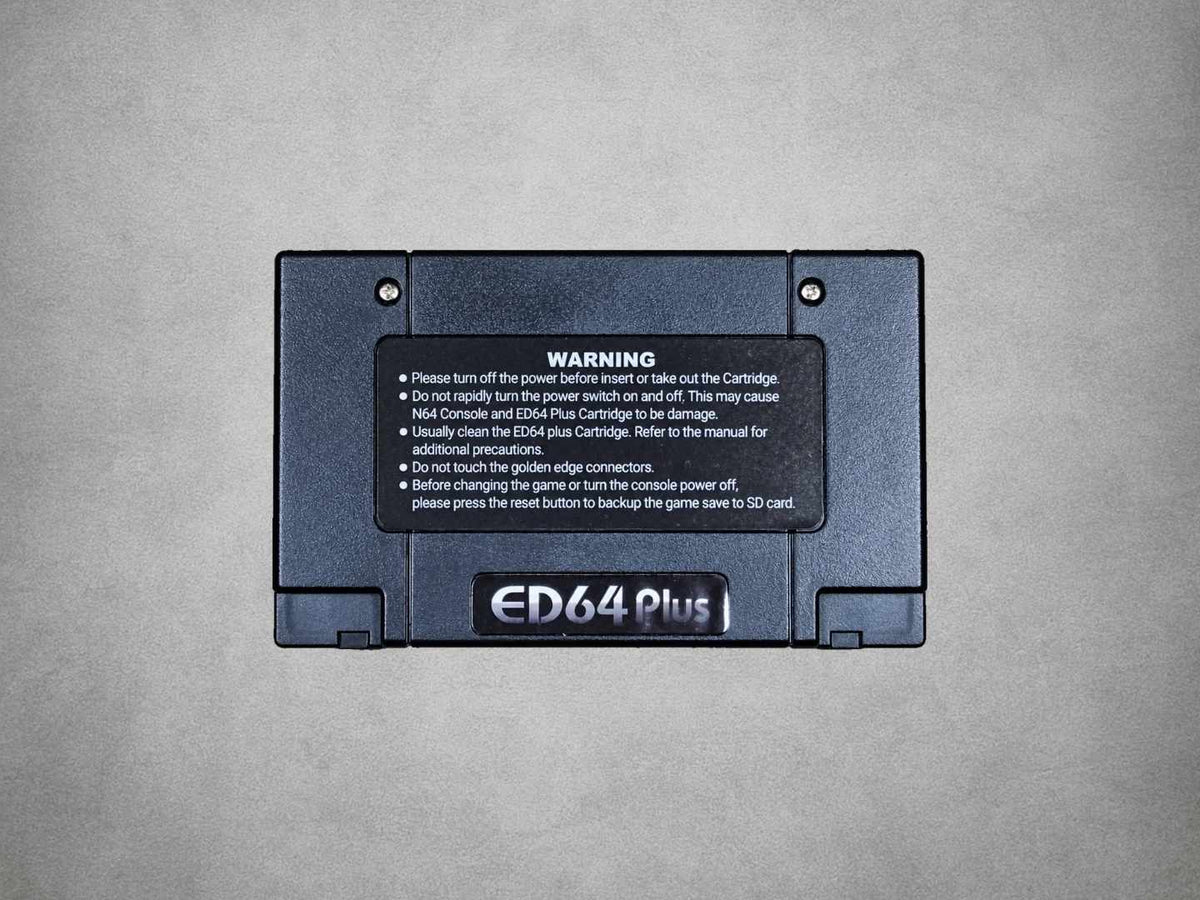
ED64 Plus Nintendo 64 Flashcart With 16GB SD Card – Ready To Play
Couldn't load pickup availability
🎮 Ready To Play With A Prepared 16GB SD Card 🎮
🕹️ Run N64 Game Files On Original Console Hardware 🕹️
🌍 PAL, NTSC-U & NTSC-J Console Compatibility 🌍
💾 SD & SDHC Card Support Up To 32GB 💾
⚡ 64MB SDRAM For ROM Images Up To 512Mbit ⚡
🔀 Integrated CIC & PAL/NTSC Region Switch 🔀
💽 Supports .z64, .v64 & .n64 Game Files 💽
💾 SRAM, EEPROM & FlashRAM Save Support 💾
🎯 Controller-Operated Game Selection Menu 🎯
🛡️ 12-Month Retrolize Warranty 🛡️
Description
Description
The ED64 Plus Nintendo 64 Flashcart lets you browse and launch compatible N64 game files from an SD card on your original console. Retrolize supplies this black 64Plus Game Save Device with a prepared 16GB SD card, ready to play, so there is no initial card formatting or menu installation to carry out.
The cartridge uses 64MB of SDRAM to hold the selected game image, with support for ROM files up to 512Mbit / 64MB. Games run on the Nintendo 64’s own hardware, with the cartridge providing the game-loading and save interface. No soldering or internal console modification is required.
Built around an Altera Cyclone II FPGA, the cartridge includes integrated CIC support and a physical P/N switch for selecting the appropriate console-region setting. It supports original PAL, North American NTSC-U and Japanese NTSC-J Nintendo 64 consoles without a donor game cartridge.
Compatible .z64, .v64 and .n64 game images can be loaded from supported SD/SDHC storage up to 32GB. Keep a backup of the supplied card before adding or changing files. Compatible homebrew, translations and ROM modifications can also be used where their size, menu and original-hardware requirements are met.
The ED64 Plus supports the main N64 cartridge-save formats: SRAM, SRAM 128KB, EEPROM 4Kbit, EEPROM 16Kbit and FlashRAM. After saving progress in-game, press the console’s Reset button and wait for the menu to return before powering off. Games that use a Controller Pak continue to save to that accessory.
Your console’s original video and accessory requirements remain relevant. The cartridge does not add HDMI output or replace an Expansion Pak, Controller Pak, Rumble Pak or Transfer Pak. Games needing those accessories still need the appropriate hardware.
Supplied with a prepared 16GB SD card and a 12-month Retrolize warranty, the ED64 Plus provides a practical SD-based game-loading option for original Nintendo 64 hardware. Explore our Nintendo 64 parts, mods & upgrades for compatible accessories and other console options.
Specifications
Specifications
Product Name: ED64 Plus / 64Plus Game Save Device
Product Type: Nintendo 64 SD Flash Cartridge
Supplied Configuration: Black Cartridge With Prepared 16GB SD Card – Ready To Play
Included SD Card Capacity: 16GB
Platform: Original Nintendo 64
Console Regions: PAL, NTSC-U & NTSC-J
Analogue 3D Compatibility: Unverified For This Hardware Revision
Connection: Nintendo 64 Cartridge Slot
Power Source: Nintendo 64 Cartridge Slot
FPGA: Altera Cyclone II
ROM Memory: 64MB SDRAM / 512Mbit
Maximum ROM Image Size: 64MB / 512Mbit
Storage Support: Compatible SD & SDHC Cards
Documented Maximum Card Capacity: 32GB
File Systems: FAT / FAT16 / FAT32
ROM File Formats: .z64, .v64 & .n64
Save Types: SRAM, SRAM 128KB, EEPROM 4Kbit, EEPROM 16Kbit & FlashRAM
Save Write-Back: Console Reset Required Before Power-Off
Standard ED64P Save Folder: /ED64P/SAVE
Console Region Selection: Physical P/N Switch
CIC Support: Integrated – No Donor Cartridge Required
Menu Control: Nintendo 64 Controller
Console Modification: Not Required
Expansion Pak: Required Separately For Software That Needs One
Colour: Black
Warranty: 12-Month Retrolize Warranty
SKU: N64-ED64PLUS
Supported Systems
Supported Systems
Original Nintendo 64 Consoles
Nintendo 64 PAL: UK, European & Oceanian Consoles – P Switch Position
Nintendo 64 NTSC-U: North American Consoles – N Switch Position
Nintendo 64 NTSC-J: Japanese Consoles – N Switch Position
Analogue 3D
Analogue 3D: Incompatible
Compatible Game Files & Software
Nintendo 64 ROM Images: Compatible .z64, .v64 & .n64 Files Up To 64MB
Nintendo 64 Homebrew: Compatible Projects Designed For Original N64 Hardware
Translations & ROM Modifications: Compatible Projects Within The ROM Limit; Menu & Accessory Requirements Apply
Save Support
Cartridge Saves: SRAM, SRAM 128KB, EEPROM 4Kbit, EEPROM 16Kbit & FlashRAM
Save Write-Back: Save In-Game, Press Console Reset & Wait For The Cartridge Menu Before Powering Off
Controller Pak Saves: Via A Compatible Controller Pak; Accessory Required Where The Game Uses One
Controllers & Accessory Requirements
Nintendo 64 Controller: Used For Cartridge Menu Navigation & Supported Games
Expansion Pak On Original N64: Required Separately For Games That Need One
Rumble Pak & Transfer Pak: Original Game-Specific Accessory Requirements Still Apply
SD Card Compatibility
Included Storage: Prepared 16GB SD Card – Ready To Play
Maximum Supported Capacity: 32GB SD/SDHC
File Systems: FAT16 / FAT32
Critical Info
Critical Info
Ready To Play: A prepared 16GB SD card is included. Keep the supplied menu and supporting files intact; you do not need to format the card or install a menu for first use.
Saving Is Important: Save within the game, press the Nintendo 64’s physical Reset button and wait for the cartridge menu to return before switching off. This allows compatible cartridge-save data to be written to the SD card.
Region Switch: With the console switched off, set P for a UK, European or Oceanian PAL console. Set N for a North American NTSC-U or Japanese NTSC-J console. Match the switch to the console, not the game file.
Video Compatibility: The region switch does not convert the console’s video output. Your television, cable or scaler must support the video timing used by the console and software.
Card Compatibility: The supplied card is 16GB. The documented maximum supported storage capacity for this configuration is 32GB SD/SDHC, using FAT16 or FAT32. A microSD/SDHC card requires a suitable adapter where the cartridge uses a full-size SD slot.
Expansion Pak & Controller Pak: Games retain their original accessory requirements. The cartridge’s 64MB SDRAM does not replace an Expansion Pak. Games that save to a Controller Pak still require a compatible Controller Pak.
Handling & Backups: Insert or remove the cartridge and SD card only while the console is off. Back up the supplied card and important saves before changing files. Formatting the card erases its contents.
Software Compatibility: Individual games, translations, homebrew and ROM modifications can have their own hardware, menu and configuration requirements. Use only files and updates compatible with the exact ED64 Plus revision.
Analogue 3D: Compatibility with this ED64 Plus hardware revision has not been verified. The confirmed console support listed here is for original Nintendo 64 hardware.
Getting Started
- Switch the Nintendo 64 off and check that the prepared 16GB SD card is fitted securely.
- Set the cartridge’s P/N switch to match the console’s region: P for PAL; N for North American or Japanese consoles.
- Insert the ED64 Plus into the console’s cartridge slot without forcing it.
- Connect your normal controller, power supply and compatible video connection, then switch the console on.
- Browse the supplied menu with the controller and launch a compatible game.
- Before switching off after playing, save in-game, press the console’s Reset button and wait for the cartridge menu to return.
Standard ED64P Menu Controls
D-Pad Up / Down: Select a file.
D-Pad Left / Right: Move between file-list pages.
A / B: Open or confirm / go back.
Start: Load the highlighted game.
Console Reset: Return from a running game to the cartridge menu and complete cartridge-save write-back.
Controls and save-folder names can differ with alternative menu software. Preserve the supplied setup unless you are following instructions for that exact menu and hardware revision.
Package Includes
Package Includes
1 × Black ED64 Plus Nintendo 64 Flash Cartridge
1 × Prepared 16GB SD Card
Retail Blister Packaging
Warranty Information
This ED64 Plus Nintendo 64 Flashcart is covered by a 6-month Retrolize warranty against manufacturing defects and hardware faults arising during normal use from the date of delivery.
The warranty does not cover accidental damage, liquid damage, misuse, forced insertion, damaged cartridge contacts or SD connections, unauthorised modification, corrupted storage, deleted files or user-added content.
Damage, loss of function or bricking caused by installing incorrect or incompatible firmware, interrupting a firmware update or carrying out the procedure incorrectly is not covered by the warranty.
Software compatibility, game-specific behaviour, regional differences, save-data loss, SD-card corruption and changes made to system files are not considered hardware faults. Customers should create and retain backups of the supplied card and important save data.
The cartridge must always be inserted and removed while the Nintendo 64 is switched off. Damage caused by hot plugging, incorrect insertion or operation outside the stated requirements is not covered.
Warranty claims remain subject to the full Retrolize warranty terms and are provided in addition to the customer’s statutory rights.
Additional Information
Is The ED64 Plus Ready To Play?
Yes. Retrolize supplies the cartridge with a prepared 16GB SD card. Fit it to a compatible Nintendo 64 with the correct P/N setting and use the supplied menu. Back up the card before changing its files.
Is An SD Card Included?
Yes. A prepared 16GB SD card is included with the cartridge.
Can I Use It With A UK Nintendo 64?
Yes. Set the cartridge to P for a UK or other PAL Nintendo 64. Set N for North American and Japanese consoles. Change the switch only while the console is off.
Does It Work With The Analogue 3D?
Compatibility with this ED64 Plus hardware revision has not been verified. Analogue’s official compatible-media list does not confirm ED64 Plus support, so original Nintendo 64 compatibility should not be treated as confirmation of Analogue 3D support.
How Do I Save My Progress?
Use the game’s normal save function, then press the console’s physical Reset button. Wait for the cartridge menu to return before switching the console off. Powering off before write-back can lose the latest cartridge-save data.
Does It Replace A Controller Pak?
No. Games designed to save to a Controller Pak still need that accessory. Cartridge-save emulation and Controller Pak storage are separate functions.
Does The 64MB Memory Replace An Expansion Pak?
No. The 64MB SDRAM holds the selected ROM inside the cartridge. Games that require an Expansion Pak still require one in the console.
Can I Add My Own Game Files?
Yes. Back up the supplied card, then use a computer and suitable card reader to add compatible .z64, .v64 or .n64 files. Keep the original menu folders and supporting files intact.
Can I Use A 64GB Or 128GB Card?
The stated storage limit for this configuration is 32GB SD/SDHC. Use a compatible card within that limit, formatted to FAT16 or FAT32, when preparing replacement storage.
Does It Improve Graphics Or Add HDMI?
The cartridge loads game software; video output still comes from your console. An appropriate cable, converter, scaler or internal modification is needed for other display connections.
Can I Use Homebrew, Translations & ROM Hacks?
Compatible projects can run where they support original N64 hardware, fit within the 64MB ROM-loading limit and work with the installed menu. Compatibility is project-specific.
Can I Update The Menu Or Firmware?
Only use software intended for the exact ED64 Plus hardware revision. Keep a full backup first. Replacing menu files and updating cartridge firmware are different procedures; do not use an update for another flashcart model.
Is International Delivery Available?
Yes, to supported destinations. Available delivery options and costs are shown at checkout.
Share

Product reviews
Honest feedback to help you choose.
Customers receive a personal review invitation after purchase.