


8BitDo M30 2.4G Wireless Controller - Original Mega Drive/Genesis
8BitDo M30 2.4G Wireless Controller - Original Mega Drive/Genesis
Couldn't load pickup availability
🎮 Wireless Control For Original Mega Drive & Genesis 🎮
📡 Dedicated 2.4G Connection With Included 9-Pin Receiver 📡
🕹️ Classic Six-Button Layout With 3 & 6-Button Modes 🕹️
⚡ Turbo Function For Supported Buttons ⚡
🔋 Up To 35 Hours Of Rechargeable Play 🔋
🎯 Compatible With The Analogue Mega Sg 🎯
🔗 Wired USB Support For Switch, Windows 10 & Raspberry Pi 🔗
🛠️ Plug & Play With No Console Modification Required 🛠️
🔌 Console-Powered Receiver With No External Power Required 🔌
🛡️ 12-Month Retrolize Warranty 🛡️
Description
Description
The 8BitDo M30 2.4G Wireless Controller connects to original SEGA Mega Drive and Genesis consoles using the included dedicated 9-pin wireless receiver.
Simply connect the receiver to a standard controller port to enjoy cable-free play through a dedicated 2.4GHz connection. No Bluetooth adapter, external receiver purchase or permanent console modification is required.
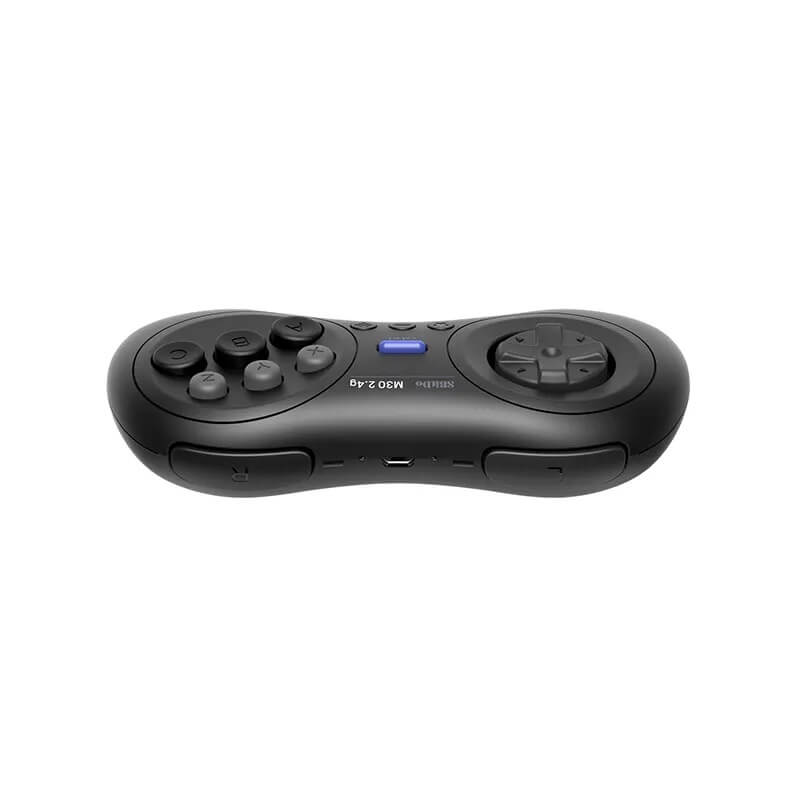
Its traditional SEGA-style layout combines a broad directional pad with A, B, C, X, Y and Z face buttons, Start and Mode controls, two shoulder buttons and dedicated Star and Home functions. The six-button arrangement is particularly well suited to fighting games, arcade conversions and later Mega Drive and Genesis releases.
Six-button mode is enabled by default, while a three-button compatibility mode is available for earlier games that do not recognise six-button controllers correctly. Holding the Mode button for approximately three seconds switches between the two modes, with the receiver indicator confirming the change.
A Turbo function can also be assigned to supported buttons using the controller’s Star button. The directional pad cannot be assigned Turbo, and the function is unavailable during wired Nintendo Switch use.
The included receiver supports original Mega Drive Model 1 and Model 2 consoles, original Genesis Model 1 and Model 2 consoles and the Analogue Mega Sg. When connected to a Mega Sg, the M30 can access the console’s HOME menu wirelessly.
Nintendo Switch, Windows 10 and Raspberry Pi are additionally supported through a wired Micro-USB connection. These modern-system connections are wired rather than wireless, and the included 9-pin receiver is not used.
The controller’s L and R shoulder buttons duplicate the Z and C functions respectively when used wirelessly with an original Mega Drive or Genesis. Button assignments during USB operation can differ according to the connected system, operating mode, firmware and software configuration.
A built-in 480mAh rechargeable lithium-ion battery provides up to 35 hours of play and requires approximately one to two hours for a full charge. The controller also enters sleep mode after approximately 15 minutes without use.
This listing is specifically for the original-console M30 2.4G model. It is not the Bluetooth version and should not be confused with the separate M30 2.4G controller supplied with a USB receiver for the Genesis Mini and Mega Drive Mini.
Finished in Black, the controller is dispatched from UK stock with fast delivery, international tracked delivery to supported destinations and a 12-month Retrolize warranty.
Browse our complete range of wireless controllers for retro and modern systems.
Specifications
Specifications
Brand: 8BitDo
Product Name: M30 2.4G
Product Type: 2.4G Wireless Mega Drive/Genesis Controller & Receiver
Model: M30 2.4G For Original Mega Drive/Genesis
Wireless Technology: Dedicated 2.4GHz Connection
Wireless Receiver: Included Dedicated M30 9-Pin Receiver
Receiver Connection: Original Mega Drive/Genesis 9-Pin Controller Port
Receiver Power: Console Controller Port
Controllers Per Receiver: 1
Bluetooth: Not Supported
Console Modification Required: No
Wireless Compatibility: Original Mega Drive, Genesis & Analogue Mega Sg
Wired USB Compatibility: Nintendo Switch, Windows 10 & Raspberry Pi
Controller Layout: Six-Button SEGA-Style Layout
Controls: D-Pad, A, B, C, X, Y, Z, Start, Mode, Star, Home, L & R
Controller Modes: 3-Button & 6-Button
Default Controller Mode: 6-Button
Original-Console Shoulder-Button Mapping: L Duplicates Z & R Duplicates C
Turbo Function: Supported On Compatible Buttons
Turbo Directional-Pad Support: Not Supported
Turbo During Wired Nintendo Switch Use: Not Supported
Mega Sg HOME Menu Access: Supported Wirelessly
Physical Analogue Sticks: Not Included
Controller Vibration: Not Supported
Motion Controls: Not Supported
Battery: Built-In 480mAh Rechargeable Lithium-Ion Battery
Battery Life: Up To 35 Hours
Charging Time: Approximately 1–2 Hours
Charging & Wired Connection: Micro-USB
Low-Battery Indicator: Flashing Red LED
Charging Indicator: Solid Red LED
Fully Charged Indicator: LED Switches Off
Automatic Sleep: Approximately 15 Minutes Without Use
Firmware Updating: Supported With Official Model-Compatible Firmware
Dimensions: 147 × 74 × 31mm
Controller Weight: Approximately 114g
Colour: Black
SKU: 8BD-M30-BLK
Supported Systems
Supported Systems
Wireless Console Compatibility
Original SEGA Mega Drive Model 1 Consoles: Supported With The Included Receiver
Original SEGA Mega Drive Model 2 Consoles: Supported With The Included Receiver
Original SEGA Genesis Model 1 Consoles: Supported With The Included Receiver
Original SEGA Genesis Model 2 Consoles: Supported With The Included Receiver
Analogue Mega Sg: Supported With The Included Receiver
Wired USB Compatibility
Nintendo Switch System Software 3.0.0 Or Later: Supported Through A Wired Micro-USB Connection
Windows 10 PCs: Supported Through A Wired Micro-USB Connection
Raspberry Pi: Supported Through A Wired Micro-USB Connection
Controller Modes & Functions
Directional Pad: Supported
A, B, C, X, Y & Z Face Buttons: Supported
L & R Shoulder Buttons: Supported
Start, Mode, Star & Home Controls: Supported
Six-Button Mode: Supported & Enabled By Default
Three-Button Compatibility Mode: Supported
Mode Switching: Hold Mode For Approximately Three Seconds
Dedicated 2.4G Wireless Connection: Supported With The Included Receiver
Turbo Function: Supported On Compatible Buttons
Directional-Pad Turbo: Not Supported
Turbo During Wired Nintendo Switch Use: Not Supported
Analogue Mega Sg HOME Menu Access: Supported Wirelessly
Controllers Per Receiver: One
Two-Player Wireless Use: Requires Two Controllers & Two Dedicated Receivers
Automatic Sleep: Approximately 15 Minutes Without Use
Compatibility Limitations
Genesis Mini Consoles: Not Supported By The Included Original-Console Receiver
Mega Drive Mini Consoles: Not Supported By The Included Original-Console Receiver
Bluetooth Connections: Not Supported
Other 8BitDo Receivers & Adapters: Not Supported
SEGA Saturn Consoles: Not Supported
Other Consoles & Devices With Similar 9-Pin Ports: Compatibility Not Guaranteed
Physical Analogue Sticks: Not Included
Controller Vibration: Not Supported
Motion Controls: Not Supported
Connection Requirements
Controllers Per Receiver: One
Receivers Required For Multiplayer: One Matching Receiver For Each Controller
Wireless Receiver Connection: Original Mega Drive/Genesis 9-Pin Controller Port
Modern-System Connection: Wired Micro-USB
Console Modification: Not Required
External Receiver Power Supply: Not Required
Hot Plugging: Not Supported
Critical Info
Critical Info
Original-Console Version: This is the M30 2.4G model supplied with a 9-pin receiver for original SEGA Mega Drive and Genesis consoles. It is not the M30 Bluetooth controller or the separate M30 2.4G model designed for the Genesis Mini and Mega Drive Mini.
Dedicated Receiver Required: Wireless gameplay requires the matching 2.4G receiver included with this controller. The M30 does not support Bluetooth and cannot connect through other 8BitDo receivers or Bluetooth adapters.
Mini Consoles Not Supported: The included 9-pin receiver is not compatible with the Genesis Mini or Mega Drive Mini. Those consoles require the separate M30 model supplied with a USB receiver.
One Receiver Per Controller: Each wireless controller requires its own dedicated receiver and available console controller port. Two-player wireless gaming requires two controllers and two receivers.
Wired USB Compatibility: Nintendo Switch, Windows 10 and Raspberry Pi are supported through a wired Micro-USB connection. The included 9-pin receiver is not used with these systems.
Three & Six-Button Modes: Six-button mode is enabled by default. Three-button compatibility mode is available for earlier games that do not recognise a six-button controller correctly.
Feature Limitations: The controller does not include Bluetooth, physical analogue sticks, vibration or motion controls.
Other 9-Pin Systems: A matching connector does not guarantee electrical or functional compatibility. Atari, Master System, Saturn and other unlisted 9-pin systems should not be used unless compatibility has been explicitly confirmed.
Firmware Compatibility: Only install official firmware released specifically for the M30 2.4G original-console controller and receiver. Incorrect, incompatible, unofficial or interrupted firmware updates may render the controller or receiver inoperable.
Console Not Included: The controller, receiver and listed accessories are supplied. Any console or other equipment shown in the product images is for demonstration only.
First-Time Wireless Connection
- Switch the Mega Drive, Genesis or Analogue Mega Sg off.
- Connect the included 2.4G receiver to an available controller port.
- Switch the console on. The receiver’s blue indicator should begin flashing.
- Press Start to switch the M30 controller on.
- Press the Mode button to connect the controller to the receiver.
- Wait for the receiver’s blue indicator to remain solid, confirming a successful connection.
- If a stored connection has been lost or the controller needs to connect to a replacement matching receiver, hold the Mode button for approximately three seconds while the controller is disconnected.
- Test the controls before starting a game.
- Always switch the console off before removing or changing the receiver.
Switching Between 3 & 6-Button Modes
- Connect the controller and receiver normally.
- Six-button mode is active by default.
- Hold the Mode button for approximately three seconds to switch between six-button and three-button operation.
- The blue indicator on the receiver flashes twice to confirm the mode change.
- Use three-button mode when an older game does not recognise or operate correctly with a six-button controller.
Using The Turbo Function
- Hold the supported button that requires Turbo.
- Press the Star button to activate Turbo for that button.
- The blue indicator flashes twice to confirm the change.
- Repeat the same button combination to deactivate Turbo.
- Turbo cannot be assigned to the directional pad.
- Turbo is not available when the controller is used with a Nintendo Switch through a wired USB connection.
Wired Nintendo Switch Use
- Ensure that the Nintendo Switch system software is version 3.0.0 or later.
- Open System Settings on the Nintendo Switch.
- Select Controllers And Sensors.
- Enable Pro Controller Wired Communication.
- Connect the M30 directly to the Nintendo Switch dock using the supplied Micro-USB cable.
- The controller’s green indicator remains solid once the wired connection is established.
- Test the controls before starting a game.
Wired Windows 10 & Raspberry Pi Use
- Connect the M30 directly to the computer or Raspberry Pi using the supplied Micro-USB cable.
- Allow the operating system to detect the controller.
- Configure the controls within the intended game, emulator or controller-compatible software where required.
- The included 9-pin receiver is not used for wired USB operation.
Indicator & Power-Saving Behaviour
Flashing Blue Receiver Indicator: The receiver is waiting for or attempting to establish a wireless connection.
Solid Blue Receiver Indicator: The controller and receiver are connected successfully.
Flashing Red Controller Indicator: The rechargeable battery is running low.
Solid Red Controller Indicator: The battery is charging.
Controller Indicator Off During Charging: Charging is complete.
Automatic Sleep: The controller enters sleep mode after approximately 15 minutes without use.
Firmware Updating
Firmware and supporting files are available through 8BitDo Support.
Select the M30 2.4G For SG & MD entry and only install firmware explicitly released for the original-console controller and matching 9-pin receiver. Maintain a stable USB connection throughout the update and do not disconnect either device until the process has finished.
Package Includes
Package Includes
1 × 8BitDo M30 2.4G Wireless Controller In Black
1 × Dedicated 2.4G 9-Pin Mega Drive/Genesis Wireless Receiver
1 × Micro-USB Cable
1 × Instruction Manual
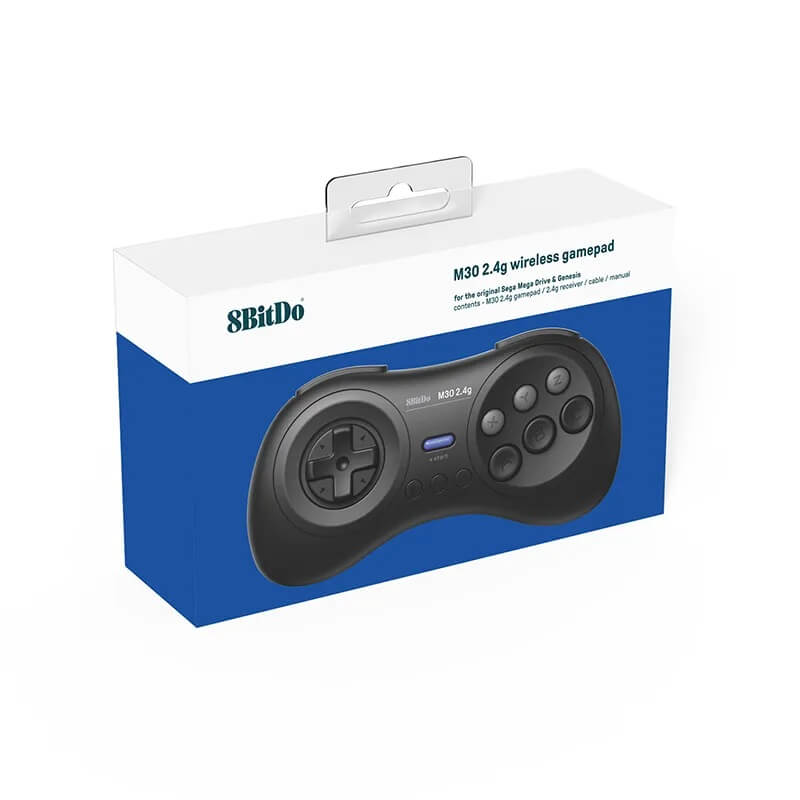
1 × Retail Box
Warranty Information
Warranty Information
This 8BitDo M30 2.4G Wireless Controller is covered by a 12-month Retrolize warranty against manufacturing defects and hardware faults arising during normal use from the date of delivery.
The warranty does not cover accidental damage, liquid damage, misuse, damaged charging or receiver connections, unauthorised modification, normal cosmetic wear or the expected reduction in rechargeable battery capacity through normal use and ageing.
Damage, loss of function or bricking caused by installing incorrect, incompatible or unofficial firmware, interrupting a firmware update or carrying out an update incorrectly is not covered by the warranty.
Compatibility differences involving unsupported consoles, third-party receivers, Bluetooth adapters, USB equipment or unlisted operating systems are not considered product faults.
Warranty claims remain subject to the full Retrolize warranty terms and are additional to the customer’s statutory rights.
Additional Information
Additional Information
Additional Information
Does This Controller Work With An Original Mega Drive?
Yes. Original Mega Drive Model 1 and Model 2 consoles are supported using the included 9-pin receiver.
Does It Work With An Original SEGA Genesis?
Yes. Original Genesis Model 1 and Model 2 consoles are supported using the included receiver.
How Is This Different From The Other M30 Controllers?
This is the M30 2.4G model supplied with a 9-pin receiver for original Mega Drive and Genesis consoles. It is different from the M30 Bluetooth controller and the M30 2.4G model supplied with a USB receiver for Genesis Mini and Mega Drive Mini consoles.
Does The M30 2.4G Use Bluetooth?
No. This model uses a dedicated 2.4GHz connection with its included matching receiver. It cannot pair with Bluetooth receivers, Bluetooth adapters or Bluetooth devices.
Does It Work With The Analogue Mega Sg?
Yes. The included receiver connects to an original-style controller port on the Analogue Mega Sg and allows the console’s HOME menu to be accessed wirelessly.
Can It Be Used With Nintendo Switch, Windows Or Raspberry Pi?
Yes. Nintendo Switch, Windows 10 and Raspberry Pi are supported through a wired Micro-USB connection. Wireless operation on these systems is not supported by the included 9-pin receiver.
What Is The Difference Between 3-Button & 6-Button Modes?
Six-button mode provides the full A, B, C, X, Y and Z face-button layout and is active by default. Three-button mode is provided for earlier games that do not recognise a six-button controller correctly.
How Do I Change Controller Modes?
Hold the Mode button for approximately three seconds while the controller is connected. The receiver’s blue indicator flashes twice to confirm the mode change.
What Do The Shoulder Buttons Do?
When used wirelessly with an original Mega Drive or Genesis, the L shoulder button duplicates Z and the R shoulder button duplicates C. USB button assignments can vary according to the connected system, firmware and software configuration.
Does The Controller Include Turbo?
Yes. Hold a supported button and press the Star button to activate or deactivate Turbo. The directional pad cannot use Turbo, and Turbo is unavailable during wired Nintendo Switch operation.
Can Two Wireless Controllers Be Used Together?
Yes. Each player requires one M30 controller, one matching receiver and one available console controller port.
Can It Connect To Another 8BitDo Receiver?
No. The controller is designed to work wirelessly with the dedicated 2.4G receiver supplied with it.
Does It Work With The Genesis Mini Or Mega Drive Mini?
No. The included receiver connects to an original 9-pin controller port. The Genesis Mini and Mega Drive Mini require a different M30 model supplied with a USB receiver.
Does It Work With A SEGA Saturn, Master System Or Atari Console?
These systems are not officially listed as compatible. A matching 9-pin connector does not guarantee safe electrical or functional compatibility, so the controller should only be used with explicitly supported systems.
Does The Controller Switch Off Automatically?
Yes. The controller enters sleep mode after approximately 15 minutes without use.
Is International Delivery Available?
Yes. International tracked delivery is available to supported destinations, with delivery options calculated at checkout.
Share


Product reviews
Honest feedback to help you choose.
Customers receive a personal review invitation after purchase.