


JoungeDIY NGCPSU GameCube USB-C Power Supply Mod
JoungeDIY NGCPSU GameCube USB-C Power Supply Mod
Couldn't load pickup availability
🔌 USB-C Power Input For Nintendo GameCube 🔌
⚡ Requires A Compatible 12V / 3A USB-C Supply ⚡
🎮 Fits DOL-001 & DOL-101 GameCube Consoles 🎮
🧩 Replaces The Internal Power Input & Switch Board 🧩
🔧 Solder-Free Installation With Console Disassembly 🔧
🔒 Built-In Overvoltage Protection 🔒
🌍 Supports PAL, USA & Japanese GameCube Models 🌍
🛡️ 12-Month Retrolize Warranty 🛡️
Description
Description
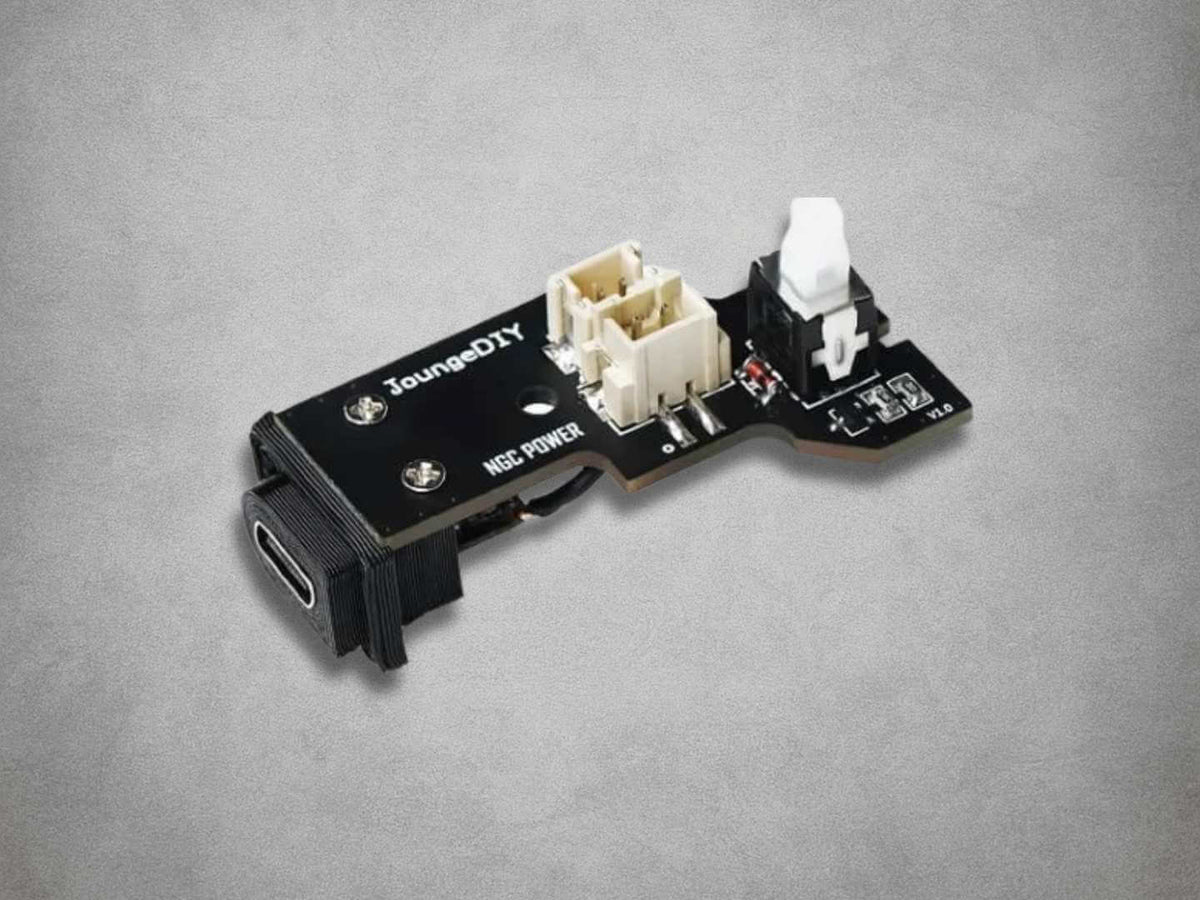
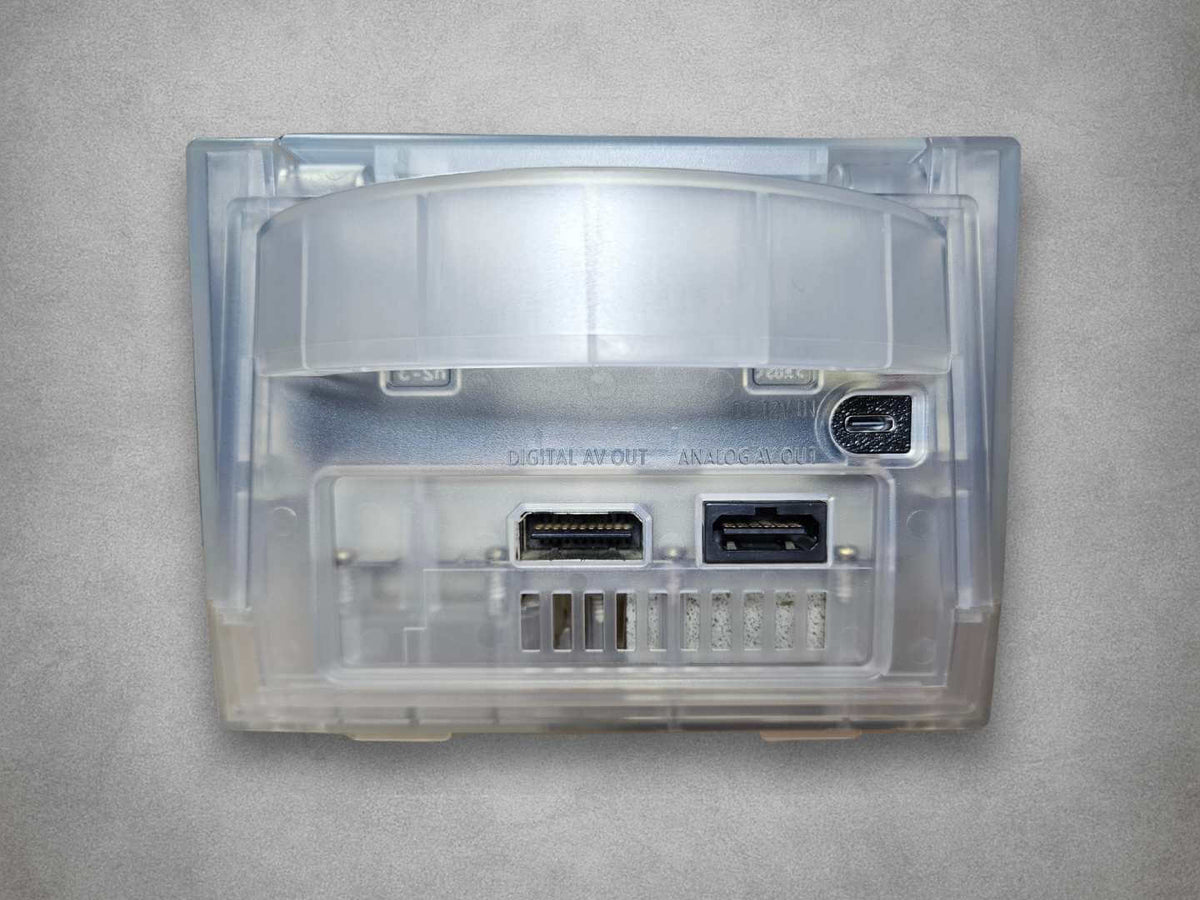
The JoungeDIY NGCPSU GameCube USB-C Power Supply Mod replaces the original power-input and switch board inside compatible Nintendo GameCube consoles. It provides a USB-C connection at the rear of the console, allowing a suitable external USB-C power supply to take the place of the original Nintendo power brick.
Designed for DOL-001 and DOL-101 GameCube models, the replacement assembly includes the USB-C socket, power switch and connections for the console’s power input and cooling fan. It fits inside the console using the existing connection arrangement, with no motherboard soldering required for a standard installation.
The required power source is important. NGCPSU needs a compatible supply providing 12V at 3A, along with a suitable USB-C to USB-C cable. A charger’s total advertised wattage does not confirm compatibility: the selected output must provide the required voltage and current. Check the specifications before connecting it to the console.
This arrangement is useful when an original GameCube power supply has been lost, damaged or become unreliable. It also allows a compatible USB-C charger to be shared between suitable devices, reducing the need to keep a separate Nintendo power brick in the setup.
For imported consoles, a compatible charger intended for the local mains supply can provide the required USB-C output. PAL, North American and Japanese versions of the supported console models can use the board. The power conversion leaves the GameCube’s existing region, language and video standard unchanged.
Installation requires removing the outer housing, disconnecting the original power-input board and fitting the NGCPSU assembly in its place. Care is needed around the connectors, power-button alignment and fan wiring. The console’s existing internal voltage-regulation circuitry and other original hardware remain in use.
Built-in overvoltage protection is provided, but the board must still be used with a correctly specified power source. It is a power-input conversion and does not repair unrelated faults in the motherboard, internal regulation, optical drive or cooling system.
Supplied by Retrolize with a 12-month warranty, NGCPSU is supported by our UK team, with tracked delivery options for the UK and supported international destinations. Explore our Nintendo GameCube Parts & Mods collection for complementary restoration parts and upgrades.
Specifications
Specifications
Brand: JoungeDIY
Product: NGCPSU
Product Type: Power Supplies
Compatible Console: Nintendo GameCube
Supported Models: DOL-001 & DOL-101
Regional Compatibility: PAL, NTSC-U/C & NTSC-J
Power Connection: USB-C
Required Supply Output: 12V DC at a minimum of 3A
Supply Capability At 12V / 3A: 36W
Required Cable: Suitable USB-C to USB-C cable
USB-C Power Supply Included: No
USB-C Cable Included: No
Power Switch: Integrated into the replacement assembly
Console Power & Fan Connections: Provided on the board
Overvoltage Protection: Built in
Original External Nintendo Power Supply: Replaced by a compatible USB-C supply
Original Proprietary DC Input: Replaced by USB-C
Console Disassembly Required: Yes
Motherboard Soldering Required: No
Board Colour: Black
Retrolize Warranty: 12 months from delivery
SKU: GC-NGCPSU-USBC
Supported Systems
Supported Systems
Compatible Console Models
Nintendo GameCube DOL-001: Supported with internal installation
Nintendo GameCube DOL-101: Supported with internal installation
Regional Versions
UK & European PAL Consoles: Supported in the listed models
North American NTSC-U/C Consoles: Supported in the listed models
Japanese NTSC-J Consoles: Supported in the listed models
Compatible Power Equipment
USB-C Power Supplies: Require a compatible 12V output rated for at least 3A
USB-C To USB-C Cables: Require a suitable cable rated for the necessary current
USB-C Power Banks: Conditional on the required output and compatible operation
Basic 5V USB Supplies: Not supported
Chargers Without The Required 12V Output: Not supported
Installation Requirements
Console Disassembly: Required
Original Power-Input Board: Removed & replaced by NGCPSU
Motherboard Soldering: Not required for a standard installation
Original Nintendo DC Power Supply: Cannot connect directly after fitting
Existing Internal Modifications: Check power requirements, mounting clearance & cable routing
Critical Info
Critical Info
Power Board Only: This listing is for the JoungeDIY NGCPSU internal replacement board. A compatible USB-C power supply and USB-C cable are required separately.
12V / 3A Power Required: Use a compatible USB-C power supply with a 12V output rated for at least 3A. This provides a nominal 36W supply capability at the required voltage.
Check The Output Profile: A charger marked 45W, 65W or higher is not automatically compatible. Check the manufacturer’s output specifications for the USB-C port you intend to use and confirm that it provides the required 12V output and current capacity.
USB-C Cable Required: Use a suitable USB-C to USB-C cable rated to carry the required current. The connector shape alone does not establish that the complete power setup is suitable.
Compatible Consoles: Designed for Nintendo GameCube DOL-001 and DOL-101 consoles. Compatible PAL, North American and Japanese models are supported.
Installation Requirements: Installation is solder-free but requires opening the console and replacing its original power-input board. Suitable Gamebit and Phillips screwdrivers and careful handling are necessary.
Original Power Supply Connection: The proprietary GameCube DC input is replaced by USB-C. The original external Nintendo power supply cannot connect directly after installation.
Power & Handling: Switch off the console, remove any disc and disconnect the power supply and all other cables before opening it. Do not connect or disconnect internal cables while power is applied.
Installation Overview
- Test the console before starting, then switch it off and disconnect all cables and accessories.
- Open the GameCube using the appropriate screwdrivers and keep the original screws organised.
- Photograph the original board and note the positions of its power and fan connections.
- Carefully disconnect and remove the original power-input board.
- Fit the NGCPSU assembly, checking the USB-C socket, power-button alignment and mounting position.
- Reconnect the appropriate console power and fan connections. Check for trapped wiring, loose parts and interference with other modifications.
- Reassemble the console before reconnecting power.
- Connect the verified compatible USB-C supply and cable, then test startup, power-button operation and fan operation.
Connection & Power Troubleshooting
Console Does Not Power On: Disconnect power and check the charger’s listed output for the selected port. Confirm that 12V at the required current is available, then check the cable and connections.
Console Starts Then Switches Off: Check the power source, cable and any connections disturbed during installation. Test with the GameCube connected to the charger on its own and stop using the setup if the problem continues.
Power Button Does Not Move Freely: Check the alignment of the board, switch and exterior button. Do not force the button or tighten the housing against a misaligned assembly.
Fan Does Not Operate: Switch off and disconnect power. Check the fan connection and any wiring disturbed during installation. Do not continue operating the console without working cooling.
Package Includes
Package Includes
1 × JoungeDIY NGCPSU GameCube USB-C power board assembly with integrated power switch & connectors
USB-C power supply, USB-C cable and Nintendo GameCube console are not included.
Warranty Information
Warranty Information
This JoungeDIY NGCPSU GameCube USB-C Power Supply Mod includes a 12-month Retrolize warranty from the date of delivery, covering manufacturing defects and hardware faults arising during normal use.
Coverage applies to the supplied board assembly. Customer-caused damage is excluded, including accidental impact, liquid exposure, damaged USB-C ports or connectors, excessive force, electrostatic damage, incorrect installation and unauthorised modification.
Damage resulting from an unsuitable power supply, incorrect voltage, inadequate power equipment or incompatible connections is not covered. The board must be used with a power source and cable meeting its stated requirements.
Damage caused while opening the GameCube, removing its original board or fitting the NGCPSU is installation damage. This includes damaged console connectors, trapped wiring and forced or incorrectly aligned fittings.
Faults in the console’s existing motherboard, internal voltage-regulation circuitry, fan, optical drive or other original components are separate from faults with the NGCPSU. Separately purchased chargers and cables are outside this product’s warranty.
Contact Retrolize with your order number and a description of the issue so we can assess it and provide the appropriate instructions. Full warranty terms and our Returns Policy apply. Your statutory rights are unaffected.
Additional Information
Additional Information
Does This Fit DOL-001 & DOL-101 GameCubes?
Yes. The JoungeDIY NGCPSU supports compatible Nintendo GameCube DOL-001 and DOL-101 consoles, including PAL, North American and Japanese versions.
Is This An Internal Or External Adapter?
It is an internal replacement board. The GameCube must be opened and its original power-input board removed before fitting the NGCPSU assembly.
Do I Need To Solder Anything?
No motherboard soldering is required for a standard installation. The board uses the console’s existing connections, but disassembly, careful fitting and reassembly are necessary.
Which USB-C Power Supply Do I Need?
Use a compatible USB-C supply with an output of 12V rated for at least 3A. Check the specifications for the particular USB-C port being used and pair it with a suitable USB-C to USB-C cable.
Will Any 45W Or 65W Charger Work?
The total wattage alone does not establish compatibility. Some high-powered chargers do not offer the required 12V output. Confirm the actual output profile before use.
Can I Use A Basic 5V USB Charger?
A basic 5V USB supply does not meet the board’s stated 12V power requirement. Use a compatible supply providing the required voltage and current.
Are The USB-C Charger & Cable Included?
The package contains the NGCPSU board assembly. A compatible external USB-C power supply and USB-C to USB-C cable are required separately.
Can I Use The Original GameCube Power Brick Afterwards?
The original proprietary DC input is replaced by USB-C, so the Nintendo power brick cannot connect directly while this board is fitted.
Can It Power A Japanese GameCube In The UK?
Yes, when used with a compatible USB-C supply suitable for UK mains and providing the required 12V output at the necessary current. The console’s original Japanese mains adapter is no longer part of the power arrangement.
The board does not change the console’s region, language or video standard.
Can I Use A USB-C Power Bank?
Only if its selected USB-C output supports the board’s required 12V supply and current capacity. A USB-C socket or fast-charging description alone does not confirm compatibility.
Can I Use It With Other GameCube Modifications?
Check the combined power requirements, physical clearance and wiring of the complete installation. Additional boards and accessories can change the demands on the power source. NGCPSU does not change the compatibility requirements of other modifications.
How Quickly Will My UK Order Be Dispatched?
In-stock orders placed before 2pm UK time on working days are normally dispatched the same day. Royal Mail Tracked 24 aims for next-working-day delivery after dispatch. Available services and delivery estimates are shown at checkout.
Is International Delivery Available?
Yes, tracked international delivery is available to supported destinations. Available Royal Mail services, delivery charges and estimated transit times are shown at checkout.
Share


Product reviews
Honest feedback to help you choose.
Customers receive a personal review invitation after purchase.