


BitFunx Digital AV To HDMI Adapter - Nintendo GameCube DOL-001
BitFunx Digital AV To HDMI Adapter - Nintendo GameCube DOL-001
Couldn't load pickup availability
📺 Connect GameCube DOL-001 To Modern HDMI Displays 📺
🎮 Direct Digital GameCube Video & Audio Through HDMI 🎮
🖥️ Supports 240p, 288p, 480i, 576i, 480p & 576p 🖥️
🌍 PAL, NTSC-U & NTSC-J Console Support 🌍
⚙️ GCVideo Processing & On-Screen Settings ⚙️
🎨 Line Doubling, Scanlines & Picture Controls 🎨
⚡ Manufacturer-Rated Zero-Latency Processing ⚡
🔌 Console Powered With No External Power Supply Required 🔌
🔄 USB-C Firmware Update Support 🔄
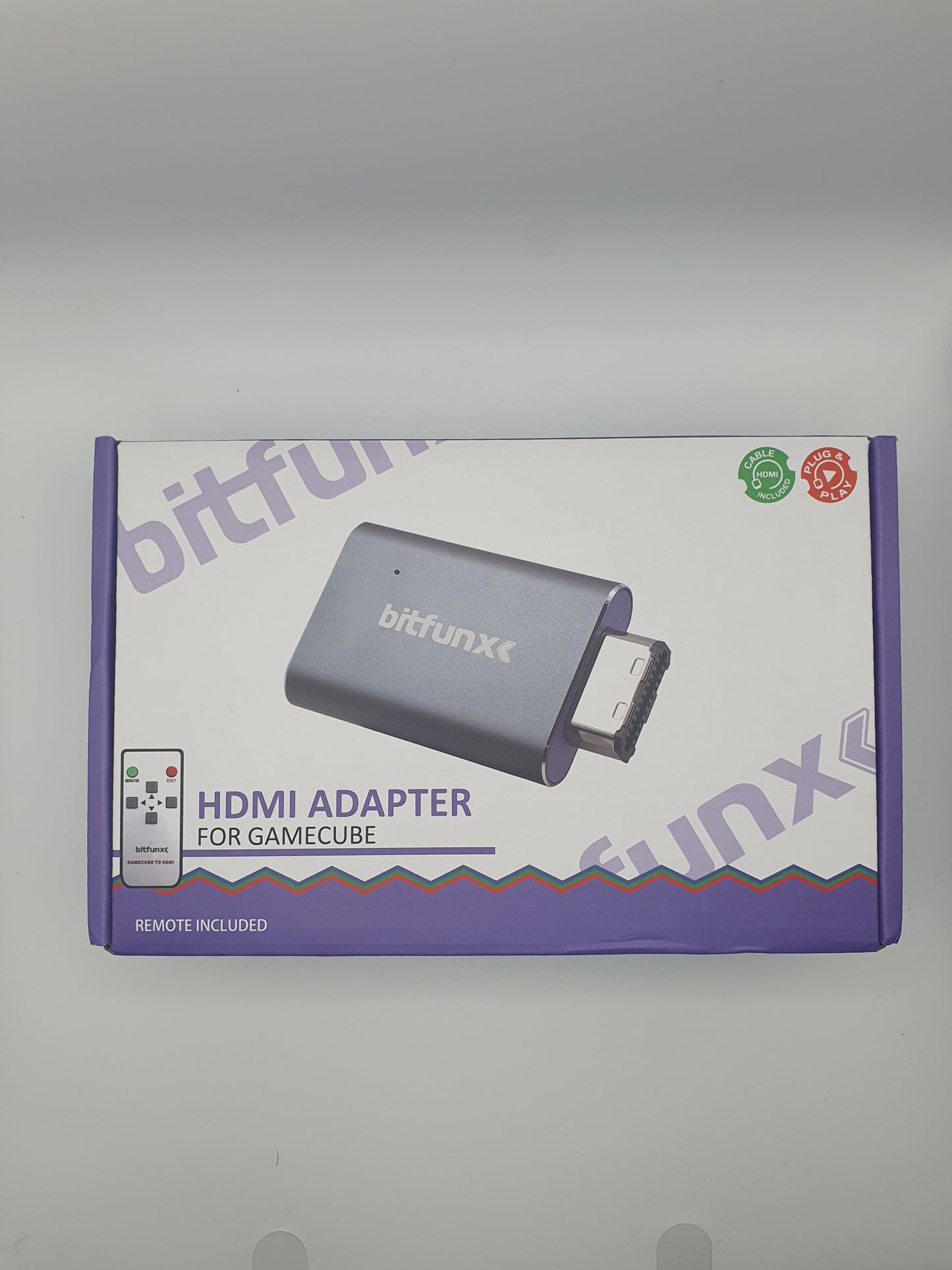
📦 HDMI Cable, Remote & Support Bracket Included 📦
🛠️ Plug & Play With No Console Modification Required 🛠️
🛡️ 12-Month Retrolize Warranty 🛡️
Description
Description
Connect an original Nintendo GameCube DOL-001 directly to a modern HDMI television, monitor, projector or compatible capture device with the BitFunx Digital AV To HDMI Adapter.
Unlike a generic analogue GameCube AV-to-HDMI converter, this adapter connects to the Digital AV Out found on DOL-001 consoles. It receives digital video and audio directly from the GameCube before carrying both through a single HDMI connection, avoiding the additional analogue video conversion used by composite, S-Video and RGB adapters.
GCVideo-based processing supports 240p, 288p, 480i, 576i, 480p and 576p video modes. Compatible lower-resolution signals can be line-doubled to 480p or 576p, while adjustable scanline profiles provide an optional CRT-inspired presentation.
The included infrared remote opens the on-screen configuration menu, allowing picture, scanline, line-doubling and output settings to be adjusted without reaching behind the console. Compatible progressive-scan games can output 480p directly, providing the clearest standard video mode available from original GameCube hardware.
The adapter is powered through the GameCube Digital AV Out connection, so no USB power cable or external power supply is required during normal gameplay. The current hardware revision includes a USB-C data connection for optional firmware updates using compatible BitFunx firmware.
An HDMI cable and support bracket are included. The bracket helps support the adapter and connected HDMI cable, reducing unnecessary strain around the GameCube Digital AV Out port.
The adapter is dispatched from UK stock with fast delivery, international tracked delivery to supported destinations and a 12-month Retrolize warranty.
Browse our complete range of retro gaming upscalers and HDMI adapters.
Find more Nintendo GameCube parts and mods.
Specifications
Specifications
Brand: BitFunx
Product Name: GameCube Digital AV To HDMI Adapter
Product Type: Digital AV To HDMI Adapter & Line Doubler
Model: NGC HDMI Adapter
Manufacturer Product Code: XLL-NGC-HDMI-Adapter-NEW
Video Platform: Open-Source GCVideo-Based Digital Video Processing
Compatible Console: Original Nintendo GameCube DOL-001
Console Regions: PAL, NTSC-U & NTSC-J
Required Console Connection: Digital AV Out
Video Input: Digital Video From The GameCube Digital AV Out
Audio Input: Digital Audio From The GameCube Digital AV Out
Output Connection: Full-Size HDMI Type-A Female Port
Video Output: Digital HDMI
Audio Output: Digital Audio Via HDMI
Supported Video Modes: 240p, 288p, 480i, 576i, 480p & 576p
Progressive Video Support: 480p & 576p When Provided By Compatible Software
Line Doubling: Optional 240p, 288p, 480i & 576i Conversion To 480p Or 576p
Scanline Profiles: Adjustable
On-Screen Display: Supported
Picture Controls: Contrast, Brightness, Saturation & Position
Output Settings: Configurable Through The On-Screen Menu
Control Method: Included Infrared Remote Control
Signal Processing Latency: Manufacturer-Rated Zero Latency
External Power Required: No
Power Source: Nintendo GameCube Digital AV Out
Firmware Update Port: USB-C Data Connection
Firmware Updates: Supported With Hardware-Compatible BitFunx Firmware
Console Modification Required: No
Installation: Plug & Play
Housing Material: Aluminium
Support Bracket: Included
Adapter Dimensions: Approximately 60 × 40 × 13mm
Adapter Weight: Approximately 31g
Remote Dimensions: Approximately 90 × 40 × 9mm
Remote Weight: Approximately 19g
HDMI Cable Length: Approximately 1.5m
Packaged Shipping Weight: Approximately 272g
Colour: Silver & Purple
SKU: BFX-GC-DIGITAL-HDMI-SLV
Supported Systems
Supported Systems
Nintendo GameCube Consoles
Original Nintendo GameCube DOL-001 PAL: Supported
Original Nintendo GameCube DOL-001 NTSC-U: Supported
Original Nintendo GameCube DOL-001 NTSC-J: Supported
Nintendo GameCube DOL-101 PAL: Not Supported
Nintendo GameCube DOL-101 NTSC-U: Not Supported
Nintendo GameCube DOL-101 NTSC-J: Not Supported
Nintendo Wii Consoles: Not Supported
GameCube Software & Accessories
Original Nintendo GameCube Games Using Supported Video Modes: Supported
Compatible Progressive-Scan GameCube Games: Supported
Nintendo Game Boy Player With Original Start-Up Disc: Supported
Game Boy Interface & Other Homebrew Software: Support Varies By Video Mode & Display
Swiss-Forced Video Modes: Support Varies By Game, Settings & Display
Video Modes & Processing
240p Input: Supported
288p Input: Supported
480i Input: Supported
576i Input: Supported
480p Input: Supported
576p Input: Supported
Optional 240p To 480p Line Doubling: Supported
Optional 288p To 576p Line Doubling: Supported
Optional 480i To 480p Line Doubling: Supported
Optional 576i To 576p Line Doubling: Supported
Adjustable Scanline Profiles: Supported
On-Screen Configuration: Supported
Digital Audio Through HDMI: Supported
720p, 1080p & 4K Internal Scaling: Not Supported
Display Requirements
HDMI Television: Supported Where Compatible With The Selected Video Mode
HDMI Monitor: Supported Where Compatible With The Selected Video Mode
HDMI Projector: Supported Where Compatible With The Selected Video Mode
HDMI Capture Device: Support Varies By Accepted Input Timings
HDMI Switch Or AV Receiver: Support Varies By Accepted Input Timings
Critical Info
Critical Info
Digital AV Out Required: Check the rear of the Nintendo GameCube before ordering. The console must have a connection labelled Digital AV Out alongside its standard Analogue AV Out connection.
DOL-001 Consoles Only: This adapter is designed for original Nintendo GameCube DOL-001 consoles from PAL, NTSC-U and NTSC-J regions.
DOL-101 Not Supported: Later Nintendo GameCube DOL-101 consoles do not have the required Digital AV Out port and cannot use this adapter.
Current USB-C Revision: This listing is for the current BitFunx hardware revision with a USB-C firmware-update port. The older revision used Micro-USB.
USB-C Is For Firmware Updates Only: The USB-C port is not required for normal operation or external power. A USB-C cable is not included.
Not A 720p, 1080p Or 4K Upscaler: The adapter outputs compatible GameCube video modes and can line-double lower-resolution signals to 480p or 576p. It does not scale games to 720p, 1080p or 4K.
Progressive Scan Depends On The Game: Compatible GameCube software may provide a native 480p progressive-scan mode. With compatible NTSC games, this is normally activated by holding the B button while the game starts and confirming the progressive-scan prompt.
PAL Game Compatibility: PAL DOL-001 consoles are supported, but most original PAL GameCube releases do not include a standard 480p option. They will normally output at 576i or 480i unless compatible homebrew software is used to force another video mode.
Line Doubling Does Not Add New Detail: Line doubling converts compatible lower-resolution or interlaced signals into a progressive output. It cannot increase the internal rendering resolution or graphical detail produced by the game.
Interlaced Line-Doubling Results Can Vary: Line doubling 480i or 576i can introduce visible combing, flicker or other deinterlacing artefacts. If the connected display handles the original interlaced signal correctly, leaving line doubling disabled may provide a preferable result.
Game Boy Player & Homebrew Compatibility: The original Game Boy Player software is supported. Homebrew Game Boy Interface modes can use unusual output timings that may not be accepted by every television, monitor or capture device.
Use The Support Bracket: Install the included bracket to support the adapter and reduce unnecessary movement or pressure around the GameCube Digital AV Out connection.
Remote Control: The included infrared remote provides access to line-doubling, scanline, picture and output settings through the on-screen menu.
Firmware Compatibility: Only install firmware explicitly released for this exact BitFunx adapter and hardware revision. Do not disconnect the adapter or USB-C cable while an update is in progress.
Pico-Based Modifications: BitFunx publishes a separate startup procedure for certain GameCube consoles fitted with a Pico-based modification. Follow the exact instructions supplied with the adapter or modification rather than the standard setup procedure where this applies.
Display Compatibility: HDMI televisions, monitors, projectors, AV receivers, HDMI switches and capture devices can handle 240p, 288p, 480i, 576i, 480p and 576p differently. Compatibility with every display or intermediary device cannot be guaranteed.
Connect With The Console Switched Off: Under normal use, always switch the Nintendo GameCube off before inserting, removing or repositioning the adapter.
First-Time Setup
- Switch the Nintendo GameCube and HDMI display off.
- Confirm that the console has a rear connection labelled Digital AV Out.
- Fit the supplied support bracket as shown in the instruction manual.
- Carefully connect the adapter to the GameCube Digital AV Out port without forcing it.
- Connect the supplied HDMI cable between the adapter and the television, monitor, projector or capture device.
- Switch the display on and select the corresponding HDMI input.
- Switch the Nintendo GameCube on.
- Use the supplied remote control to configure line doubling, scanlines and picture settings if required.
- For a compatible progressive-scan game, hold the B button while the game starts and follow the on-screen prompt.
- Always switch the console off before removing or repositioning the adapter.
Package Includes
Package Includes
1 × BitFunx Digital AV To HDMI Adapter For Nintendo GameCube DOL-001
1 × Infrared Remote Control
1 × Support Bracket
1 × 1.5-Metre HDMI Cable
1 × User Manual
1 × Retail Box
Warranty Information
Warranty Information
This BitFunx Nintendo GameCube HDMI Adapter is covered by a 12-month limited Retrolize warranty against manufacturing defects and hardware faults arising during normal use.
The warranty does not cover accidental damage, liquid damage, misuse, damaged connectors, excessive strain placed on the adapter or Digital AV Out port, unauthorised modification, incorrectly performed or interrupted firmware updates, incompatible firmware, or faults caused by an incompatible console, HDMI cable or display.
Display compatibility, television scaling, output-timing behaviour and differences caused by individual game video modes, line-doubling settings, scanline settings, homebrew software or capture hardware are not considered product faults. Warranty claims remain subject to the full Retrolize warranty terms.
Additional Information
Additional Information
How Do I Know Whether My GameCube Is DOL-001?
Check the model number on the label underneath the console. A compatible DOL-001 GameCube also has two video connections on the rear: Digital AV Out and Analogue AV Out.
Does It Work With A GameCube DOL-101?
No. DOL-101 consoles do not have the required Digital AV Out port. The BitFunx Mini HDMI Adapter provides an analogue HDMI option for DOL-101 consoles.
Is This A GCVideo Adapter?
Yes. It uses GCVideo-based digital processing to provide direct HDMI output, line doubling, adjustable scanlines and an on-screen configuration menu from the DOL-001 Digital AV Out.
How Is This Different From An Analogue GameCube HDMI Adapter?
This adapter receives digital video and audio directly from the DOL-001 Digital AV Out. Analogue adapters connect through the standard Analogue AV Out and convert composite, S-Video or RGB video before producing HDMI.
Does It Output 1080p Or 4K?
No. It supports the GameCube’s compatible native video modes and can line-double lower-resolution signals to 480p or 576p. A separate video processor is required for scaling to 1080p or 4K.
How Do I Enable 480p Progressive Scan?
With a compatible game, hold the B button while the software starts and confirm the progressive-scan prompt. The adapter’s Allow 480p setting must also remain enabled. Not every GameCube game provides a native 480p mode.
Can PAL GameCube Games Output 480p?
Most original PAL GameCube releases do not offer native 480p. PAL DOL-001 consoles are compatible with the adapter, but their games will normally output 576i or 480i unless compatible homebrew software such as Swiss is used to force another mode.
Does It Work With The Game Boy Player?
Yes. The original Nintendo Game Boy Player software is supported. Compatibility with homebrew Game Boy Interface modes can depend on the selected video timing and whether the connected display or capture device accepts it.
Does The Adapter Add Input Lag?
BitFunx rates its digital conversion and line-doubling process as zero latency. The television, monitor, AV receiver or capture setup can still introduce its own processing delay, so a display’s Game Mode is recommended where available.
Is GameCube Audio Carried Through HDMI?
Yes. Digital video and audio are carried through the same HDMI cable. No separate analogue audio cable is required.
What Should I Check If There Is No Picture Or Sound?
Confirm that the console is a DOL-001 with a Digital AV Out, that the adapter is fully seated and that the correct HDMI input is selected. Switch everything off before checking the connections. If possible, connect the adapter directly to the display rather than through an HDMI switch or AV receiver.
Some displays do not accept 240p, 288p, 480i or 576i through HDMI. Selecting a compatible progressive or line-doubled output may help. If an unsupported on-screen setting has been saved, restore the GCVideo settings to their defaults.
Can It Be Used With An HDMI Capture Device?
Yes, provided the capture device accepts the video mode produced by the GameCube and adapter. Capture compatibility with 240p, 288p, 480i, 576i and unusual homebrew timings can vary.
Does The USB-C Port Power The Adapter?
No. The adapter receives power from the GameCube Digital AV Out. The USB-C connection is used only for compatible firmware updates.
Is International Delivery Available?
Yes. International tracked delivery is available to supported destinations, with delivery options calculated at checkout.
Share


Product reviews
Honest feedback to help you choose.
Customers receive a personal review invitation after purchase.