Skip to product information
1 of 7

Bitfunx HDMI Adapter / Upscaler Mini - SNES/SFC/N64/GC - Super Nintendo / Super Famicom / Nintendo 64 / GameCube

Bitfunx HDMI Adapter / Upscaler Mini - SNES/SFC/N64/GC - Super Nintendo / Super Famicom / Nintendo 64 / GameCube

๐ŸŽฎ SNES, Super Famicom, N64 And GameCube Support ๐ŸŽฎ

โšก Ultra-Low-Latency Plug-And-Play Conversion โšก

๐Ÿ–ฅ๏ธ Automatic S-Video And Composite Detection ๐Ÿ–ฅ๏ธ

๐Ÿ“บ Switchable 1080p 4:3 And 720p 16:9 Output ๐Ÿ“บ

๐Ÿ”Š Video And Stereo Audio Through HDMI ๐Ÿ”Š

๐Ÿ”Œ No Ext Power Supply Required ๐Ÿ”Œ

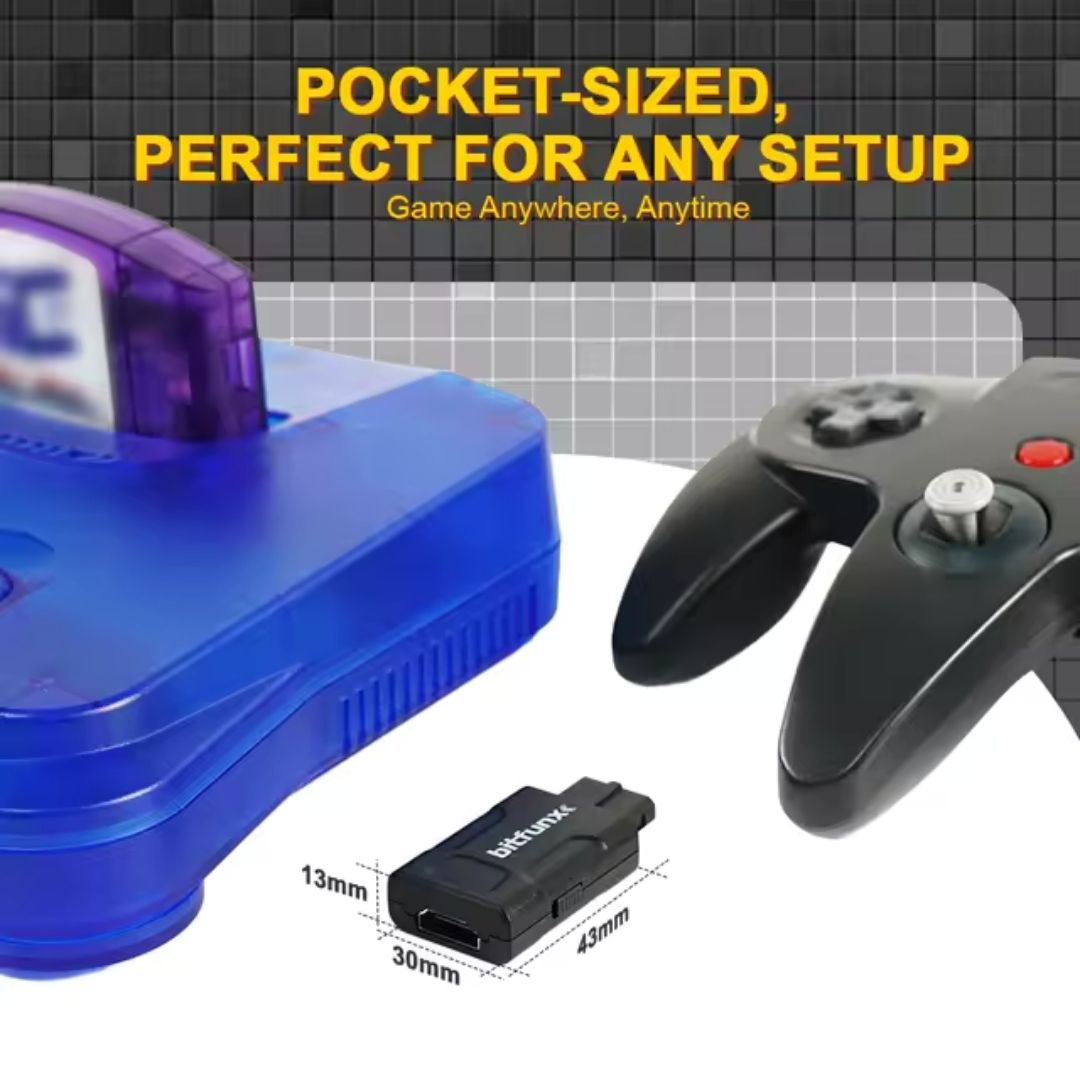
๐Ÿ“ Compact 43mm Mini Adapter Design ๐Ÿ“

๐Ÿ›ก๏ธ 12-Month Retrolize Warranty ๐Ÿ›ก๏ธ

Regular price ยฃ29.99
Regular price Sale price ยฃ29.99
Sale Sold out
UK VAT included
UK Stock
12-Month Warranty
Tracked UK Delivery
Real UK Customer Support

Description

Connect your original Super Nintendo, Super Famicom, Nintendo 64 or Nintendo GameCube to a modern HDMI television, monitor or projector with the BitFunx Mini HDMI Adapter / Upscaler.

The adapter plugs directly into the consoleโ€™s Nintendo analogue AV Multi Out connection and converts the original video and stereo audio into a convenient digital HDMI output. There is no need for a separate converter box, external power supply or additional audio cable.

Automatic signal detection allows the adapter to use S-Video when it is available from the connected console, providing a cleaner image than standard composite video. When S-Video is not available, the adapter automatically falls back to the consoleโ€™s composite video signal.

A switch on the side of the adapter lets you choose between a 4:3 display mode with 1080p HDMI output and a 16:9 widescreen mode with 720p HDMI output. The 4:3 setting is recommended for most Super Nintendo and Nintendo 64 games, while the 16:9 option can be selected when you prefer the picture to fill a widescreen display.

With its compact plug-and-play design, low-latency processing and support for multiple classic Nintendo consoles, the BitFunx Mini HDMI Adapter provides a simple way to use original gaming hardware with modern HDMI displays.

Specifications

Product Type: Analogue AV to HDMI adapter and upscaler
Brand: BitFunx
Compatible Consoles: Super Nintendo, Super Famicom, Nintendo 64 and Nintendo GameCube
Console Connection: Nintendo analogue AV Multi Out
Video Input: S-Video or composite video
Audio Input: Analogue stereo audio through the console AV connection
Video Output: HDMI
4:3 Output Mode: 1080p
16:9 Output Mode: 720p
Aspect Ratio Control: Physical 4:3 and 16:9 selector switch
Signal Detection: Automatic S-Video and composite detection
External Power Required: No
Drivers Required: No
Installation: Plug and play
Dimensions: Approximately 43 ร— 30 ร— 13mm
Weight: Approximately 13.8g
Colour: Black
HDMI Cable Included: No

Supported Systems

Super Nintendo Entertainment System โ€“ PAL: Supported
Super Nintendo Entertainment System โ€“ NTSC-U: Supported
Super Famicom โ€“ NTSC-J: Supported
Nintendo 64 โ€“ PAL: Supported
Nintendo 64 โ€“ NTSC-U: Supported
Nintendo 64 โ€“ NTSC-J: Supported
Nintendo GameCube โ€“ PAL: Supported
Nintendo GameCube โ€“ NTSC-U: Supported
Nintendo GameCube โ€“ NTSC-J: Supported
Nintendo GameCube DOL-001: Supported through the analogue AV output
Nintendo GameCube DOL-101: Supported through the analogue AV output

Critical Info

Output Mode Is Linked To Aspect Ratio: The 4:3 setting produces a 1080p HDMI output, while the 16:9 setting produces a 720p HDMI output.

Original Resolution Is Still Limited By The Console: The adapter scales the original analogue signal for HDMI output but cannot add graphical detail that was not present in the source console or game.

4:3 Is Recommended For Most Games: Most Super Nintendo and Nintendo 64 games were designed for a 4:3 display. Selecting 16:9 may stretch the picture unless the connected game provides its own widescreen support.

Video Quality Depends On The Available Signal: The adapter automatically uses S-Video when the connected console provides it and falls back to composite when it does not. Picture quality can therefore vary between console models and regions.

GameCube Uses The Analogue AV Output: This adapter does not connect to the GameCube Digital AV Out port and is not a GCVideo adapter. It does not provide the direct digital 480p output available from compatible DOL-001 digital HDMI solutions.

GameCube DOL-001 And DOL-101 Supported: Both GameCube versions can be used because this adapter connects through the standard analogue AV output rather than the DOL-001-only Digital AV connection.

HDMI Cable Required: A standard HDMI cable is required and is not supplied with the adapter.

Display Compatibility: The connected television, monitor, projector or capture device must support the adapterโ€™s 720p or 1080p HDMI output.

Nintendo Wii Not Supported: This adapter is designed for the Nintendo AV Multi Out used by the SNES, Super Famicom, Nintendo 64 and GameCube. It is not compatible with the Nintendo Wii AV connection.

Connect With The Console Switched Off: Turn off the console before connecting or removing the adapter.

Package Includes

1 ร— BitFunx Mini HDMI Adapter / Upscaler for SNES, Super Famicom, Nintendo 64 and GameCube

Warranty Information

This BitFunx Mini HDMI Adapter is covered by a 12-month limited Retrolize warranty against manufacturing defects and hardware faults arising during normal use.

The warranty does not cover accidental damage, liquid damage, misuse, damaged connectors, excessive pressure placed on the console AV port, unauthorised modification or faults caused by an incompatible HDMI cable, console or display.

Differences in picture quality caused by composite or S-Video availability, television scaling, source-console limitations, aspect-ratio selection or the original gameโ€™s video output are not considered product faults.

Warranty claims remain subject to the full Retrolize warranty terms.

Additional Information

Indicator Modes (via LED Light):
Green โ€“ S-video, 2x Upscale, Smoothing ON
Red โ€“ S-video, 2x Upscale, Smoothing OFF
Blue โ€“ Composite, 2x Upscale, Smoothing ON
Yellow โ€“ Composite, 2x Upscale, Smoothing OFF

View full details