


CUBEODE GameCube Optical Drive Emulator + 64GB SanDisk Ultra SD
CUBEODE GameCube Optical Drive Emulator + 64GB SanDisk Ultra SD
Couldn't load pickup availability
💿 Replaces The GameCube Disc Drive With SD Loading 💿
💾 Genuine 64GB SanDisk Ultra SD Card Included 💾
📦 Swiss Configured & Ready To Use After Installation 📦
🔧 Solder-Free Installation On Compatible Consoles 🔧
🧩 Compatible With DOL-001 & DOL-101 GameCube Consoles 🧩
🎮 GameCube Software & Homebrew Via Swiss 🎮
🎵 Audio Streaming Support With Compatible Games 🎵
🛠️ Mounting Kit & SD Card Extension Included 🛠️
🛡️ 12-Month Retrolize Warranty 🛡️
Description
Description
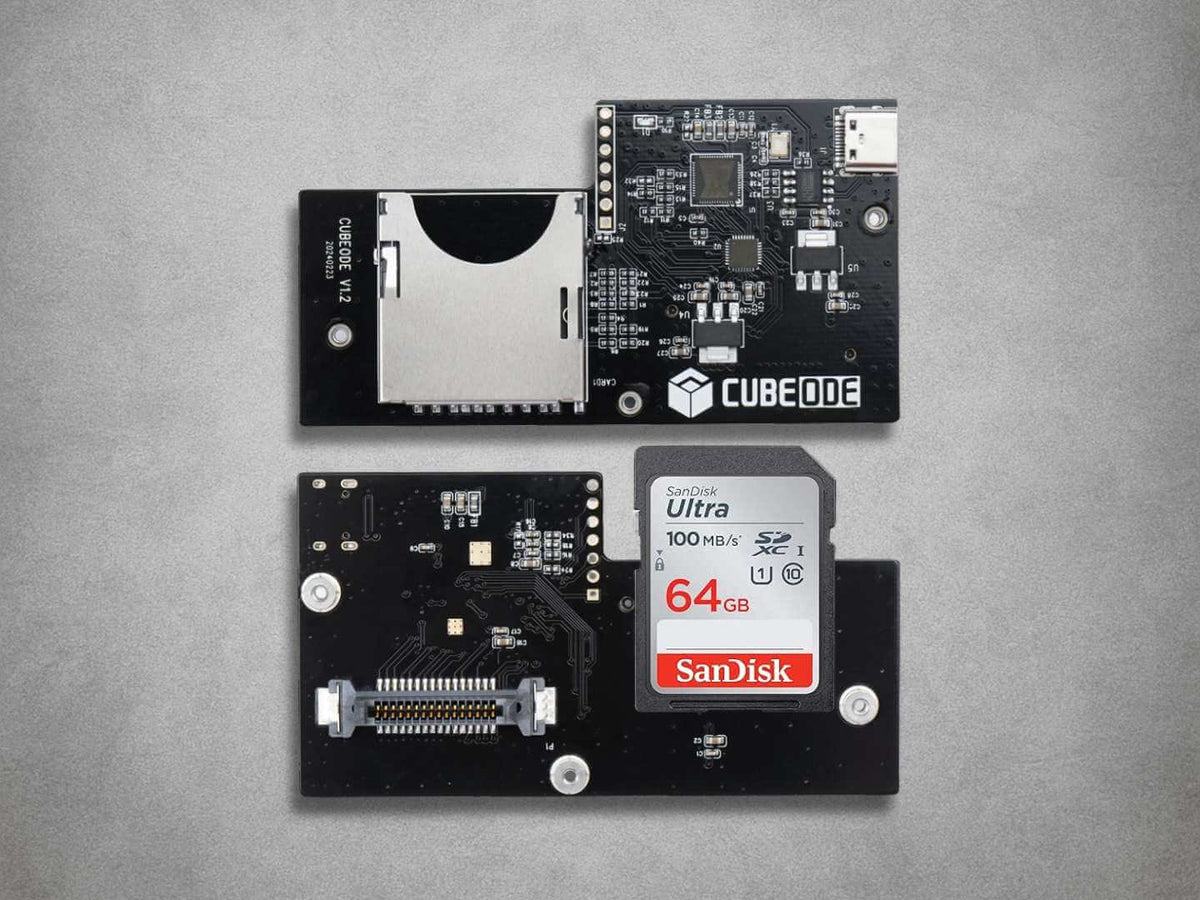
The CUBEODE GameCube Optical Drive Emulator replaces the original disc-drive assembly in compatible Nintendo GameCube consoles, allowing software to load from SD storage. Suitable for DOL-001 and DOL-101 systems, it provides an alternative to an ageing or unreliable optical mechanism while retaining the original GameCube motherboard and console hardware.
A genuine 64GB SanDisk Ultra SD card is included with Swiss already installed and configured. Once the hardware has been fitted, the console can start into Swiss using the supplied card, avoiding the initial work of formatting storage and preparing the boot files yourself.
Swiss provides a console-based interface for browsing compatible GameCube software and homebrew applications. Supported functions include software launching, video configuration and other options available within the installed Swiss version. Individual functions depend on the application, game and settings being used.
CUBEODE connects through the GameCube’s original optical-drive interface and uses its own SD storage. An additional SD2SP2 or SDGecko adapter is not required for its main SD-loading function. This is particularly useful for DOL-101 owners and other consoles without the external Serial Port 2 connection used by an SD2SP2 adapter.
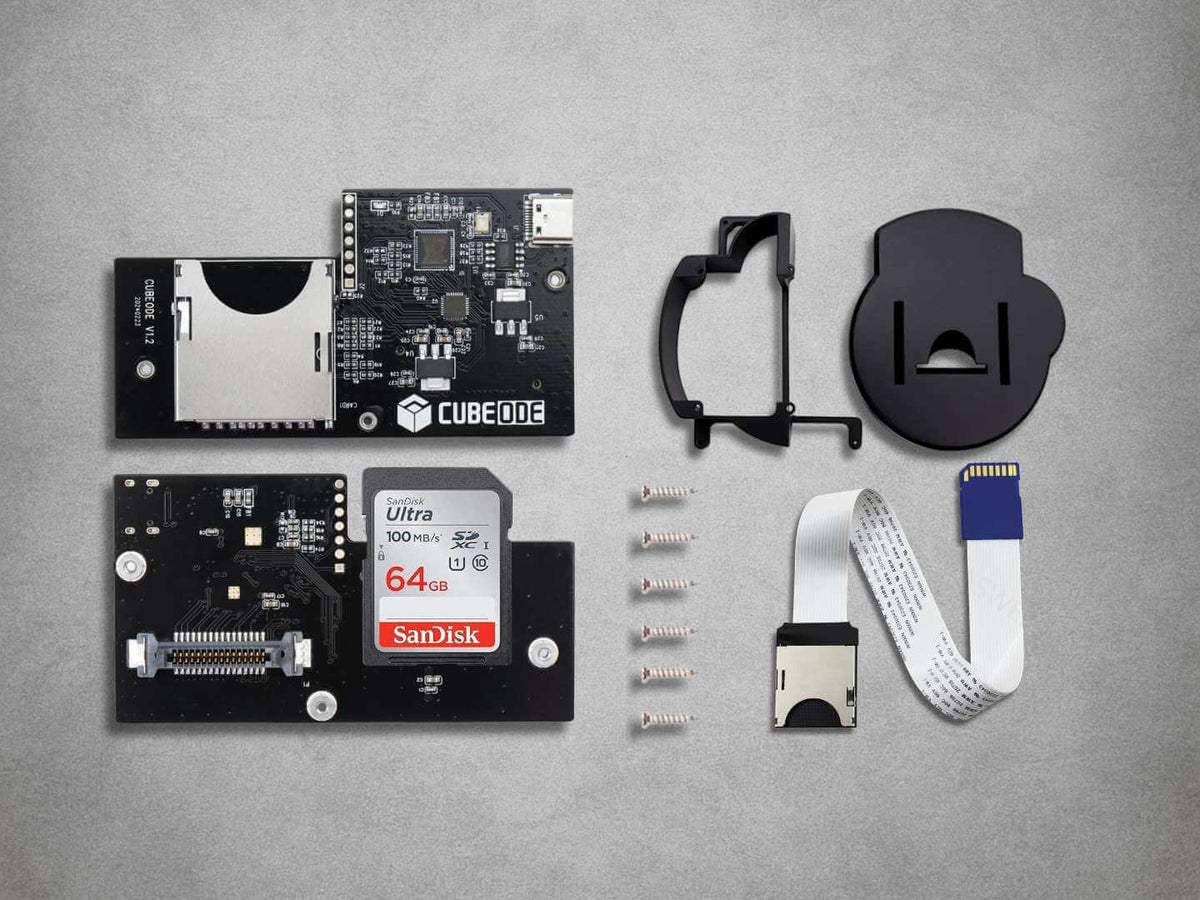
The supplied mounting kit, SD extension and fixings help secure the installation and position the card access inside the console. Installation requires disassembly and removal of the original optical-drive assembly, but no motherboard soldering is required when fitting the kit to compatible hardware.
Replacing the optical mechanism removes its laser, spindle motor and disc-seeking operation from normal use. The console’s cooling fan remains in operation, so the result depends on the condition and noise of the other hardware. CUBEODE also requires the original drive to be removed, meaning physical GameCube discs cannot be used while it is installed.
Audio-streaming support is available for compatible games, alongside ISO and GCM software loading and compatible DOL homebrew through Swiss. FAT32 and exFAT storage formats are supported. Keep a backup of the supplied card before changing its files or preparing replacement storage.
Both major retail GameCube revisions are supported across PAL, North American and Japanese systems. CUBEODE changes the software-loading arrangement; the console retains its existing video connections and other original hardware capabilities.
Supplied by Retrolize with a 12-month warranty, the kit is supported by our UK team, with tracked delivery options for the UK and supported international destinations. Explore our Nintendo GameCube Parts & Mods collection for complementary upgrades and restoration components.
Specifications
Specifications
Product: CUBEODE GameCube Optical Drive Emulator
Product Type: Optical Drive Emulators
Hardware Revision: V1.2
Compatible Console: Nintendo GameCube
Supported Models: DOL-001 & DOL-101
Regional Compatibility: PAL, NTSC-U & NTSC-J
Console Connection: Original optical-drive interface
Storage Interface: SD card
Included Storage: Genuine 64GB SanDisk Ultra SD card
Supplied Software: Swiss installed & configured
Supported File Systems: FAT32 & exFAT
GameCube Software Formats: ISO & GCM via compatible software
Homebrew Format: DOL via compatible software
Audio Streaming: Supported with compatible games & software
Additional SD2SP2 / SDGecko Required: No, for main SD loading
Original Optical Drive: Removed during installation
Physical Disc Playback: Unavailable while CUBEODE is installed
Mounting Kit: Included
SD Card Extension & Fixings: Included
Console Disassembly Required: Yes
Motherboard Soldering Required: No
Retrolize Warranty: 12 months from delivery
SKU: GC-CUBEODE-64GB
Supported Systems
Supported Systems
Compatible Console Models
Nintendo GameCube DOL-001: Supported with internal installation
Nintendo GameCube DOL-101: Supported with internal installation
Regional Versions
UK & European PAL Consoles: Supported in the listed models
North American NTSC-U/C Consoles: Supported in the listed models
Japanese NTSC-J Consoles: Supported in the listed models
Compatible Software & Storage
Swiss: Installed & configured on the included SD card
GameCube ISO & GCM Files: Supported with compatible software
DOL Homebrew Applications: Supported where compatible
Audio-Streaming Games: Supported where compatible with the installed software
FAT32 SD Storage: Supported
exFAT SD Storage: Supported
Installation Requirements
Console Disassembly: Required
Original Optical-Drive Assembly: Removed & replaced by CUBEODE
Additional SD2SP2 / SDGecko Adapter: Not required for main SD loading
Physical Disc Playback: Unavailable while CUBEODE is installed
Existing Internal Modifications: Check mounting clearance & cable routing before fitting
Critical Info
Critical Info
Optical Drive Replacement: CUBEODE replaces the original GameCube optical-drive assembly. The console will use SD-based loading and cannot read physical discs while CUBEODE is installed.
Compatible Consoles: Designed for Nintendo GameCube DOL-001 and DOL-101 consoles. Compatible PAL, North American and Japanese versions are supported.
Installation Requirements: Installation is solder-free but requires opening the console, removing the original optical-drive assembly and fitting CUBEODE to the existing drive connection. Suitable tools and careful handling are necessary.
Swiss Already Configured: The included genuine 64GB SanDisk Ultra SD card is supplied with Swiss installed and configured. Initial card formatting and installation of the supplied boot files are not required.
Card Backups: Back up the supplied SD card before changing files, replacing the card or formatting it. Keep a copy of the working boot files and configuration.
Software Compatibility: Individual games, homebrew applications, audio-streaming functions and Swiss settings can behave differently. Compatibility depends on the software and configuration being used.
Updates: Confirm that replacement boot files and any device firmware are appropriate for your exact CUBEODE hardware. Swiss software and device firmware are separate components; do not install firmware intended for another optical drive emulator.
Power & Handling: Switch off the GameCube and disconnect its power supply and other cables before opening it or changing internal connections. Power off before inserting or removing the SD card.
Installation Overview
- Test the console before starting, then switch it off, remove any disc and disconnect all cables and accessories.
- Open the console using the appropriate Gamebit and Phillips screwdrivers, keeping screws and original parts organised.
- Carefully remove the original optical-drive assembly, following the supplied installation instructions.
- Fit CUBEODE to the original drive connection, checking connector orientation and alignment before applying pressure.
- Install the supplied mounting components and SD card extension. Check for trapped cables, loose fixings and interference with other modifications.
- Insert the supplied configured 64GB SanDisk Ultra SD card.
- Reassemble the console before reconnecting power.
- Start the console and confirm that Swiss loads. Test compatible software before making changes to the working card setup.
Connection & Loading Troubleshooting
Swiss Does Not Load: Switch off and disconnect power. Check SD-card seating, the SD extension connection and any internal connections disturbed during installation. Confirm that the supplied boot files remain on the card.
Software Does Not Launch: Check the file, its compatibility and the selected Swiss settings. If the problem started after changing the card contents or configuration, compare them with your working backup.
Audio Problems In A Particular Game: Check the title’s compatibility with the installed software and relevant settings. An individual audio-streaming issue does not necessarily indicate a hardware fault.
Console Behaves Abnormally After Installation: Switch off and disconnect power before inspecting the installation. Check connector alignment, mounting clearance and any cables disturbed during fitting. Contact Retrolize if the problem continues.
Package Includes
Package Includes
1 × CUBEODE GameCube Optical Drive Emulator
1 × Genuine 64GB SanDisk Ultra SD card with Swiss installed & configured
1 × CUBEODE mounting kit with SD card extension & fixings
1 × Installation manual
1 × Retail box
Warranty Information
Warranty Information
This CUBEODE GameCube Optical Drive Emulator includes a 12-month Retrolize warranty from the date of delivery, covering manufacturing defects and hardware faults arising during normal use.
Coverage applies to the supplied CUBEODE hardware and mounting components. The genuine SanDisk SD card is covered against hardware failure.
The warranty excludes customer-caused damage, including accidental impact, liquid exposure, excessive force, damaged connectors or SD-card slots, electrostatic damage, incorrect installation, incompatible equipment and unauthorised modification.
Damage caused while dismantling the GameCube, removing its original drive or fitting the replacement hardware is installation damage. This includes damaged console connectors, incorrectly aligned connections and damage caused by forced or insecure mounting.
Deleted files, corrupted data, incompatible software, altered Swiss configurations and individual game or audio-streaming compatibility issues are not CUBEODE hardware faults. Data recovery and replacement of user-modified software contents are not covered.
A device made unusable by an incompatible, interrupted or incorrectly performed firmware update is excluded from warranty coverage.
Existing faults in the GameCube motherboard, power supply, video hardware, controller ports, memory cards or other original components are separate from faults with the supplied kit.
Contact Retrolize with your order details and a description of the problem so we can assess it. Full warranty terms and our Returns Policy apply. Your statutory rights are unaffected.
Additional Information
Additional Information
Does CUBEODE Fit DOL-001 & DOL-101 Consoles?
Yes. Compatible Nintendo GameCube DOL-001 and DOL-101 consoles are supported, including PAL, North American and Japanese versions. Installation requires opening the console and replacing its original optical-drive assembly.
Is The 64GB SanDisk Card Included & Configured?
Yes. A genuine 64GB SanDisk Ultra SD card is included with Swiss already installed and configured. Fit the hardware and use the supplied card for the initial startup.
Do I Need To Solder Anything?
No motherboard soldering is required for installation on compatible consoles. You will still need to dismantle the GameCube, remove its original drive and carefully fit the CUBEODE and mounting components.
Can I Still Play My Original Discs?
Physical discs cannot be used while CUBEODE is installed because it replaces the optical-drive assembly.
If retaining disc playback is important, see our PicoLoader GameCube Modchip, which uses a different arrangement and retains the original drive.
Do I Need An SD2SP2 Or SDGecko Adapter?
An additional adapter is not required for CUBEODE’s main SD-loading function. It reads software from its own SD card, including the supplied configured SanDisk card.
Which Software Files Can It Use?
Compatible GameCube ISO and GCM files can be launched through Swiss, alongside compatible DOL homebrew applications. Individual software compatibility depends on the title, application and installed Swiss version.
Does It Support Audio-Streaming Games?
Audio-streaming support is available for compatible titles. Results can depend on the game, software version and settings, so support should not be interpreted as a guarantee for every title or configuration.
Can I Use A Larger SD Card Later?
Compatible replacement SD storage can be used with FAT32 or exFAT. Back up the supplied card first and retain its working boot files and configuration. Check compatibility before preparing a different card.
How Are Game Saves Stored?
A compatible GameCube memory card can continue to be used for normal game saving. SD-based game loading and save storage are separate functions.
Swiss also offers software-dependent save features, but these require an appropriate compatible setup and should not be assumed to work automatically with every game.
Can I Update Swiss?
Check that the replacement files are suitable for your CUBEODE setup before updating. Keep a backup of the working supplied card so you can recover its original files and configuration if needed.
Changing Swiss files is separate from updating the CUBEODE device firmware. Hardware firmware must match the exact device.
How Quickly Will My UK Order Be Dispatched?
In-stock orders placed before 2pm UK time on working days are normally dispatched the same day. Royal Mail Tracked 24 aims for next-working-day delivery after dispatch. Available services and delivery estimates are shown at checkout.
Is International Delivery Available?
Yes, tracked international delivery is available to supported destinations. Available Royal Mail services, delivery costs and estimated transit times are shown at checkout.
Share

Product reviews
Honest feedback to help you choose.
Customers receive a personal review invitation after purchase.