


HISPEEDIDO Game Boy Advance Laminated IPS Screen Kit
HISPEEDIDO Game Boy Advance Laminated IPS Screen Kit
Couldn't load pickup availability
📺 3-Inch Laminated IPS Display For Original GBA 📺
🔍 720 × 480 Resolution With 3× Integer Scaling 🔍
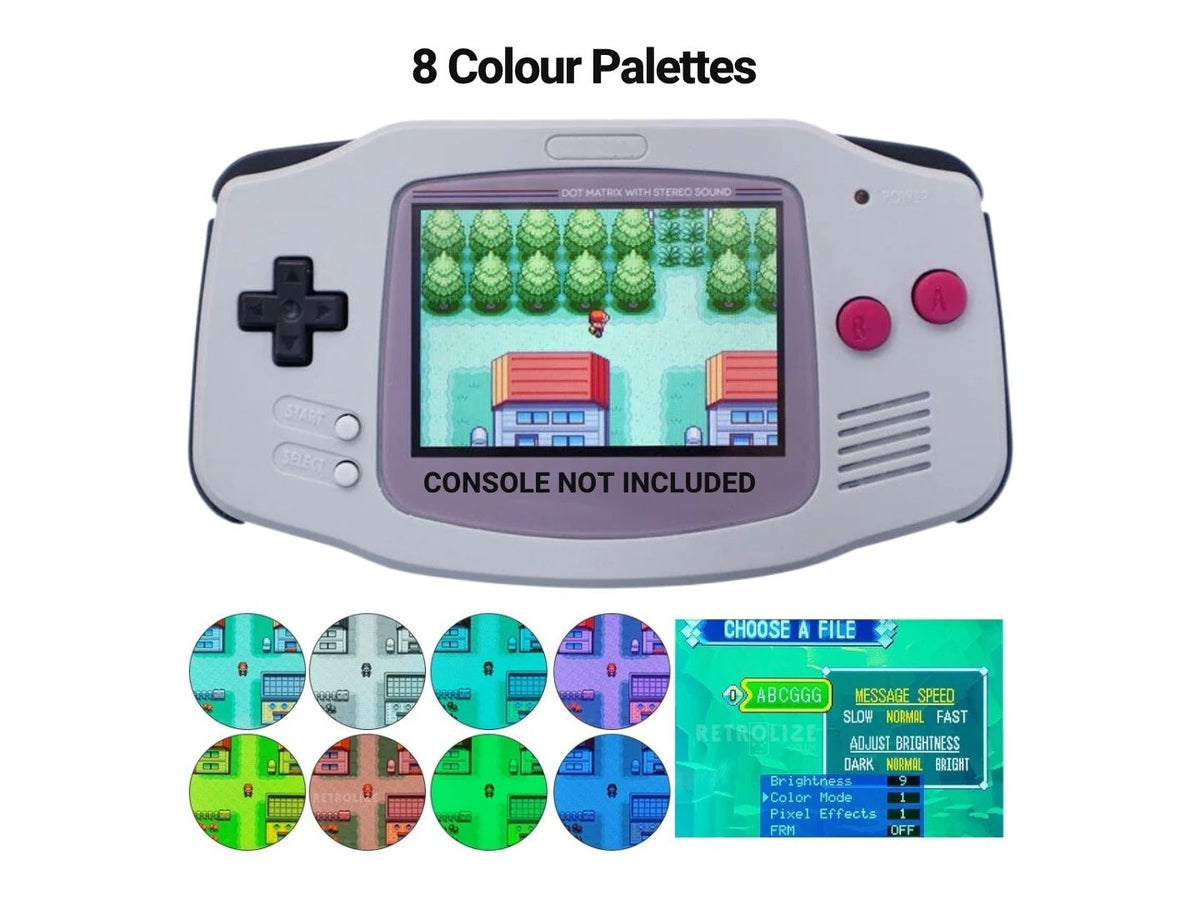
🌈 15 Brightness Levels & 8 Colour Modes 🌈
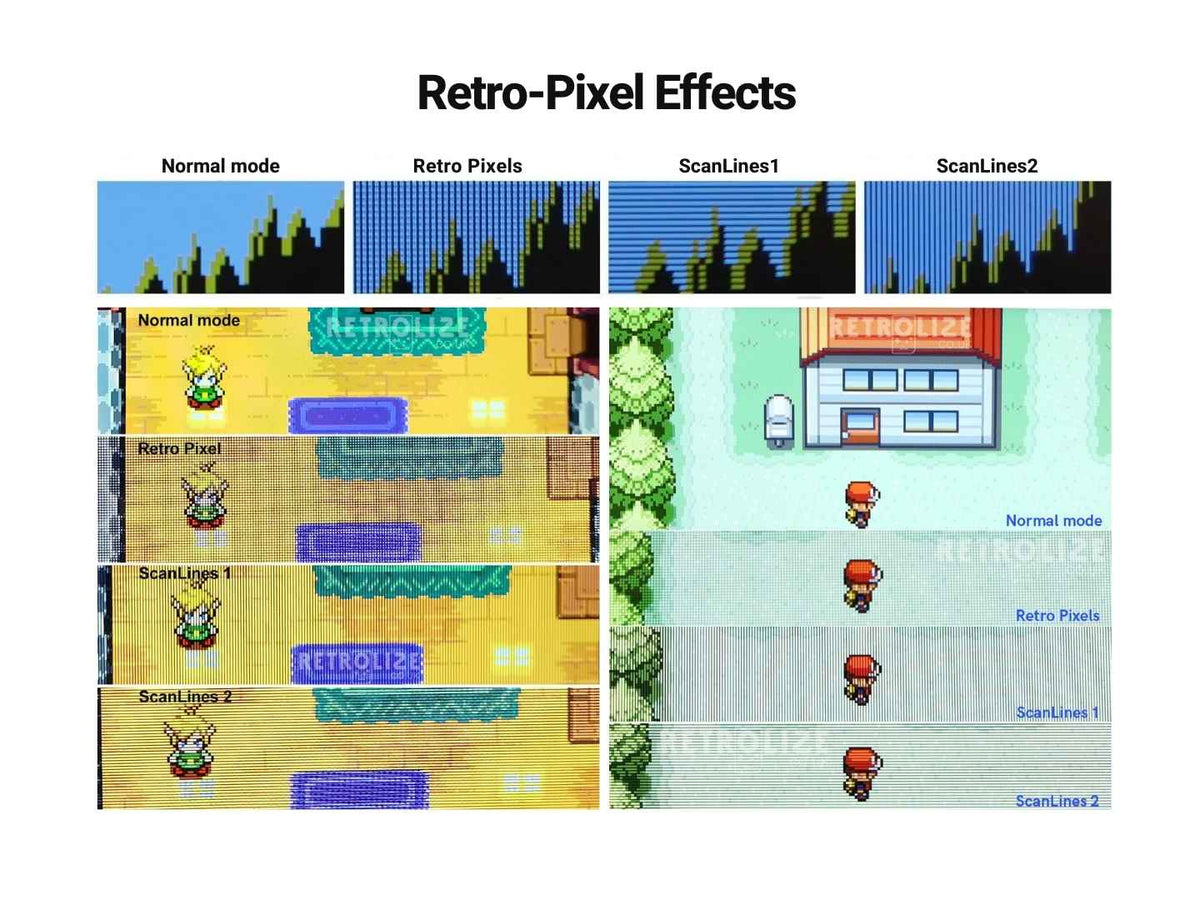
🕹️ Retro Pixel & Two Scanline Effects 🕹️
👆 Touch Controls For Brightness, Colours & Effects 👆
⚙️ On-Screen Menu With Optional Three-Wire Soldering ⚙️
🎞️ Optional Frame Blending Through The OSD 🎞️
🔌 Supports 32-Pin & 40-Pin AGB-001 Consoles 🔌
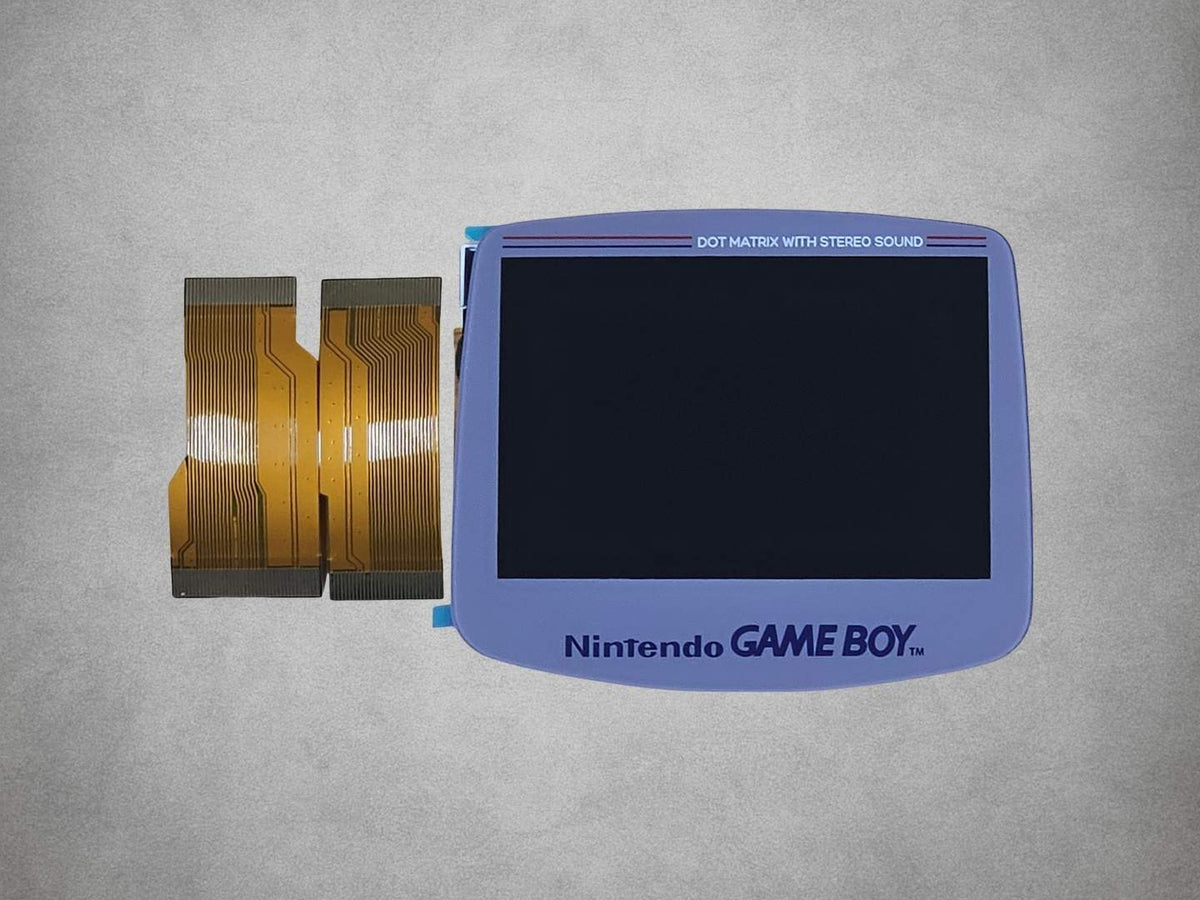
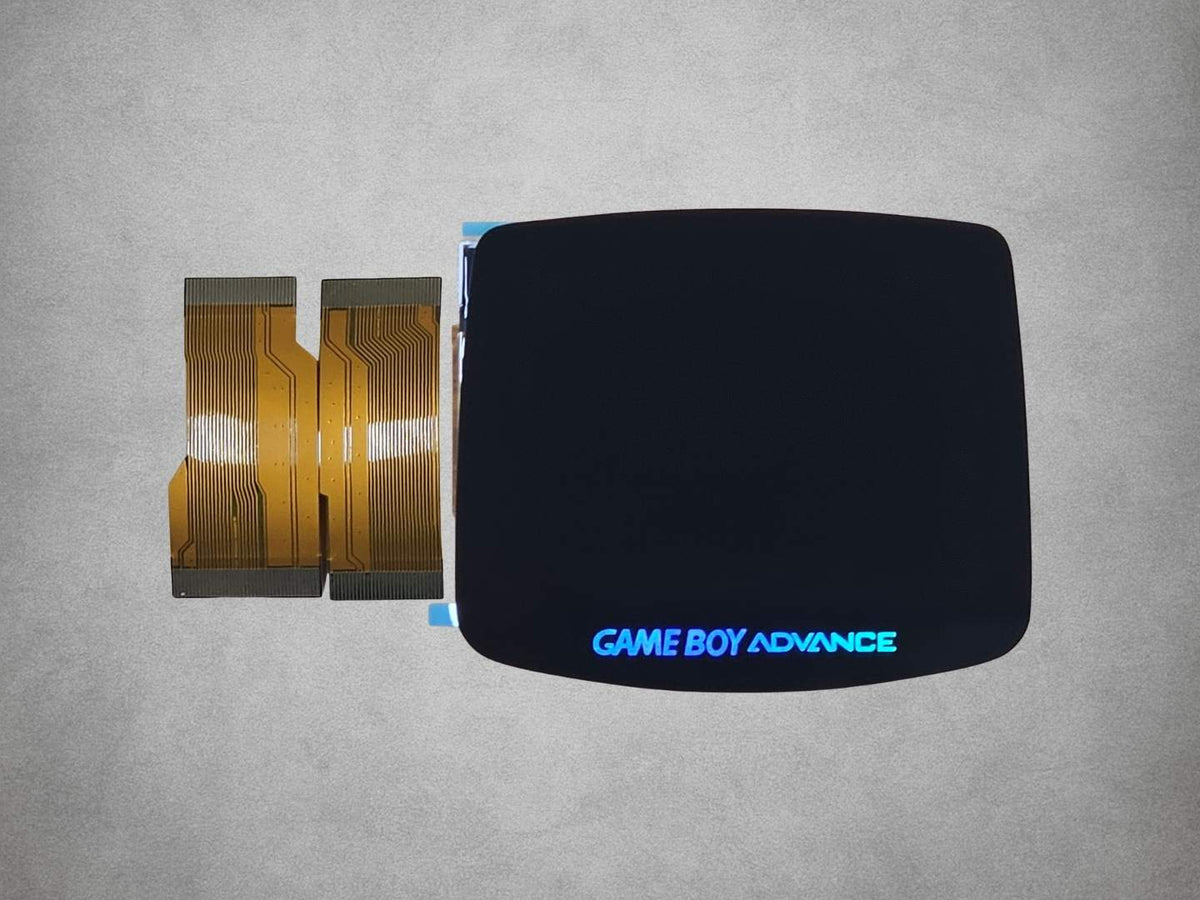
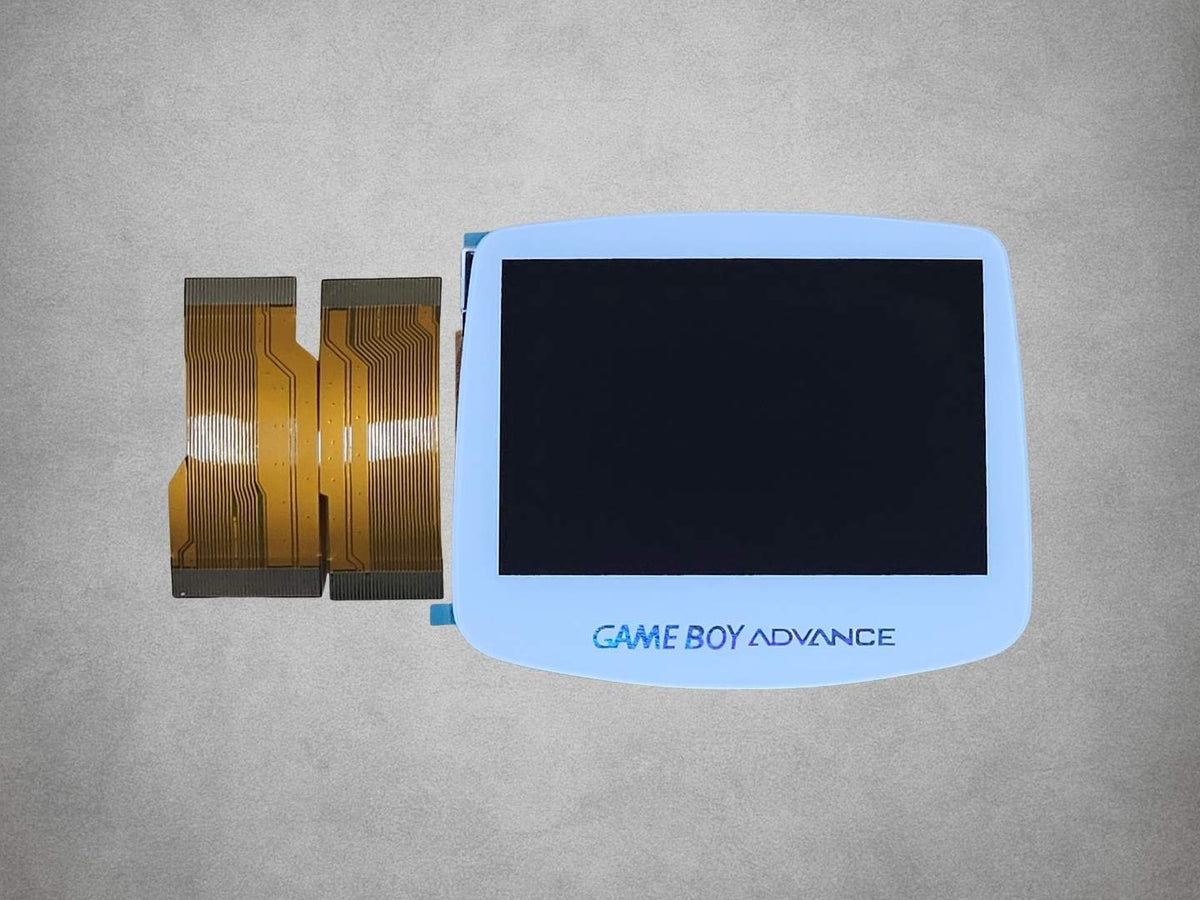
🎨 Black, White & DMG Grey Lens Options 🎨
🛡️ 12-Month Retrolize Warranty 🛡️
Description
Description
Upgrade your original Nintendo Game Boy Advance with the HISPEEDIDO laminated IPS screen kit, replacing its unlit display with a bright, adjustable backlit screen. Designed specifically for the horizontal AGB-001, this 3-inch IPS LCD brings clearer visibility to your games, with viewing angles of up to 178° and a choice of picture settings to suit different games and lighting conditions.
The 720 × 480 resolution provides exact 3× integer scaling of the GBA’s native 240 × 160 image. Each original game pixel is reproduced as a uniform 3 × 3 block of display pixels, giving nine display pixels per source pixel. This keeps pixel sizes consistent and preserves the original image proportions without uneven scaling or stretching.
The glass lens is pre-laminated to the LCD, so the screen and lens arrive as a bonded assembly. The driver PCB is integrated into the LCD’s metal housing, keeping the display electronics together in one unit. Each lens includes console branding, with the surround colour and design depending on your selected version.
Adjust the picture with 15 brightness levels and eight colour modes, then choose from four display styles: Normal, Retro Pixel, Scanline 1 and Scanline 2. Normal provides the standard picture, while Retro Pixel recreates an AGS-101-style pixel-grid appearance. The two scanline options offer alternative retro display effects, allowing you to choose the presentation you prefer.
Built-in touch sensors let you change brightness, colour modes and pixel effects without soldering. For control through the GBA’s own buttons, three optional soldered connections to Select, L and R unlock the on-screen display menu. This provides button-operated adjustment and access to the FRM frame-blending setting.
Frame blending can help reproduce visual effects used by certain games by combining information from successive frames. It is switched off by default, and most games do not require it. Where a particular game benefits from the effect, you can enable it through the OSD menu and turn it off again when it is no longer needed.
The kit supports both 32-pin and 40-pin original GBA motherboards, and both ribbon cables are included. Use the cable that matches your console’s screen connector. Installation requires a housing specifically designed for this HISPEEDIDO laminated screen assembly or suitable trimming of an existing shell; a generic “IPS-ready” description does not guarantee compatibility.
Choose a Black, White or DMG Grey lens surround to complement your build. DMG Grey provides styling inspired by the original Game Boy, while retaining the same GBA AGB-001 compatibility as the other colours. The kit includes the laminated display and both ribbon cables; the console and housing are supplied separately.
Supplied from UK stock with fast UK delivery and a 12-month Retrolize warranty, with tracked international delivery available to supported destinations. Explore our Game Boy Advance parts, mods and upgrades for other components for your repair or restoration.
Specifications
Specifications
Brand: HISPEEDIDO
Product Type: Laminated IPS LCD screen upgrade kit
Designed For: Game Boy Advance
Console Model: AGB-001
Screen Size: 3 inches
Display Resolution: 720 × 480 pixels
Image Scaling: 3× horizontal and vertical; nine display pixels per original GBA pixel
Lens: Pre-laminated glass with console branding; design varies by lens colour
Driver PCB: Integrated into the LCD metal housing
Viewing Angle: Up to 178°
Brightness: 15 levels
Colour Modes: 8
Display Styles: Normal, Retro Pixel, Scanline 1 and Scanline 2
Frame Blending: Selectable through the OSD menu; off by default
Controls: Touch sensors; optional Select, L and R button wiring
Motherboard Connections: 32-pin and 40-pin; both ribbon cables included
Shell Requirement: HISPEEDIDO laminated-screen-compatible housing or suitable trimming
Lens Colours: Black, White and DMG Grey
Black SKU: HIS-GBA-IPS-LAM-BLK
White SKU: HIS-GBA-IPS-LAM-WHT
DMG Grey SKU: HIS-GBA-IPS-LAM-DMG
Supported Systems
Supported Systems
Game Boy Advance AGB-001, 32-Pin: Supported with the supplied 32-pin ribbon cable
Game Boy Advance AGB-001, 40-Pin: Supported with the supplied 40-pin ribbon cable
Game Boy Advance SP AGS-001 / AGS-101: Not supported
Game Boy Micro: Not supported
Shell Compatibility: Must be suitable for this HISPEEDIDO laminated screen; generic IPS-ready wording does not guarantee fit
Critical Info
Critical Info
Check Your Console And Shell: This kit is for the original Game Boy Advance AGB-001 and includes both 32-pin and 40-pin ribbon cables. Confirm your motherboard’s screen connection and use the matching supplied ribbon. A shell designed for a different IPS kit may not fit, even if it is described as laminated or IPS-ready.
Soldering Is Optional For Basic Use: The screen and touch controls can operate without soldering. Accessing the OSD with the console buttons requires three wires connected to Select, L and R. Frame-blending control requires OSD access.
Test Before Installation: Fully test the screen with the testing/install void sticker intact before installation, soldering, applying adhesive or removing the sticker. Check the picture, brightness settings and touch controls. The sticker must be removed to install the screen, so remove it only after successful testing when you are ready to fit the kit. If a fault appears, leave the sticker intact and contact Retrolize before proceeding. Remove the batteries before connecting or disconnecting ribbons.
Installation Overview
- Open the console, identify the screen connector and prepare a compatible housing.
- With power removed, connect the matching supplied ribbon between the screen assembly and motherboard. Check the connector orientation and locking tabs.
- With the testing/install void sticker intact, temporarily power the console to test the picture, brightness settings and touch controls, then remove power again. Stop and contact Retrolize if a fault appears.
- After successful testing, remove the sticker when you are ready to begin installation. If you want button-operated OSD control, solder the three control connections using the installation diagram for your kit. Suitable hookup wire and soldering equipment are required.
- Fit the display without stressing the glass or ribbons, reassemble the console and check the picture and controls again.
Touch Controls
Brightness: Tap the lower touch sensor to cycle through the brightness levels
Pixel Effects: Hold the lower touch sensor and release when the desired display style appears
Colour Modes: Hold the upper touch sensor and release when the desired colour mode appears
OSD Controls — Requires The Three Soldered Connections
Open Menu: Hold Select + L + R together for one second, then release
Choose Setting: Press Select to move between settings
Adjust Setting: Press L or R
Save And Exit: Hold Select + L + R together for one second, then release
Package Includes
Package Includes
1 × HISPEEDIDO laminated IPS screen assembly in the selected lens colour
1 × 32-pin ribbon cable
1 × 40-pin ribbon cable
Console, housing and batteries are not included.
Warranty Information
Warranty Information
The HISPEEDIDO Game Boy Advance Laminated IPS Screen Kit includes a 12-month Retrolize warranty from the date of delivery, covering manufacturing defects and hardware faults arising during normal use.
Pre-Installation Testing: Fully test the screen with the testing/install void sticker intact before installation, soldering or applying adhesive. Check the picture, brightness settings and touch controls. If you identify a fault, leave the sticker intact, stop and contact Retrolize with your order number and a description of the issue.
Testing And Installation Sticker: The sticker must be removed before the screen can be installed. Remove it only after successful testing, when you are ready to proceed with installation.
Returns After Installation: We do not accept discretionary returns once the testing/install void sticker has been removed or installation has been attempted. This condition does not restrict your statutory cancellation rights or rights concerning faulty goods.
Exclusions: The warranty does not cover damage caused by incorrect installation, soldering, accidental damage, liquid exposure, misuse, incorrect power or unauthorised alterations to the screen assembly. This includes torn ribbon cables, damaged connectors, lifted solder pads, heat damage and cracked glass or LCD panels caused during fitting or handling.
Problems caused by unsuitable housings, forced fitment or incompatible console hardware are not manufacturing defects in the screen kit.
Warranty claims remain subject to the full Retrolize warranty terms. This warranty is additional to your statutory rights, which remain unaffected.
Additional Information
Additional Information
Do I Need A Separate Screen Lens?
No. The glass lens is already bonded to the LCD. Do not remove it or fit another lens over the top.
Will It Fit An Unmodified Original Shell?
The laminated assembly requires a matching shell or suitable trimming. This is different from HISPEEDIDO’s non-laminated drop-in kit, which has different fitting requirements.
What Does Frame Blending Do?
Frame blending combines information from successive frames and can help with effects used by certain games. It is switched off by default, and most games do not require it. Change it through the OSD menu.
Will It Affect Battery Life?
A backlit IPS screen uses more power than the original unlit display. Runtime depends on brightness, battery condition and any other modifications; there is no fixed battery-life figure for this kit.
Does The DMG Grey Version Fit An Original Game Boy?
No. DMG Grey describes the lens styling. All three versions are for the Game Boy Advance AGB-001.
Is International Delivery Available?
Yes. We offer tracked delivery to supported international destinations. Checkout displays the available services, estimated delivery times and applicable duties and taxes.
Share
Product reviews
Honest feedback to help you choose.
Customers receive a personal review invitation after purchase.